User ID Controlled by Request Parameter with Password Disclosure - PortSwigger
Exploiting broken access control by manipulating a user ID parameter to disclose the administrator's password, access the admin panel, and delete another user.
Overview
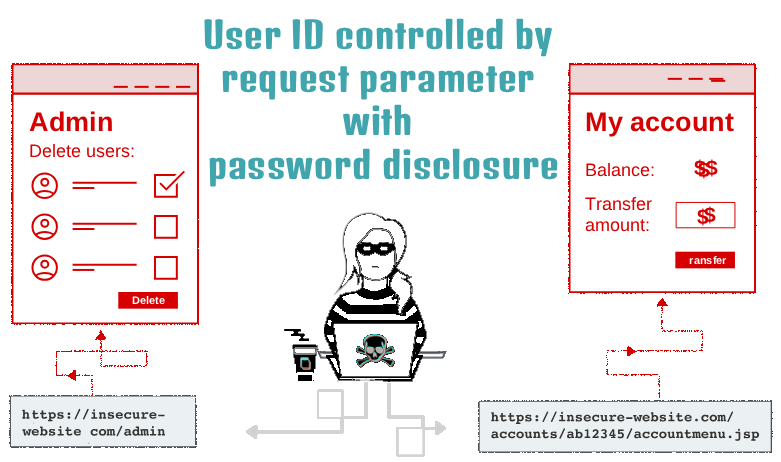
This lab demonstrates how broken access control can expose sensitive account information when an application trusts a user-controlled request parameter to identify an account. By changing the id parameter from wiener to administrator, I was able to retrieve the administrator’s password from the server’s response, log in as the administrator, and access the admin panel to delete the user carlos.
Question / Lab Objective
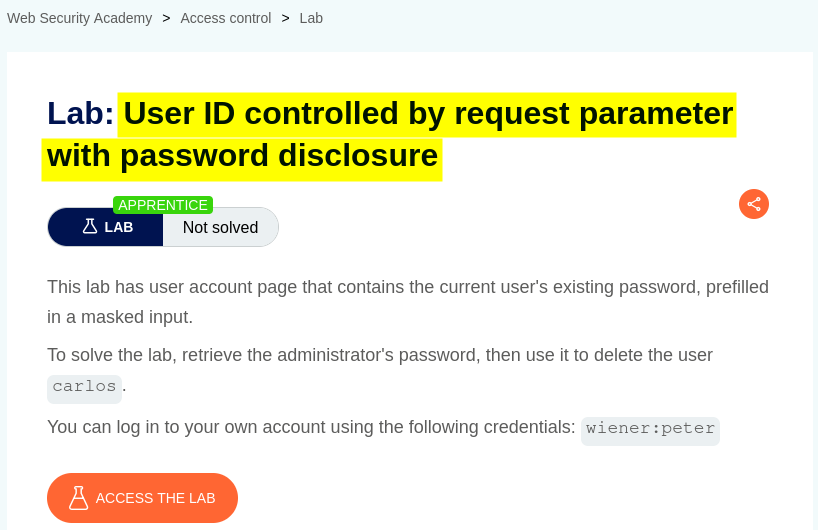
The objective was to retrieve the administrator’s password and delete the user carlos by exploiting an access control vulnerability in which the application relied on a user-controlled request parameter to identify the account being accessed.
Walkthrough
1. Exploring the application
After launching the lab, I accessed the target application and explored its available functionality. The website displayed several products and provided a My Account option.
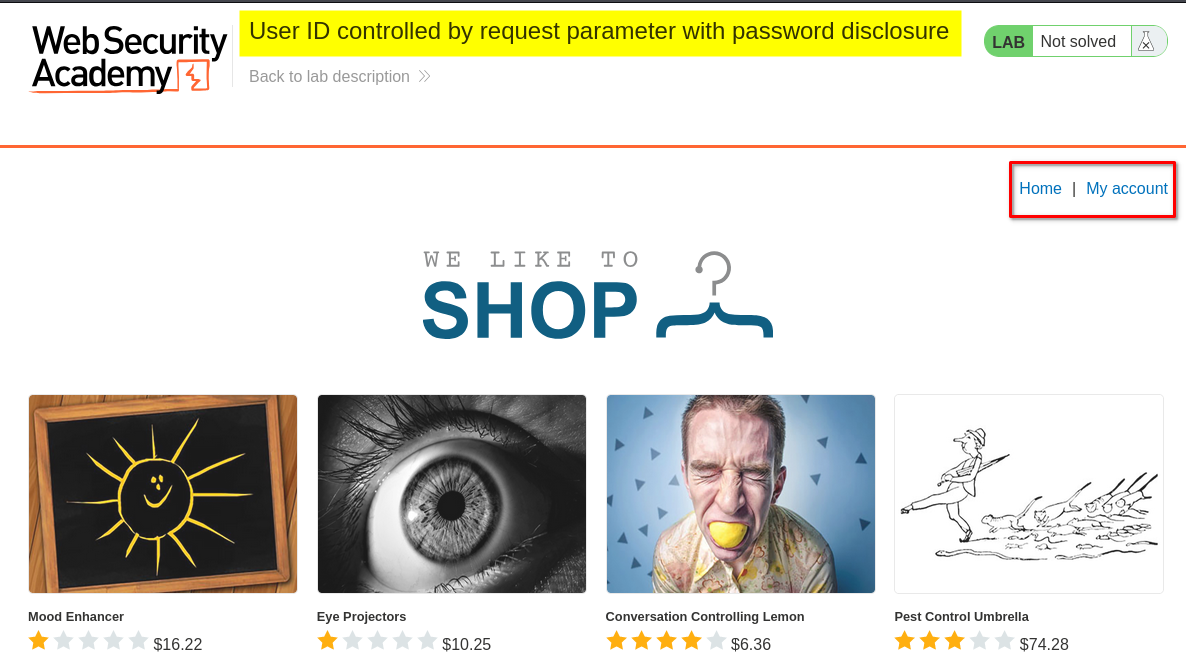
I browsed the application to understand its structure and identify potential entry points for further investigation.
Since the lab focused on access control and password disclosure, I paid particular attention to account-related functionality and how the application identified individual users.
2. Accessing the login page
I clicked My Account, which redirected me to the login page.
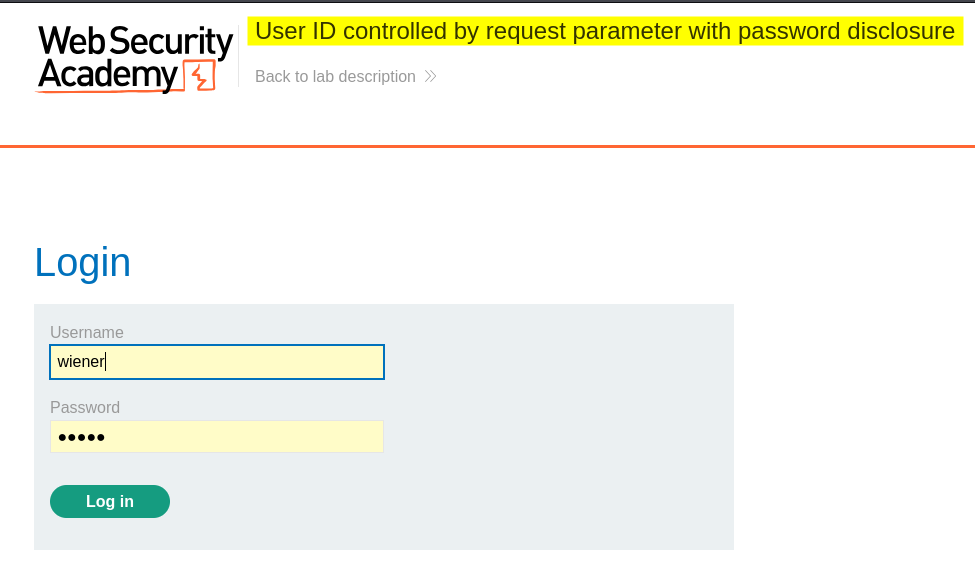
The lab provided credentials for the user wiener. I used these credentials to authenticate and access the account page.
After logging in, I was redirected to Wiener’s account dashboard. I noticed an account-management form that included password-related functionality. Although the password field appeared hidden in the browser, I wanted to investigate how the application handled account information on the server side.
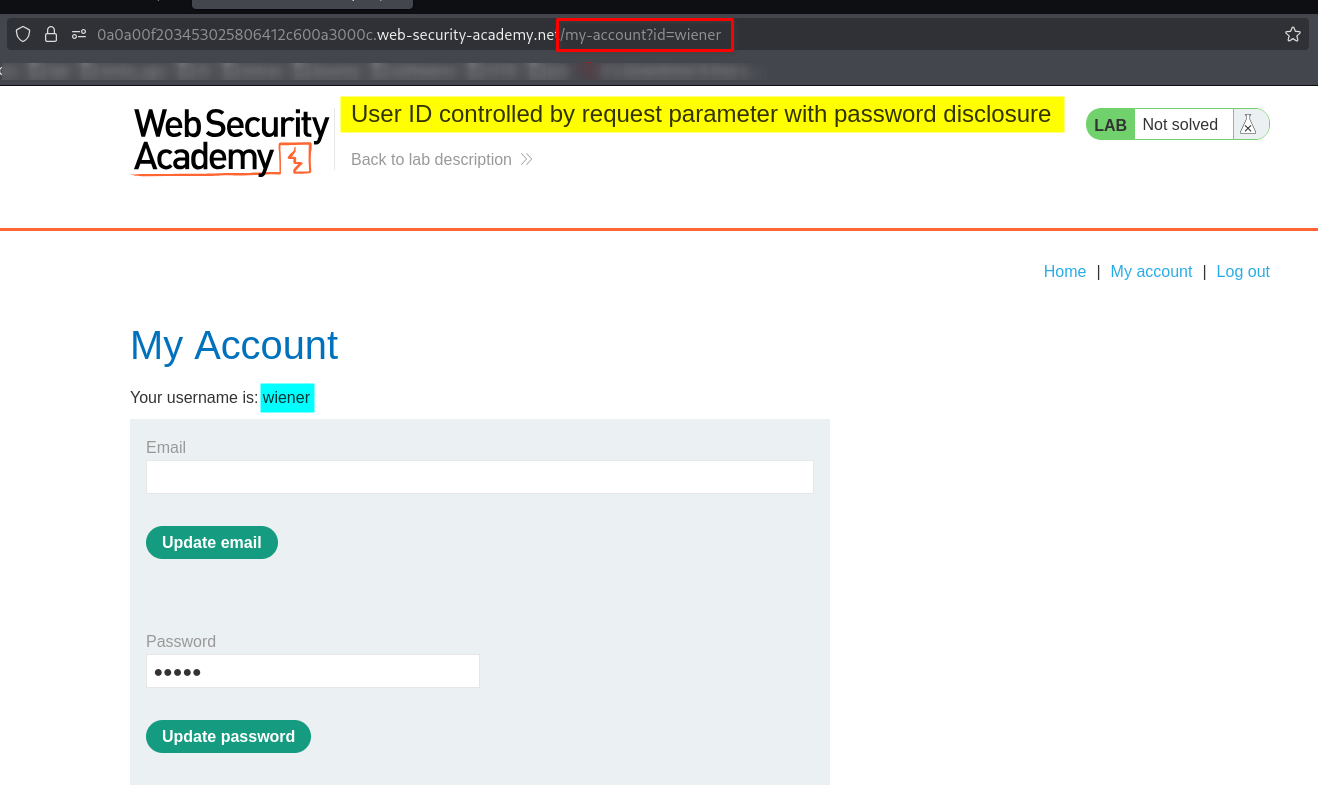
I also confirmed that I was working within an authenticated session belonging to the legitimate user wiener.
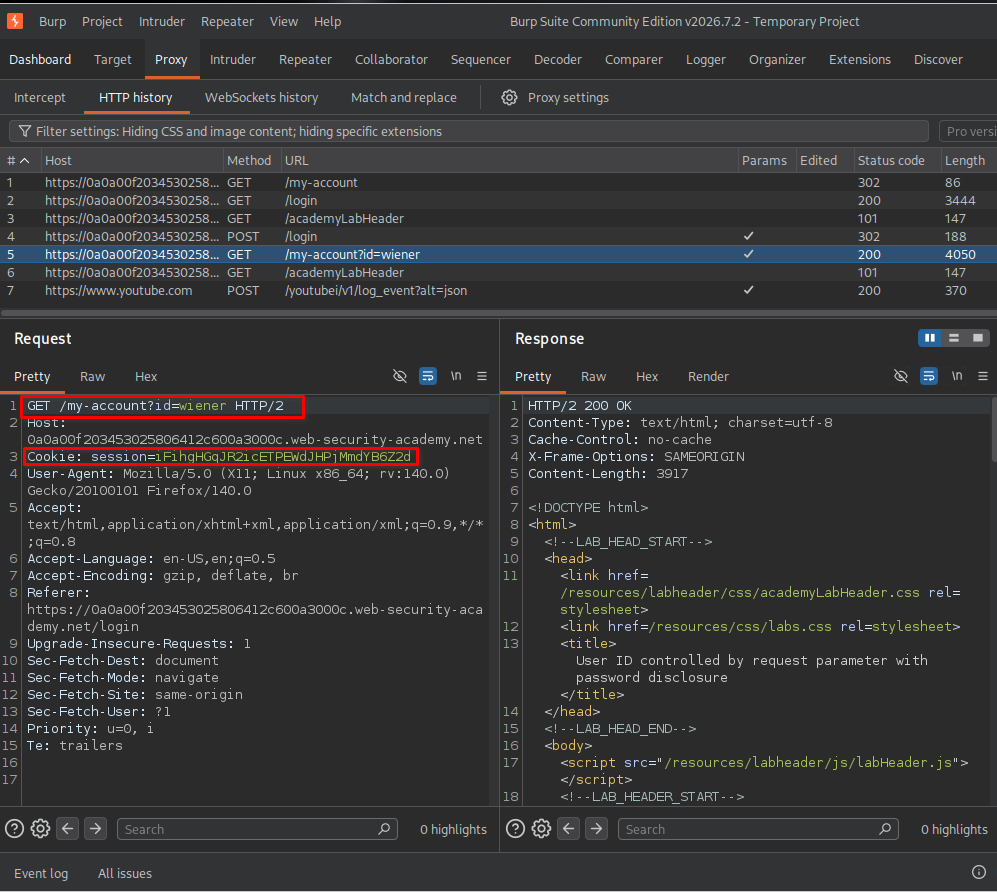
This was important because it allowed me to test whether the application enforced proper access controls when an authenticated user requested another account’s information.
Key observation: Hiding a password field in the browser does not guarantee that the underlying value is protected. Sensitive information must be protected by the server, not merely concealed by the user interface.
3. Inspecting and modifying the user ID parameter
I examined the account-related request and noticed that the application used an id parameter to identify the account whose information was being requested.
I decided to test whether changing this parameter would allow me to access another user’s account information.
The original and modified parameter values were:
- Original:
id=wiener - Modified:
id=administrator
I changed the identifier from wiener to administrator while keeping the same authenticated session.
I then sent the modified request and inspected the server’s response in Burp Suite.
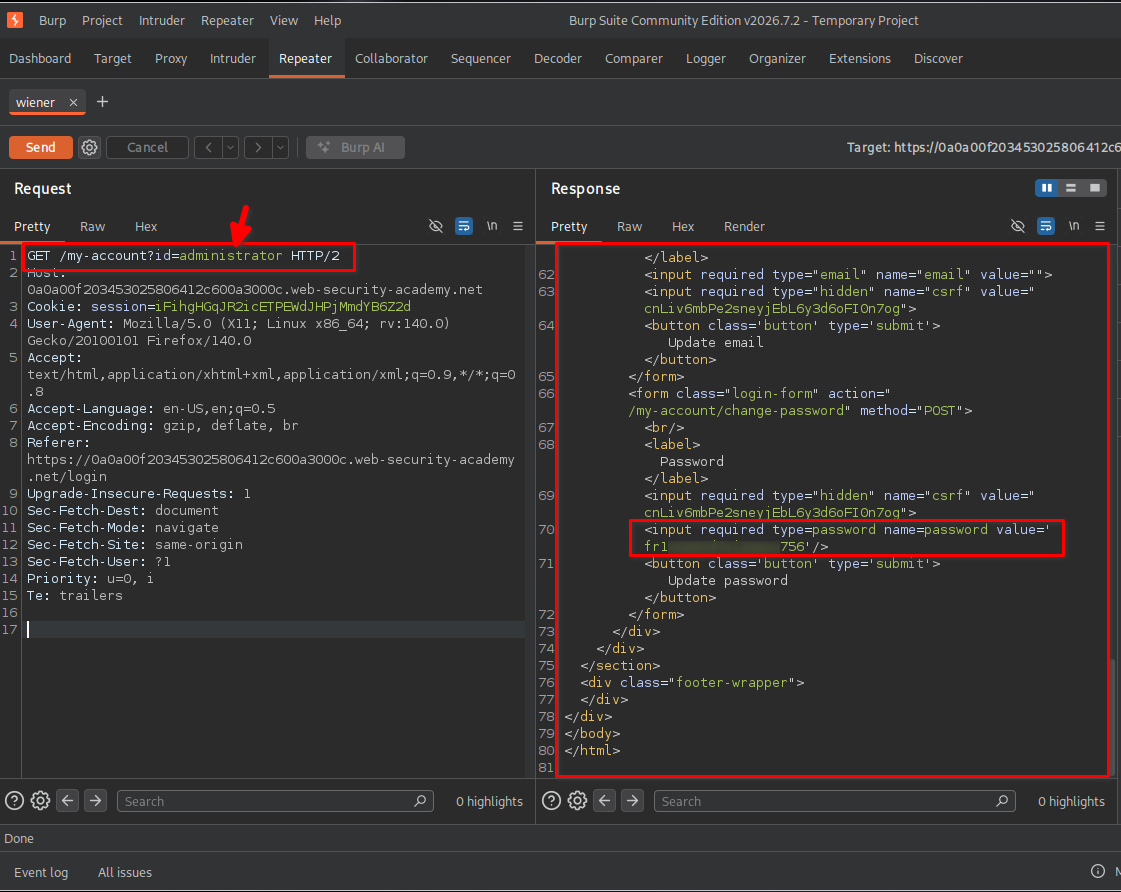
The response disclosed the administrator’s password, even though the request originated from a session authenticated as wiener.
This revealed the core vulnerability: the application trusted a user-controlled account identifier without properly restricting access to the requested account’s sensitive information.
The server also returned an HTTP 302 redirect. However, a redirect is not a security control. The sensitive information had already been included in the response, so the redirect did not undo the disclosure.
4. Logging in with the administrator’s credentials
After retrieving the administrator’s password, I returned to the login page and used the disclosed credentials to authenticate as administrator.
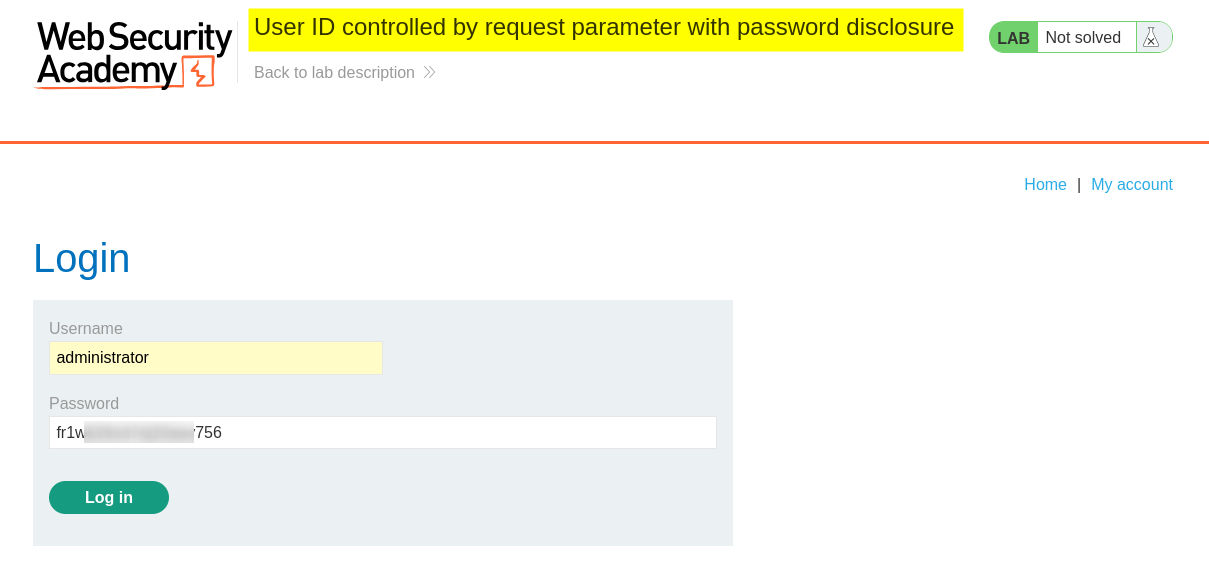
The application accepted the credentials and provided access to the administrator’s account.
This confirmed that the disclosed password could be used to authenticate as the privileged user, demonstrating a more serious impact than account information exposure alone.
5. Exploring the administrator dashboard
After logging in as the administrator, I examined the dashboard and identified the available account-management functionality.
The page provided access to the Admin panel, alongside the account’s own email and password update functionality.
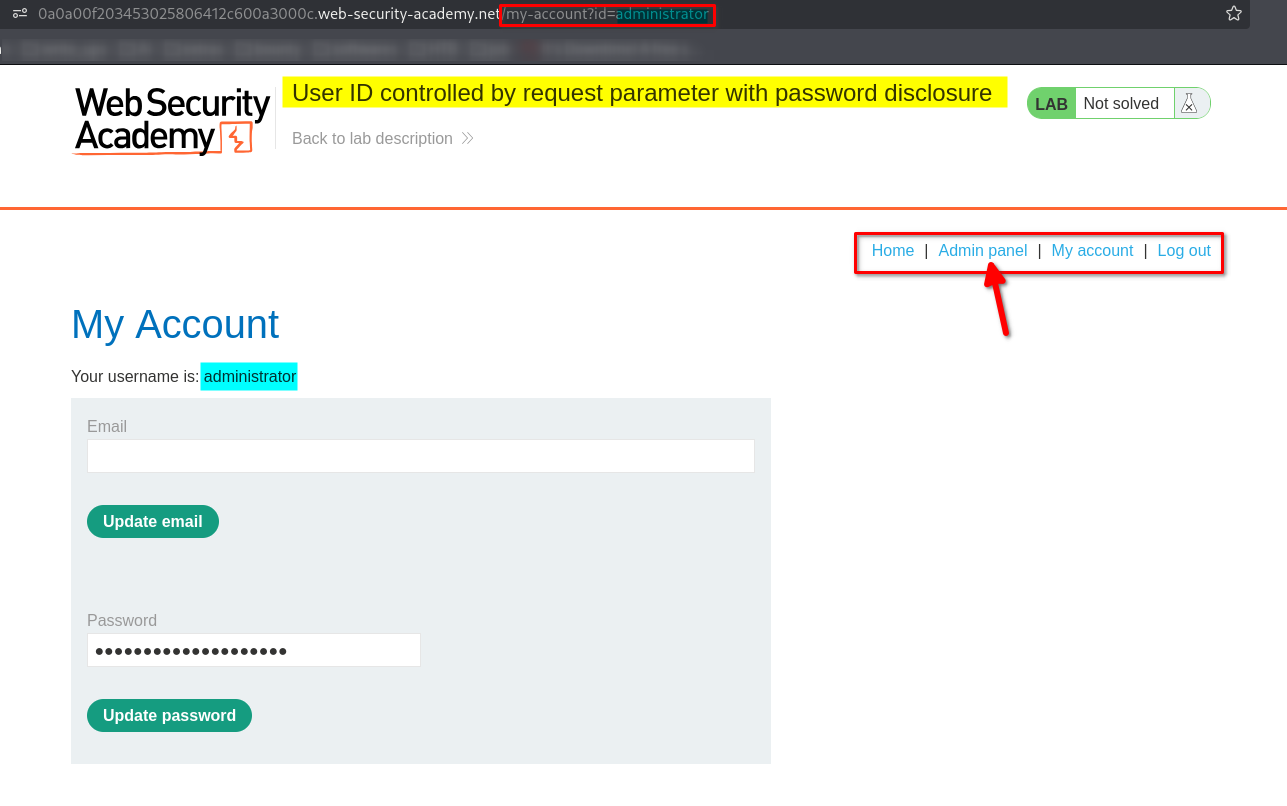
The presence of an admin panel indicated that the account had elevated privileges compared with the ordinary wiener account.
I proceeded to the admin panel to locate the user-management functionality required to complete the lab.
6. Deleting the user Carlos
Inside the admin panel, I found the user-management interface, which allowed the administrator to manage existing accounts.
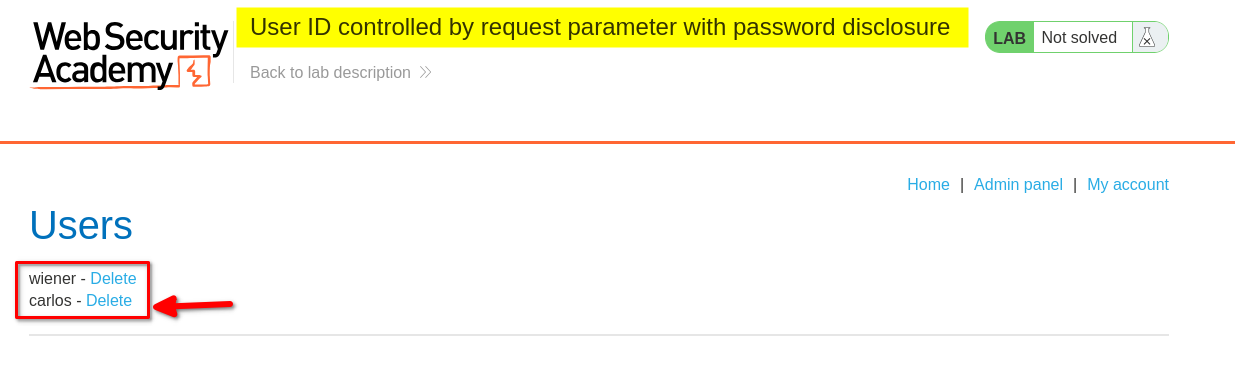
I located the user carlos and used the available deletion functionality to remove the account.
This completed the final objective of the lab: using the disclosed administrator password to access privileged functionality and delete the specified user.
7. Confirming lab completion
After deleting carlos, the application displayed a successful deletion message and confirmed that the lab had been solved.
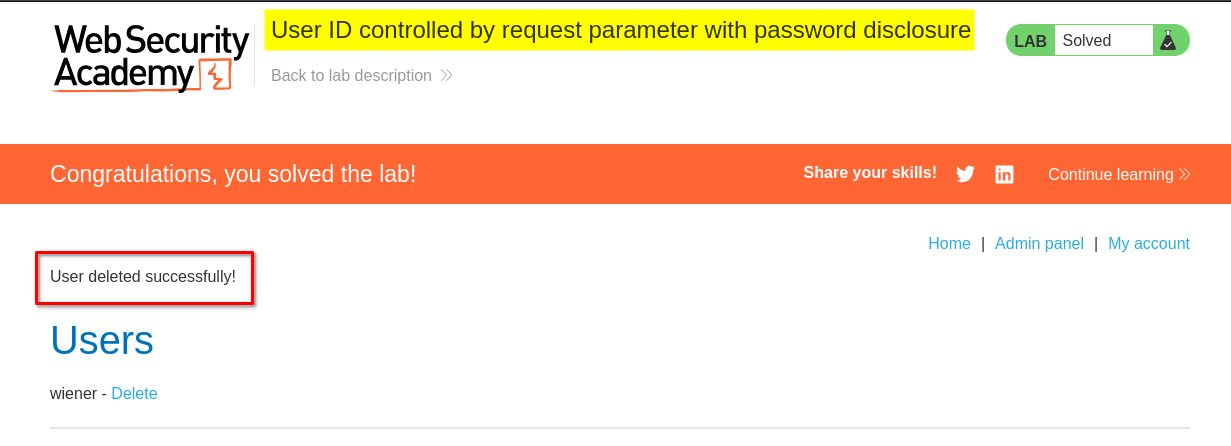
This confirmed that I had successfully exploited the application’s broken access control, obtained the administrator’s password, accessed the admin panel, and completed the required action.
Key Takeaways
- Never trust user-controlled identifiers: Parameters such as
id,user, oraccountmust not determine authorization on their own. - Test for IDOR vulnerabilities: Changing an account identifier can reveal whether the server improperly allows access to another user’s data.
- Authentication is not authorization: Being logged in does not automatically grant permission to view another user’s sensitive information.
- Client-side hiding is not security: Password fields, hidden HTML elements, and other interface-level restrictions cannot protect information already disclosed by the server.
- Inspect complete HTTP responses: A redirect status such as
302does not guarantee that a response contains no sensitive information. - Understand privilege escalation: Exposing an administrator’s password can allow an attacker to gain elevated privileges and access administrative functions.
- Verify the full impact: Demonstrating access to sensitive information and then confirming the consequences in the lab provides a clearer understanding of the vulnerability.
Security Impact
This vulnerability can result in unauthorized disclosure of sensitive account information and potentially lead to privilege escalation.
In this lab, manipulating the id parameter exposed the administrator’s password to an authenticated low-privileged user. Because the password could be used to log in as the administrator, the issue enabled access to privileged functionality, including user management and account deletion.
In a real-world application, similar weaknesses could expose personal information, account credentials, or administrative functions. Depending on the privileges available, an attacker might be able to modify accounts, delete users, or perform other unauthorized actions.
The severity depends on the sensitivity of the disclosed information, the privileges associated with the affected account, and the actions available after gaining access.
Remediation
To prevent this type of vulnerability:
- Enforce server-side authorization: Verify on every request that the authenticated user is permitted to access the requested account and resource.
- Do not expose passwords: Never return plaintext passwords in account pages, API responses, HTML, or other client-accessible content.
- Use secure password storage: Store passwords using a suitable, salted password-hashing algorithm rather than retaining recoverable plaintext passwords.
- Separate authentication from authorization: Validate the user’s identity and independently verify permissions for every protected action.
- Protect administrative functionality: Restrict admin panels and user-management actions to properly authorized administrators.
- Validate account identifiers securely: Treat request parameters as untrusted input. Use the authenticated identity and server-side permission checks to determine which resources may be accessed.
- Test for broken access control: Include authorization tests that attempt to access other users’ accounts and privileged actions using lower-privileged sessions.
Conclusion
This lab demonstrated how a user-controlled request parameter can expose sensitive information when proper authorization checks are missing. By changing id=wiener to id=administrator, I retrieved the administrator’s password, authenticated with the privileged account, and used the admin panel to delete carlos.
The main lesson is that access control must be enforced on the server for every sensitive resource and action. User identifiers, hidden interface elements, and HTTP redirects are not substitutes for proper authorization and secure handling of credentials.
Thanks for reading!