Username Enumeration via Different Responses - PortSwigger
Using Burp Suite Intruder to enumerate valid usernames and identify a valid password by analyzing differences in application responses.
Overview
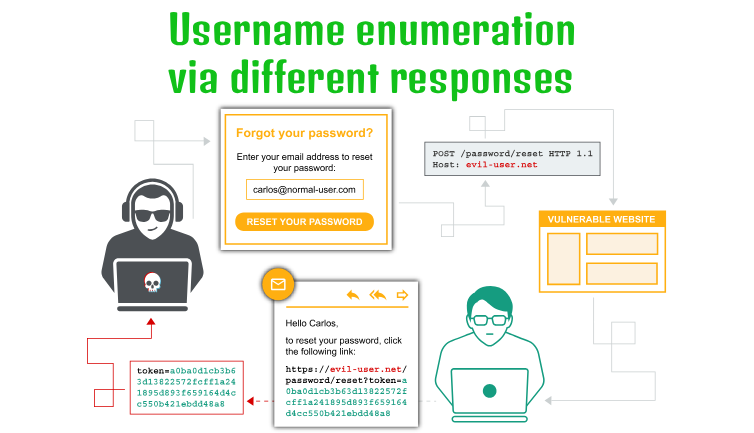
This lab demonstrates how inconsistent login responses can allow attackers to enumerate valid usernames and identify valid credentials. Using Burp Suite Intruder, I analyzed differences in response lengths, messages, and HTTP status codes to identify a valid username and password.
Question / Lab Objective
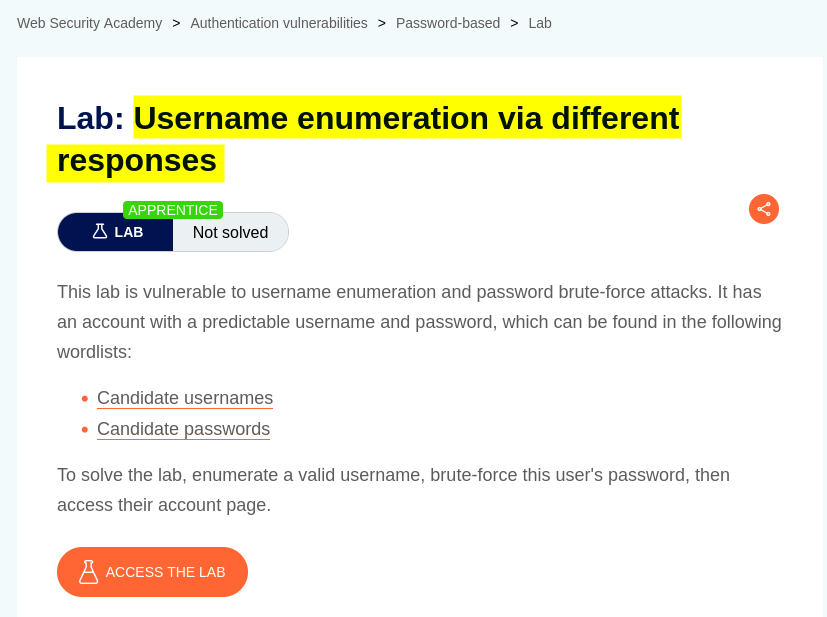
The objective was to exploit differences in the application’s login responses to enumerate a valid username and password, then use the discovered credentials to log in and solve the lab.
Walkthrough
1. Exploring the application
After launching the lab, I accessed the target application and explored its available functionality. The website displayed a collection of blog posts along with a My Account option.
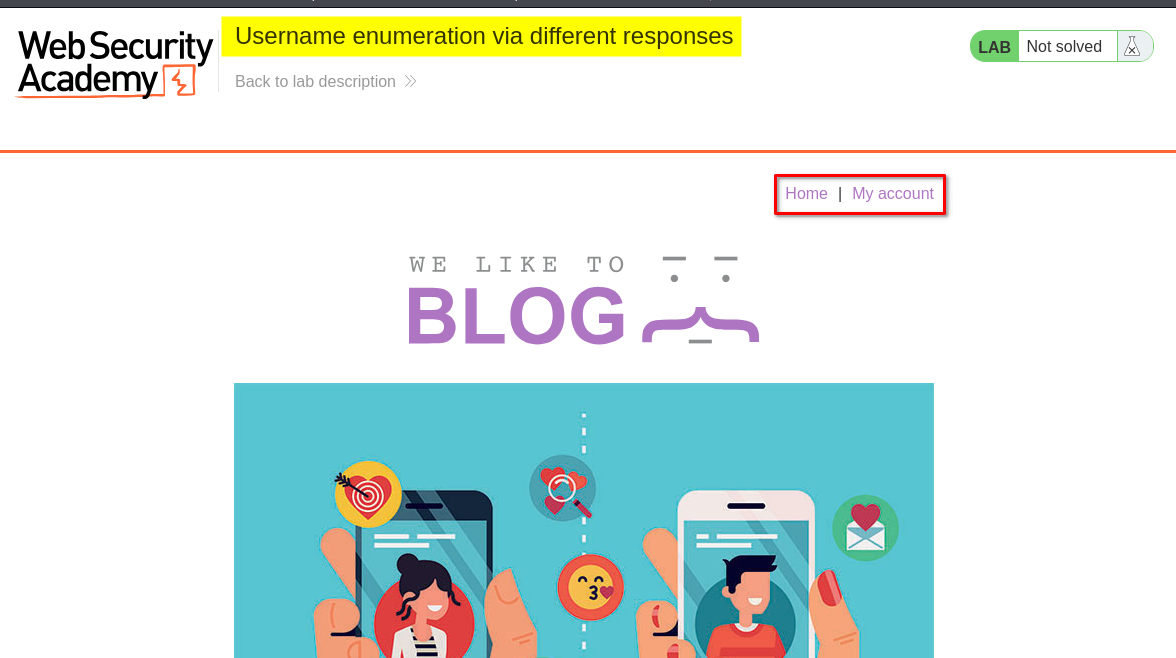
I browsed the application to understand its structure and identify potential entry points for further investigation.
At this stage, I had not identified any authentication-related weaknesses. I decided to examine the login functionality to understand how the application handled different username and password combinations.
2. Identifying different login responses
I clicked My Account, which redirected me to the login page.
Since I did not have valid credentials, I initially entered a random username and password to observe how the application responded.
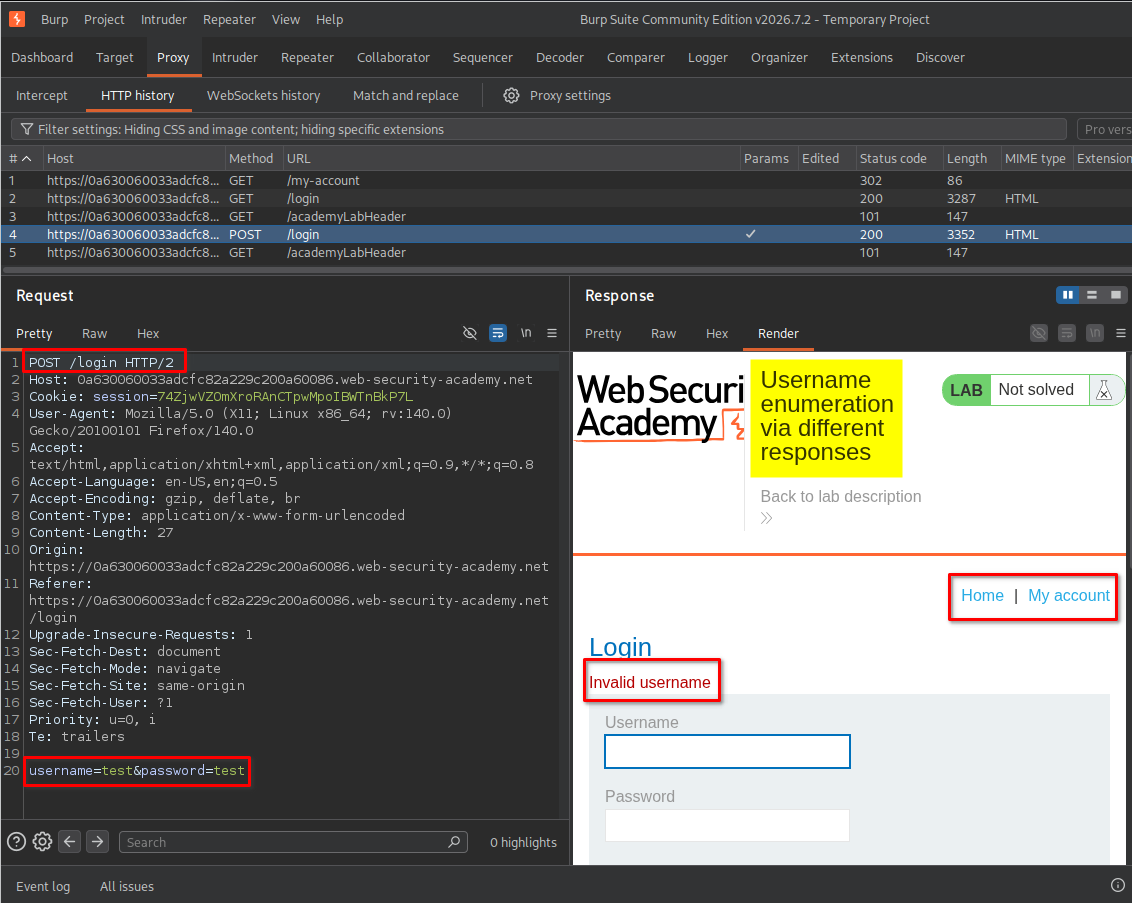
The response indicated that the username was invalid.
This was an important observation because the application explicitly differentiated between an invalid username and other authentication failures.
Instead of returning a generic login error, the application revealed information about whether the supplied username existed.
Key observation: Different authentication responses can create an enumeration vulnerability by allowing an attacker to distinguish valid usernames from invalid ones.
3. Enumerating valid usernames using Burp Suite Intruder
After identifying the difference in the login responses, I decided to test a list of possible usernames using Burp Suite Intruder.
I captured the login request and sent it to Intruder.
The steps were:
- Select the captured login request and send it to Intruder.
- Open the Positions tab.
- Clear the automatically selected payload positions if necessary.
- Highlight only the username value and mark it as the payload position.
- Select the Sniper attack type.
- Open the Payloads tab.
- Set the payload type to Simple list.
- Paste the 101 usernames provided by the lab.
- Start the attack.
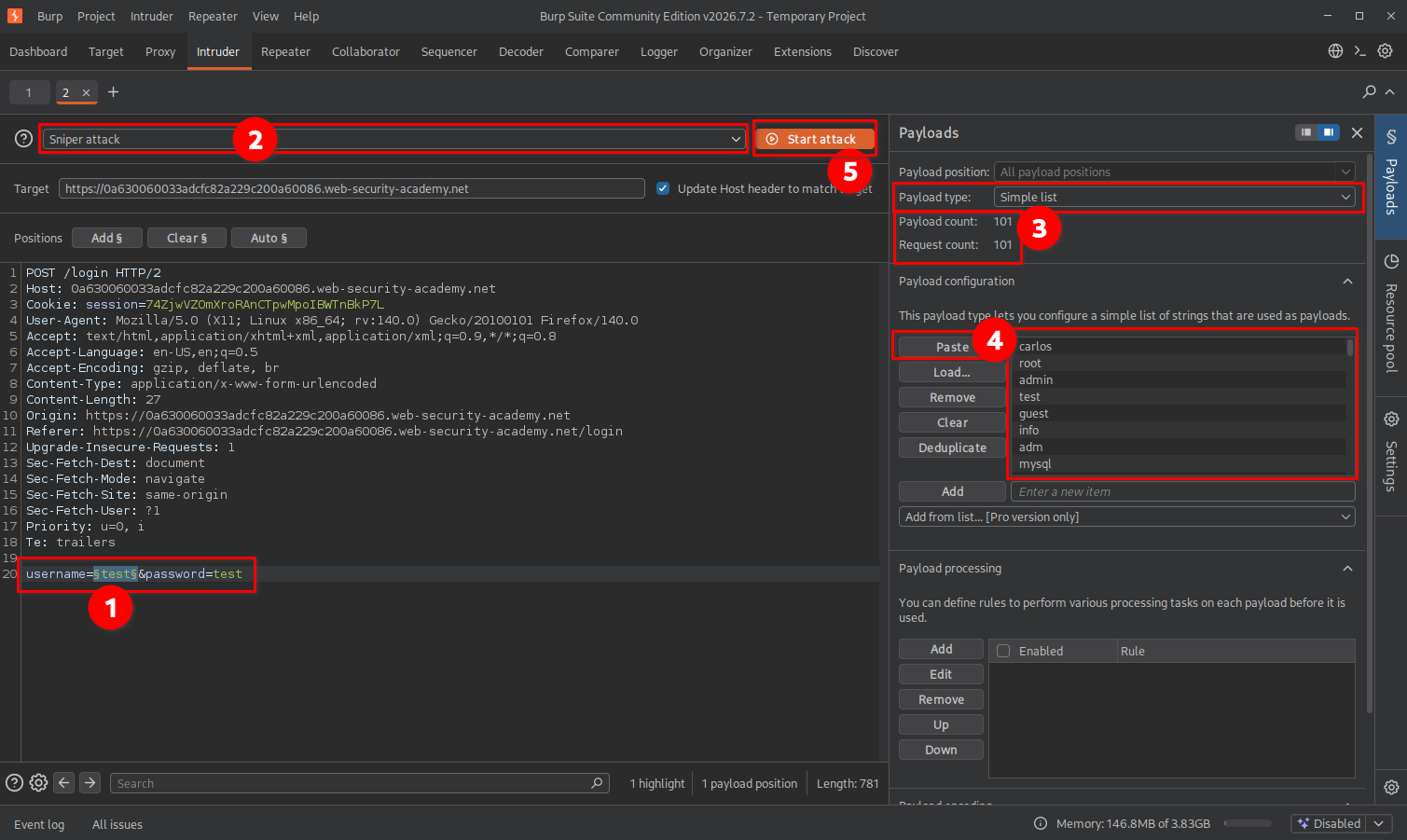
After starting the attack, I waited for Intruder to finish sending the requests.
I then examined the results and compared the response lengths to identify any requests that behaved differently from the others.
Most unsuccessful attempts returned a response length of approximately 3552 bytes. However, one response had a different length of 3354 bytes.
I inspected that response and found the message: Invalid password
This indicated that the username was recognized by the application, but the supplied password was incorrect.
The valid username I discovered was: ajax
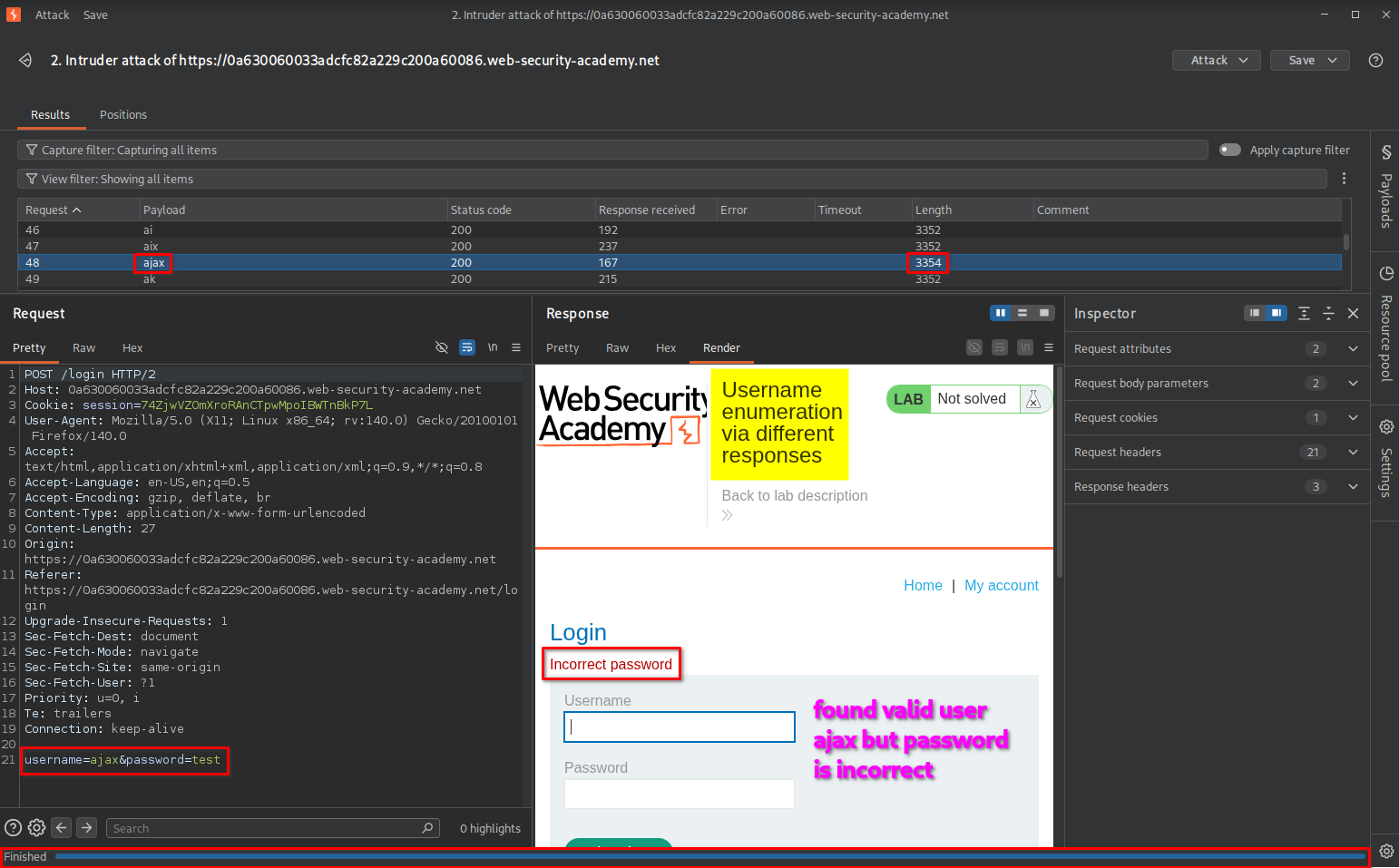
Why this worked: The application returned different messages depending on whether the username existed. By comparing the responses, I could distinguish a valid username without knowing its password.
4. Enumerating the password using Burp Suite Intruder
After identifying the valid username ajax, I returned to the login page and attempted to log in using that username with a random password.
The application returned an incorrect-password response, confirming that the username was recognized.
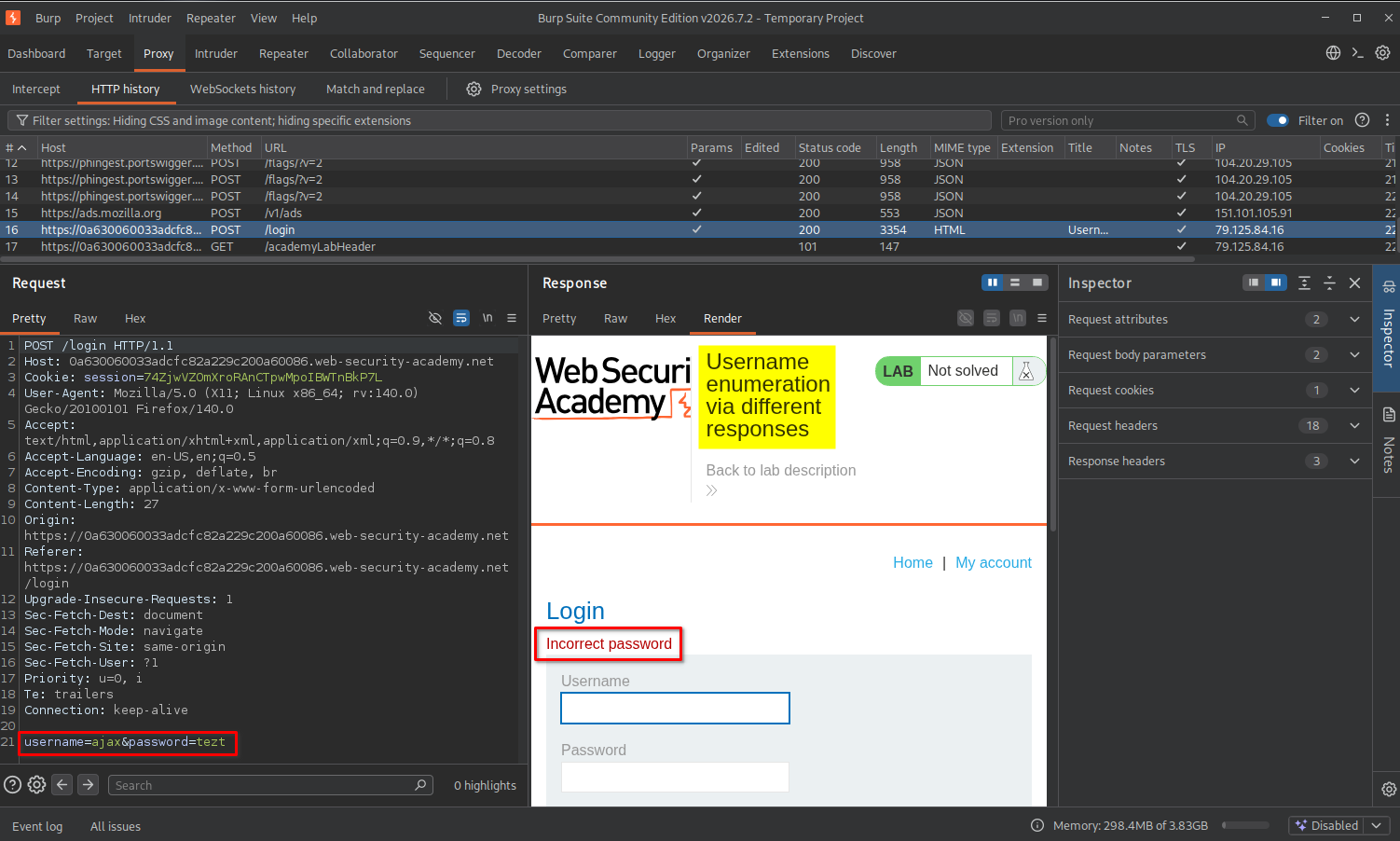
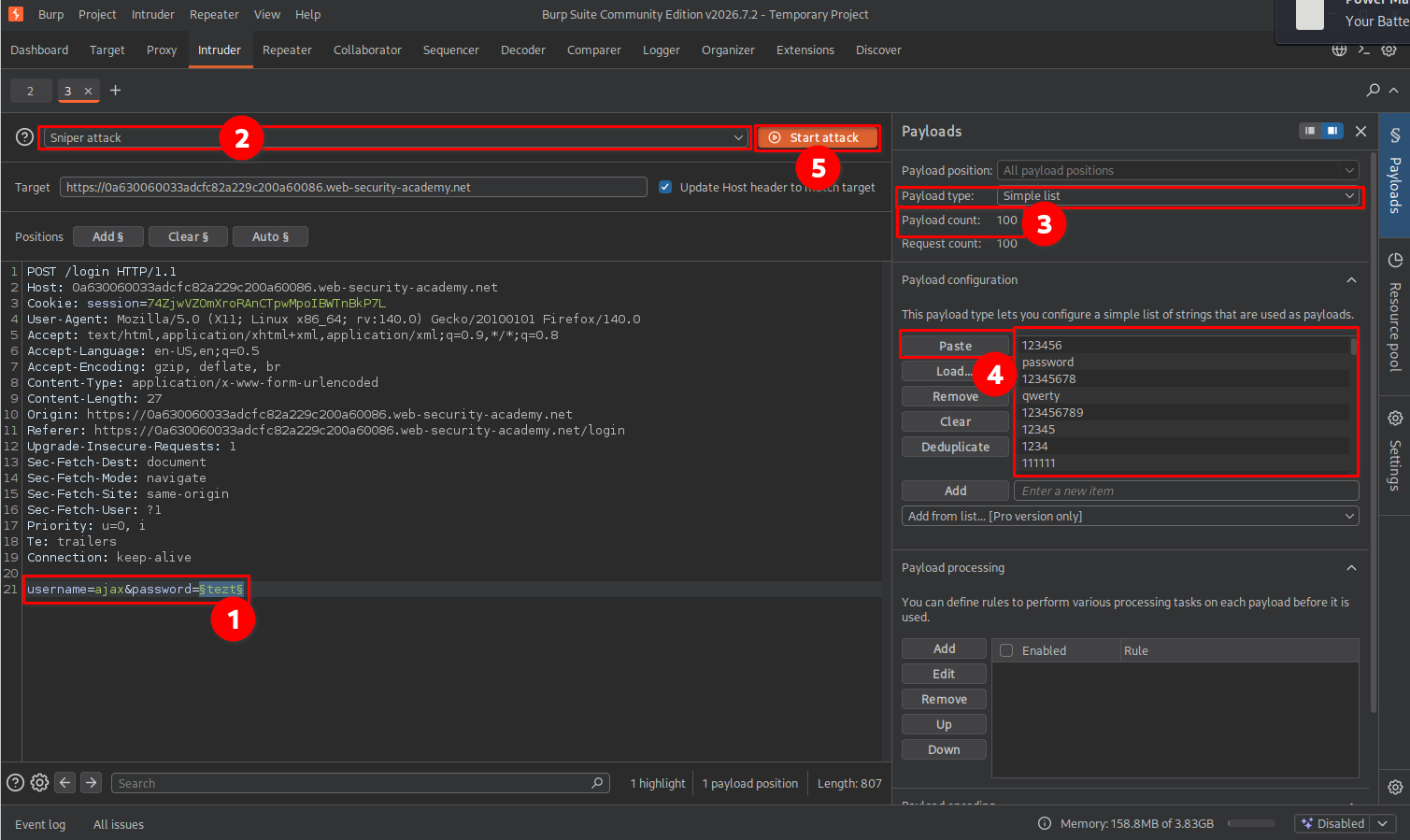
Since I now had a valid username, I repeated the Intruder process, this time targeting the password parameter.
The steps were:
- Capture the login request again.
- Send the request to Intruder.
- Open the Positions tab.
- Highlight only the password value and mark it as the payload position.
- Select the Sniper attack type.
- Open the Payloads tab.
- Choose Simple list as the payload type.
- Paste the 100 passwords provided by the lab.
- Start the attack.
After the attack finished, I compared the response lengths and HTTP status codes.
Most unsuccessful login attempts returned responses with lengths of approximately 3554 or 3441 bytes and an HTTP status code of 200 OK.
However, one response was significantly different:
- Response length: 186 bytes
- HTTP status code: 302 Found
- Location:
/my-account?id=ajax
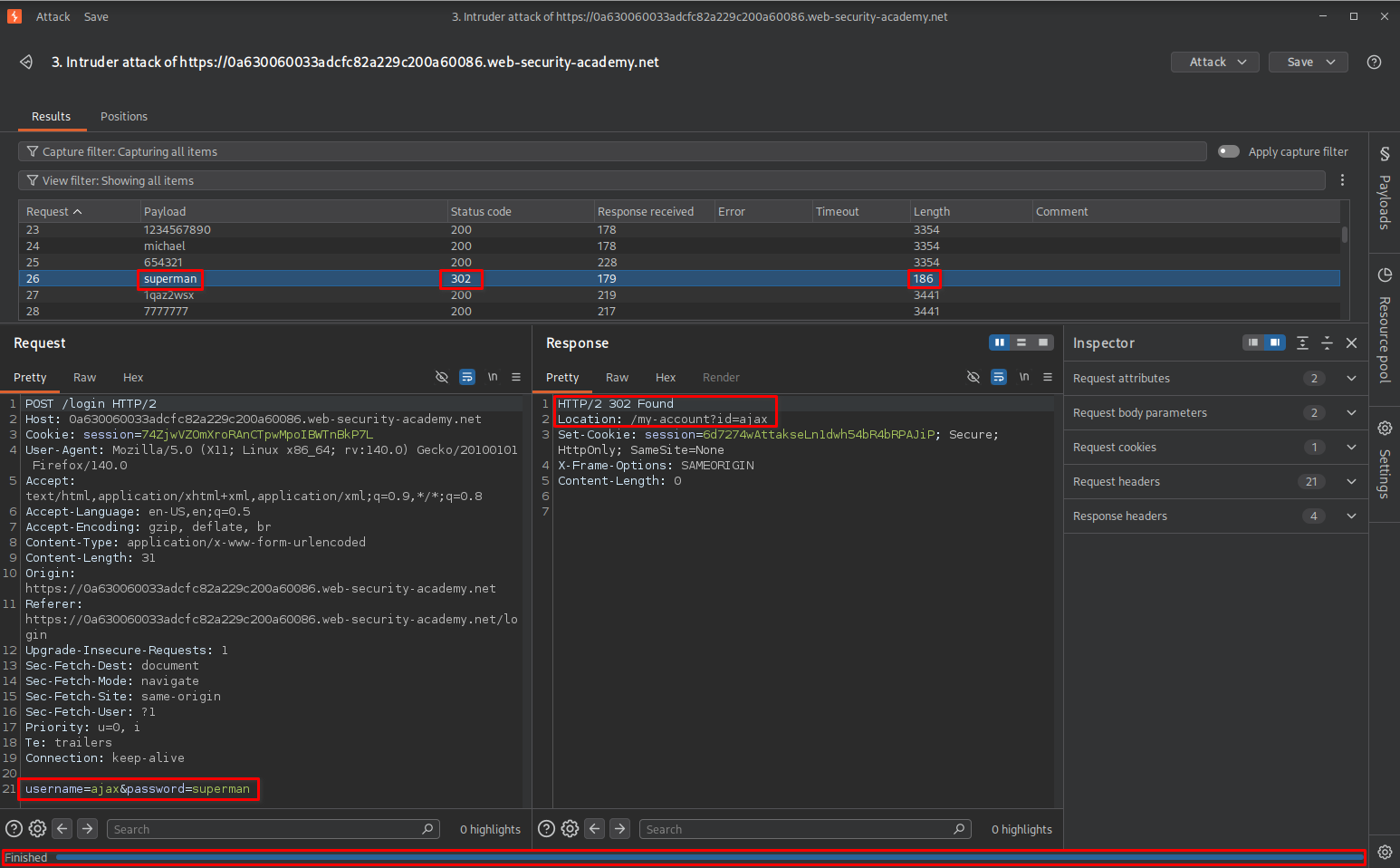
The 302 Found response indicated that the application was redirecting the request to the account page instead of returning the usual login failure response.
This difference suggested that the supplied credentials were accepted.
I successfully identified the valid password superman associated with the username ajax. These credentials are specific to this lab environment and may differ in other labs, so they should not be considered real-world credentials.
5. Logging in and confirming lab completion
After identifying the valid username and password, I returned to the browser and entered the discovered credentials.
The application successfully authenticated me and redirected me to the account page.
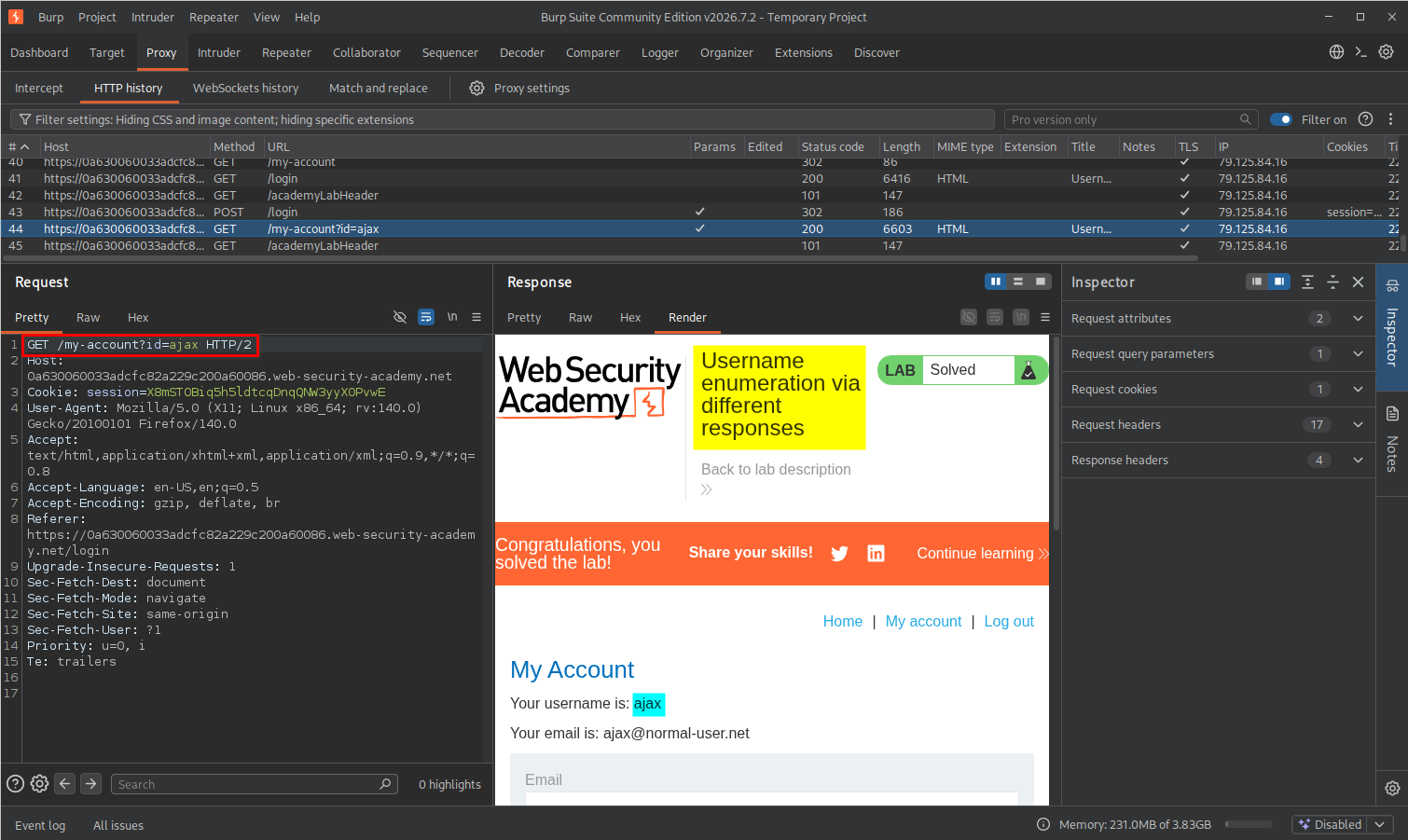
The lab displayed the completion message, confirming that I had successfully enumerated the username and password and completed the challenge.
Key Takeaways
- Username enumeration: Different login responses can reveal whether a username exists within an application.
- Response analysis: Comparing response messages, lengths, and HTTP status codes can help identify differences between successful and unsuccessful authentication attempts.
- Burp Suite Intruder: Intruder can automate testing of supplied username and password lists against a captured request.
- Sniper attack type: Sniper is useful when testing one payload position at a time, such as the username or password parameter.
- HTTP status codes: A
302 Foundresponse can indicate a successful authentication redirect, although the status code alone does not guarantee that authentication succeeded. - Authentication weaknesses: Small differences in application behavior can disclose sensitive information and make credential attacks easier.
Security Impact
Username enumeration allows an attacker to determine which usernames are registered within an application.
When combined with weak passwords or password reuse, this information can make further credential attacks more effective.
In this lab, the application revealed whether a username was valid through different error messages. After identifying the valid username, the same response-analysis technique helped identify the corresponding password.
In a real-world application, this weakness could increase the risk of:
- Targeted password attacks against valid accounts.
- Credential stuffing using previously leaked credentials.
- Account compromise when weak or reused passwords are accepted.
- User privacy exposure by revealing registered accounts.
The severity depends on additional security controls, such as password strength requirements, rate limiting, account lockout policies, and multi-factor authentication.
Remediation
To prevent username enumeration through authentication responses:
- Use generic error messages: Return the same authentication failure message for invalid usernames and incorrect passwords. For example:
Invalid username or password. - Maintain consistent responses: Avoid revealing account validity through differences in response content, length, or behavior.
- Implement rate limiting: Restrict repeated login attempts from the same source to reduce automated enumeration and password attacks.
- Implement account protection: Use appropriate monitoring, throttling, and temporary protections against repeated failed login attempts.
- Enable multi-factor authentication (MFA): Add another authentication factor to reduce the risk of account compromise if a password is discovered.
- Monitor authentication activity: Log and investigate unusual login patterns, repeated failures, and automated credential-testing behavior.
Conclusion
This lab demonstrated how differences in authentication responses can expose valid usernames and make password enumeration possible.
Using Burp Suite Intruder, I first identified the valid username by comparing response messages and lengths. I then targeted the password parameter and identified the correct password by analyzing the response length, HTTP status code, and redirect location.
The main lesson is that authentication security is not only about protecting passwords. Applications must also avoid revealing information through their login responses. Even small differences in error messages or response behavior can provide attackers with valuable information.
Thanks for reading!