Weak Isolation on Dual-Use Endpoint - PortSwigger
Exploiting weak isolation in a dual-use password-change endpoint by manipulating the username parameter and bypassing current-password validation to gain administrative access.
Overview
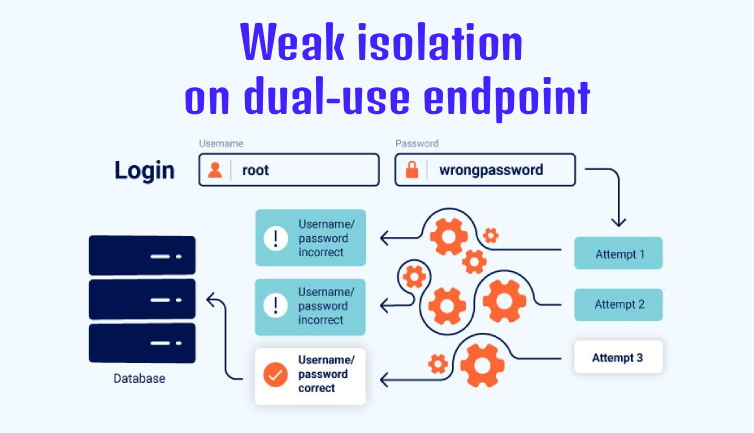
This lab demonstrates how weak isolation in a dual-use endpoint can allow unauthorized password changes. By manipulating the username parameter and removing the current-password field from the request, I bypassed the application’s password verification mechanism, changed the administrator’s password, and gained access to the administrative panel.
Question / Lab Objective
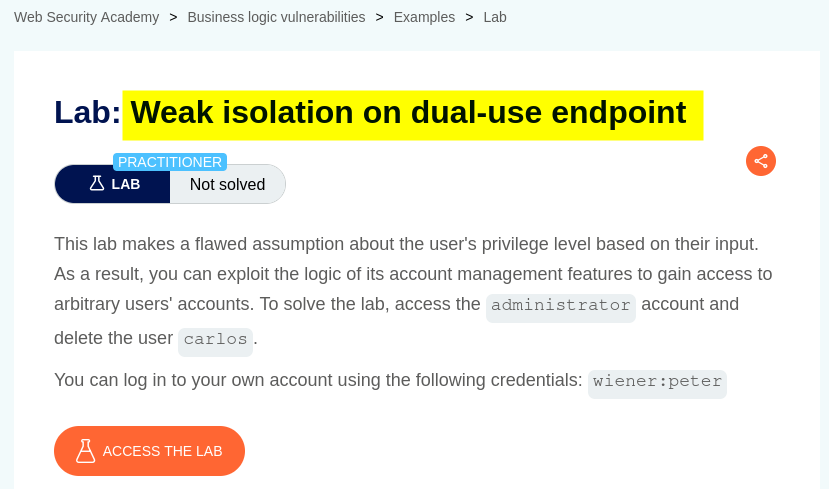
The objective was to exploit the weak isolation in the application’s password-change functionality, gain administrative access, and delete the user carlos from the administrative panel.
Walkthrough
1. Exploring the application
After launching the lab, I accessed the target application and explored its available functionality. The website displayed an individual blog post along with a My Account option.
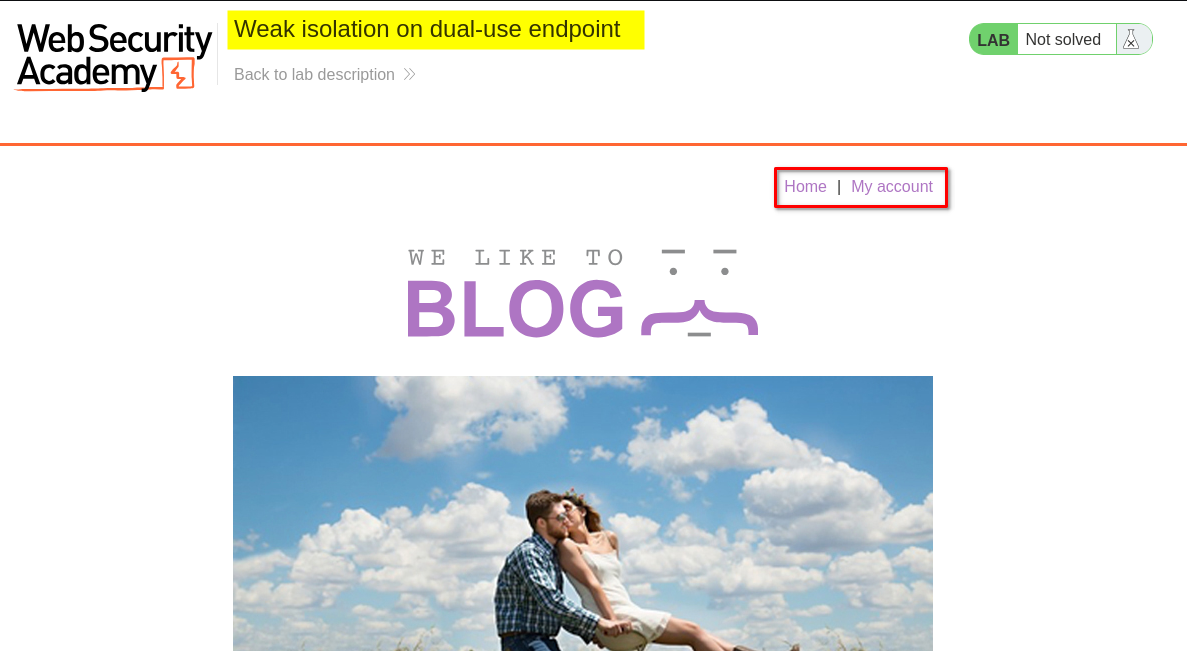
Since the lab objective involved obtaining administrative access, I decided to investigate the application’s authentication and account-management functionality.
I clicked My Account and logged in using the credentials provided by the lab.
After successfully logging in as wiener, I noticed that the account page contained a password-change functionality.
This appeared to be a useful starting point for investigating how the application handled password updates.
2. Testing the password-change functionality
I decided to investigate whether the password-change functionality properly verified the identity of the account whose password was being modified.
Instead of using my own username, wiener, I changed the username parameter to administrator and attempted to change the administrator’s password directly.
For this test, I supplied the following values:
- Username:
administrator - Current password:
random_jpt - New password:
test - Confirm new password:
test
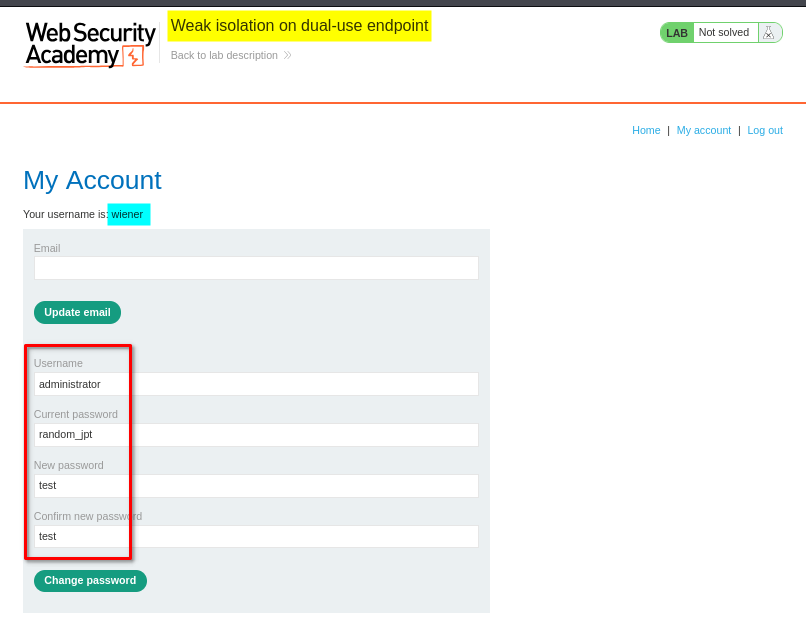
After submitting the request, the application returned an error indicating that the current password was incorrect.
However, I noticed something interesting in the response: it displayed the message:
Your username is: administrator
This was unexpected because I was authenticated as wiener, not administrator.
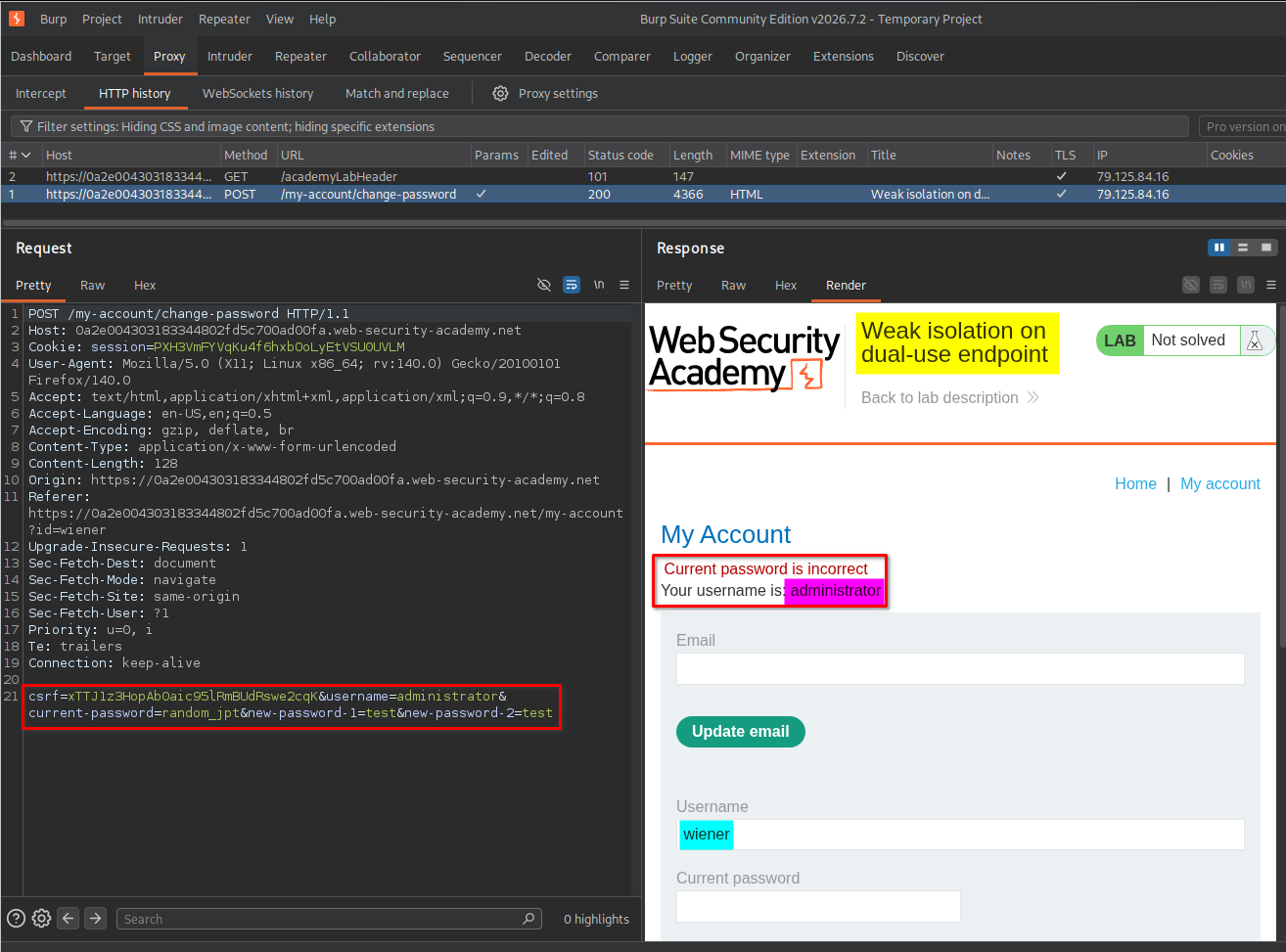
This observation suggested that the application was processing the user-supplied username parameter rather than strictly associating the password-change operation with the authenticated account.
I decided to inspect the request more closely using Burp Suite.
3. Capturing and manipulating the password-change request
I intercepted the password-change request using Burp Suite and sent it to Repeater for further testing.
After examining the request body, I identified the parameters responsible for the password-change operation.
I noticed that the request included a current-password parameter, which appeared to be used for validating the existing password.
I then tested whether the application would still process the password-change operation if I removed this parameter entirely.
The modified request body looked like this:
csrf=<TOKEN>&username=administrator&new-password-1=test&new-password-2=test
The important modification was the removal of the current-password parameter while keeping the administrator username and the two new-password parameters.
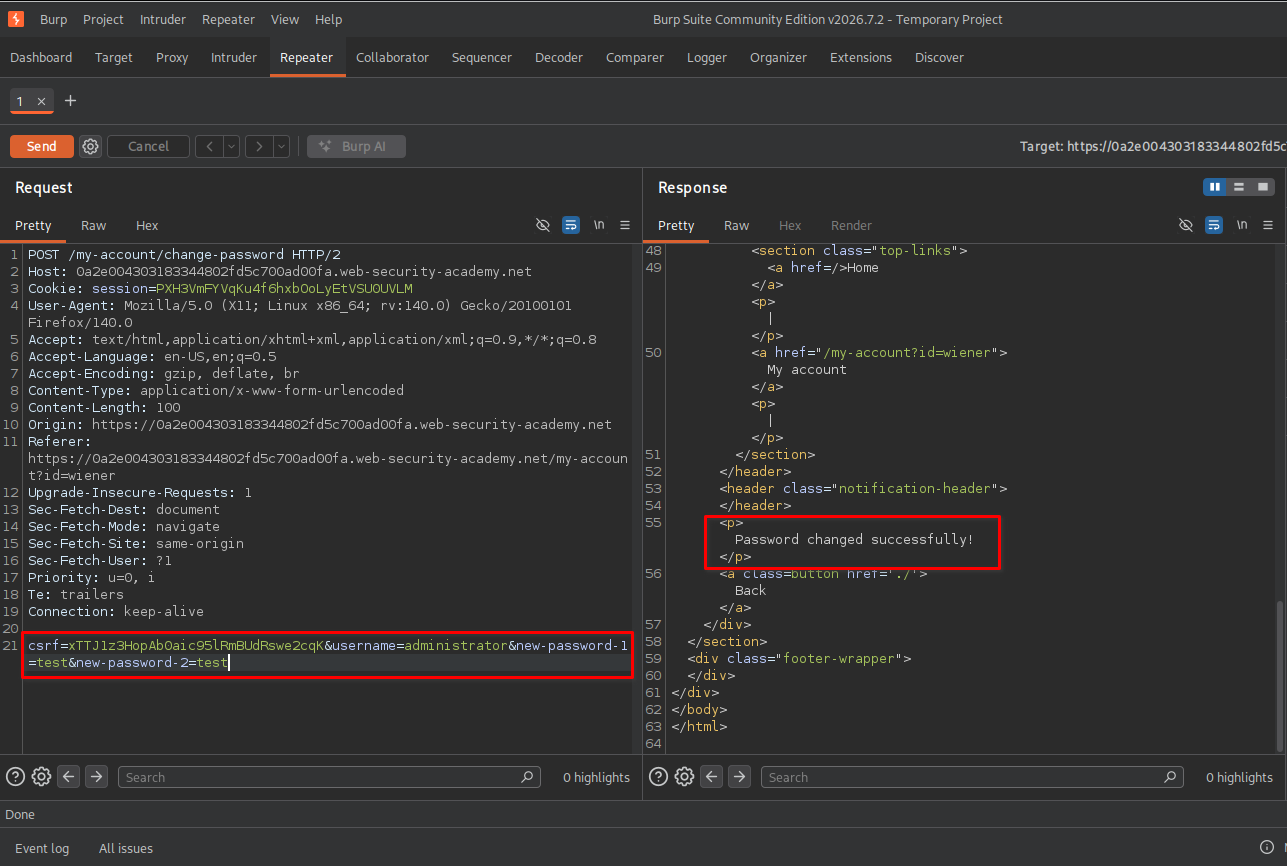
After sending the modified request, the application returned the following response:
Password changed successfully
This was the critical finding.
The application allowed the password-change operation to proceed without validating the current password when the corresponding parameter was omitted.
The endpoint was therefore vulnerable to weak isolation: it trusted a user-controlled username while failing to enforce the required authorization checks consistently across the different request variations.
4. Obtaining administrative access
After successfully changing the administrator’s password, I returned to the login page.
I used the following credentials:
- Username:
administrator - Password:
test
The application successfully authenticated me and redirected me to the administrative dashboard.
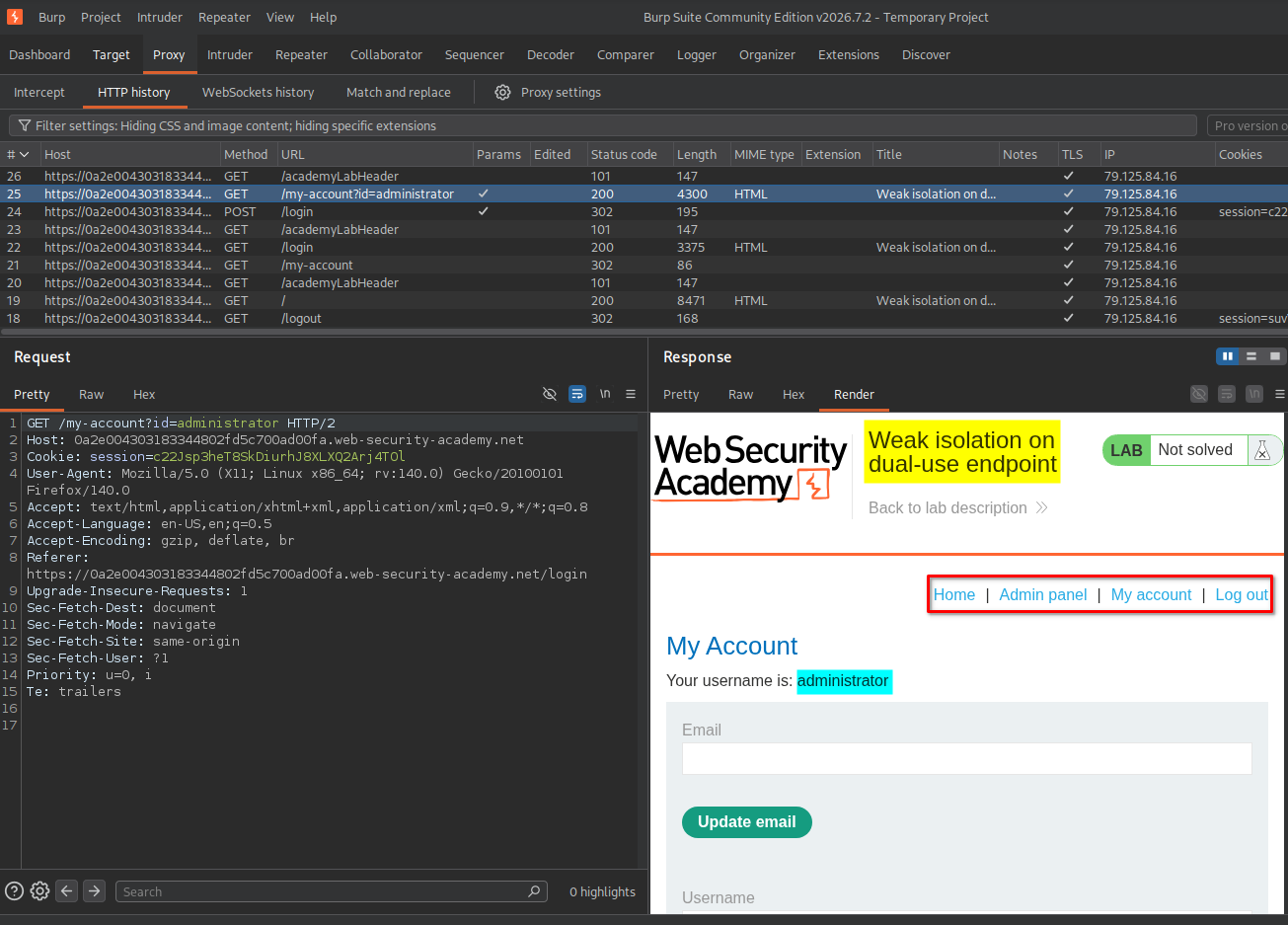
This confirmed that I had successfully taken control of the administrator account by exploiting the password-change functionality.
5. Exploring the administrative panel
After gaining administrative access, I opened the Admin panel to examine the available administrative functionality.
I noticed that the panel provided user-management functionality, which allowed administrators to manage registered accounts.
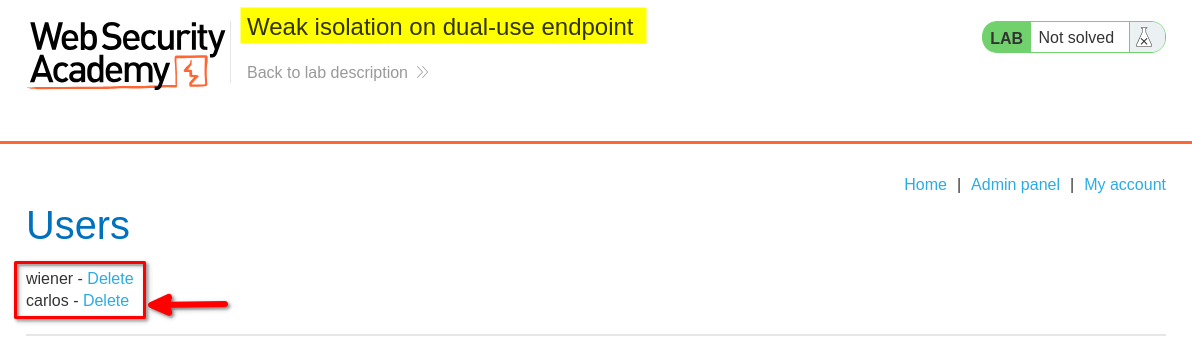
I examined the available options and located the account belonging to carlos.
Since deleting Carlos was the final objective of the lab, I proceeded with the deletion operation.
6. Deleting Carlos and completing the lab
Using the user-management functionality in the administrative panel, I selected the account belonging to carlos and performed the delete operation.
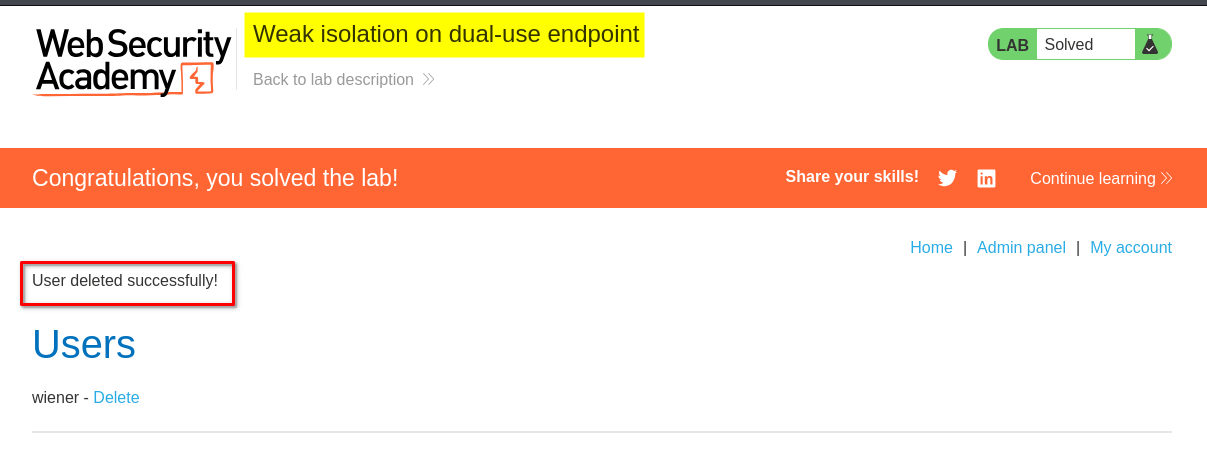
The application displayed the following confirmation: Congratulations, you solved the lab!
This confirmed that I had successfully exploited the weak isolation in the password-change endpoint, obtained administrative access, and completed the lab objective.
Key Takeaways
- Understand dual-use endpoints: An endpoint may support multiple operations or account contexts. Each operation must enforce the appropriate authorization requirements.
- Never trust user-controlled identity parameters: A username supplied in a request should not determine which account a user is authorized to modify.
- Test parameter omission: Removing optional-looking parameters can reveal weaknesses in server-side validation and business logic.
- Understand weak isolation: Different execution paths within the same endpoint may enforce security checks inconsistently.
- Authentication is not authorization: Being successfully authenticated as one user does not mean that the user should be allowed to modify another user’s account.
- Use Burp Suite Repeater: Repeater is useful for modifying individual request parameters, removing fields, and observing how the application responds.
- Inspect server responses carefully: Unexpected information, such as another account’s username appearing in a response, can provide clues about how the application processes user-controlled data.
Security Impact
Weak isolation in password-change functionality can allow an authenticated low-privileged user to modify another user’s credentials without authorization.
In this lab, the application failed to enforce current-password verification when the corresponding parameter was omitted. By supplying the administrator’s username and manipulating the request, I was able to change the administrator’s password and gain access to privileged functionality.
In a real-world application, this type of vulnerability could result in:
- Unauthorized password changes affecting other user accounts.
- Account takeover, including privileged administrator accounts.
- Unauthorized access to sensitive administrative functionality.
- Modification or deletion of user data.
- Potential compromise of the confidentiality, integrity, and availability of application data.
The severity would depend on the privileges of the affected accounts and the application’s other security controls.
Remediation
To prevent weak isolation vulnerabilities in dual-use endpoints:
- Derive the account identity from the authenticated session: Do not rely on a user-supplied username to determine which account can be modified.
- Enforce server-side authorization: Verify that the authenticated user is authorized to perform the requested operation on the target account.
- Require current-password verification: For sensitive password changes, consistently validate the current password when required by the application’s security design.
- Validate parameters consistently: Ensure that omitting a security-sensitive parameter cannot bypass an authorization or authentication check.
- Separate administrative operations: Use dedicated, properly authorized functionality for administrative password resets rather than relying on a general-purpose user password-change endpoint.
- Apply least privilege: Ensure ordinary authenticated users cannot modify accounts or perform operations outside their assigned permissions.
- Test alternative request structures: Security testing should include missing parameters, modified usernames, unexpected values, and alternative request formats.
Conclusion
This lab demonstrated how weak isolation in a dual-use endpoint can lead to unauthorized account modification and administrative account takeover.
By inspecting the password-change functionality, manipulating the username parameter, and removing the current-password parameter, I discovered that the application did not consistently enforce its password verification requirements.
Using this weakness, I successfully changed the administrator’s password, accessed the administrative dashboard, and deleted the user carlos to complete the lab.
The main lesson is that security checks must be consistently enforced on the server side. An application should never assume that a user is authorized to modify an account simply because its username was supplied in a request.
Thanks for reading!