User Role Can Be Modified in User Profile - PortSwigger
Exploring an access control vulnerability that allows a user to modify their role through an email update request and gain unauthorized administrative access.
Overview
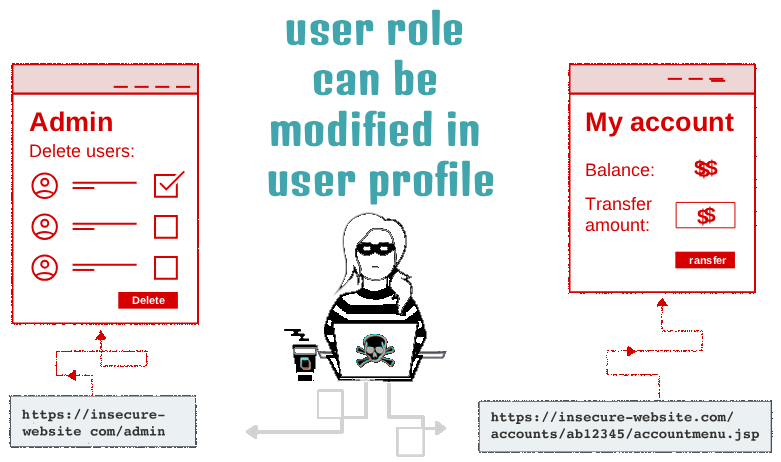
This lab demonstrates a broken access control vulnerability that allows a regular user to modify their own role by tampering with a request parameter. By changing the roleid value from 1 to 2, I was able to obtain administrative privileges and access the application’s admin interface.
The vulnerability occurs because the server accepts a user-controlled role value without properly validating whether the logged-in user is authorized to change it.
Question / Lab Objective
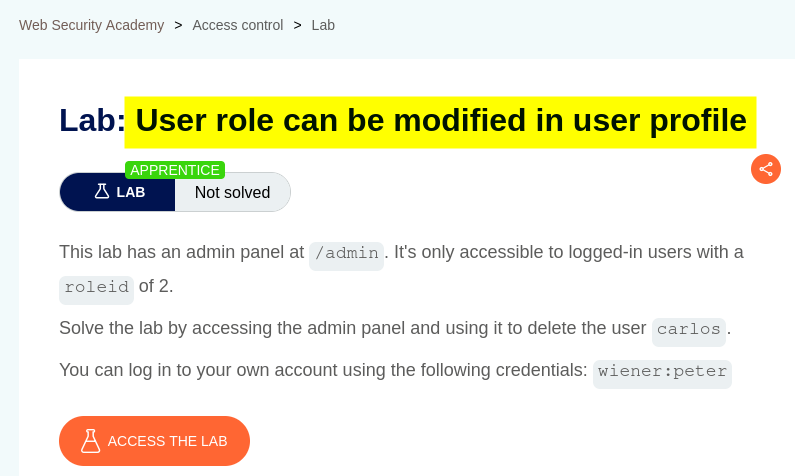
The objective was to exploit the application’s insecure role-management mechanism, gain access to the administrative interface, and delete the user carlos.
Walkthrough
1. Exploring the application
After launching the lab, I accessed the target application and explored its available functionality. The website displayed a list of products, individual product pages, and a My Account option.
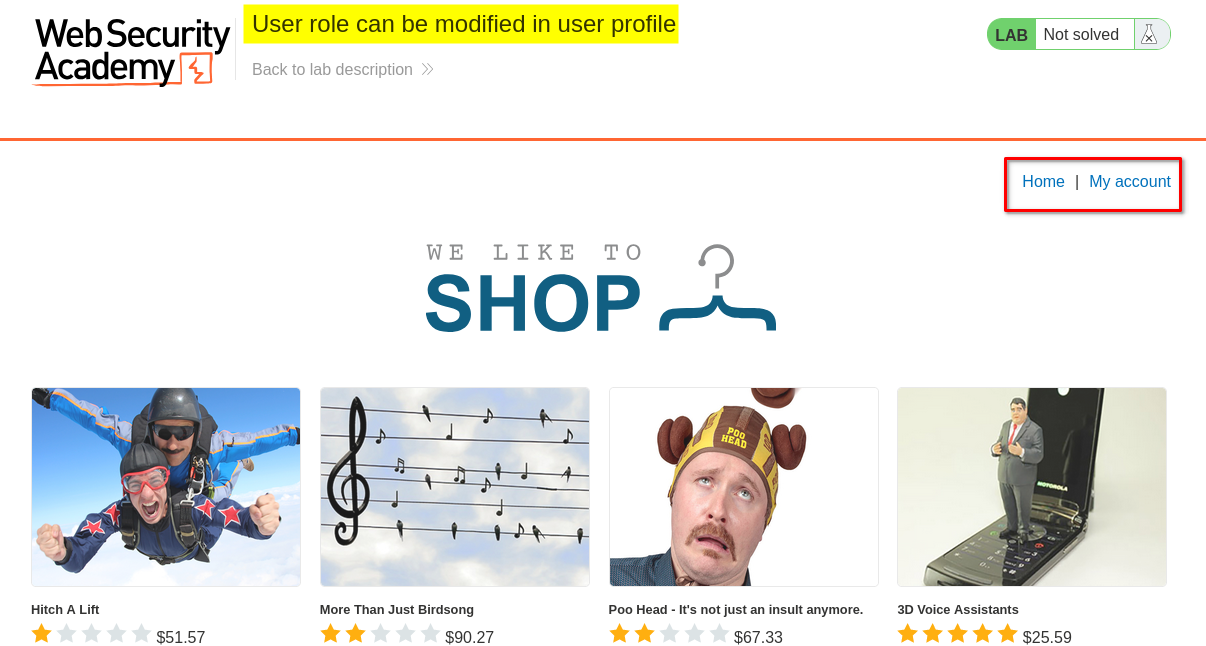
I browsed the application to understand its structure and identify potential entry points for further investigation.
At this stage, I had not identified the administrative interface. I needed to investigate how the application handled user roles and whether any user-controlled data could lead to an access control weakness.
2. Accessing the login page
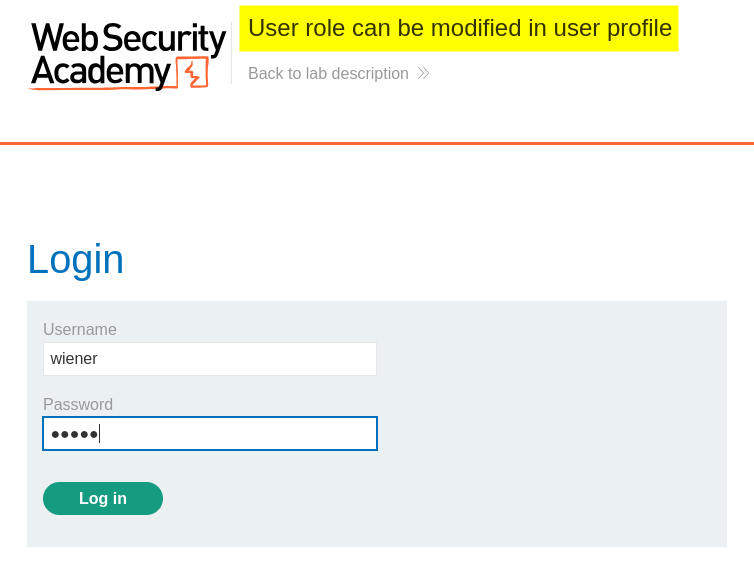
I clicked My Account, which redirected me to the login page.
The lab hints indicated that only logged-in users with roleid set to 2 could access /admin.
Based on this information, I logged in using the credentials provided by the lab. My next step was to investigate whether the application allowed a user to modify their role through any of its available functionality.
3. Testing the email update functionality
After logging in, I found an email update form in the account page. I entered a test email address and submitted the form.
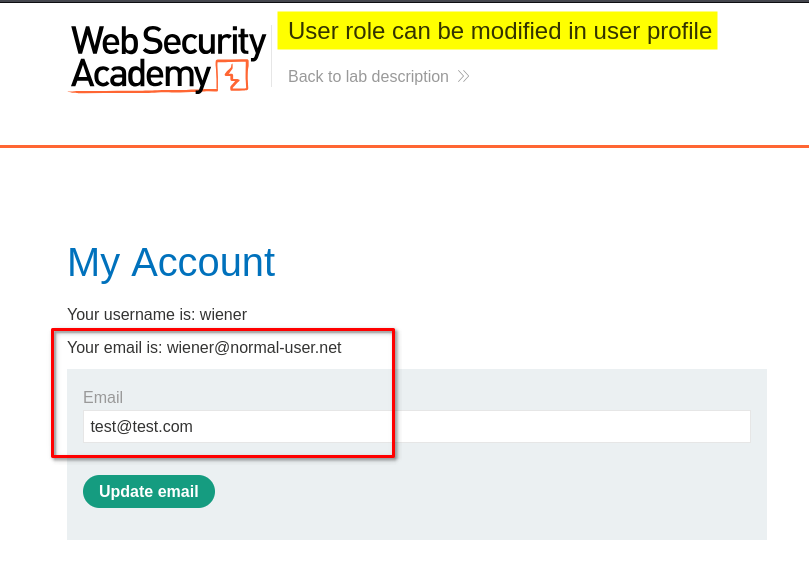
The application updated the email address successfully. I then decided to inspect the request and response to understand what information the server processed during the update.
Why this step mattered: Account update functionality often sends parameters to the server that can be examined for unexpected fields, sensitive information, or values that should not be controlled by an ordinary user.
4. Inspecting the request with Burp Suite
I opened Burp Suite and examined the HTTP traffic generated by the email update operation. In the server’s response, I noticed a roleid value of 1.
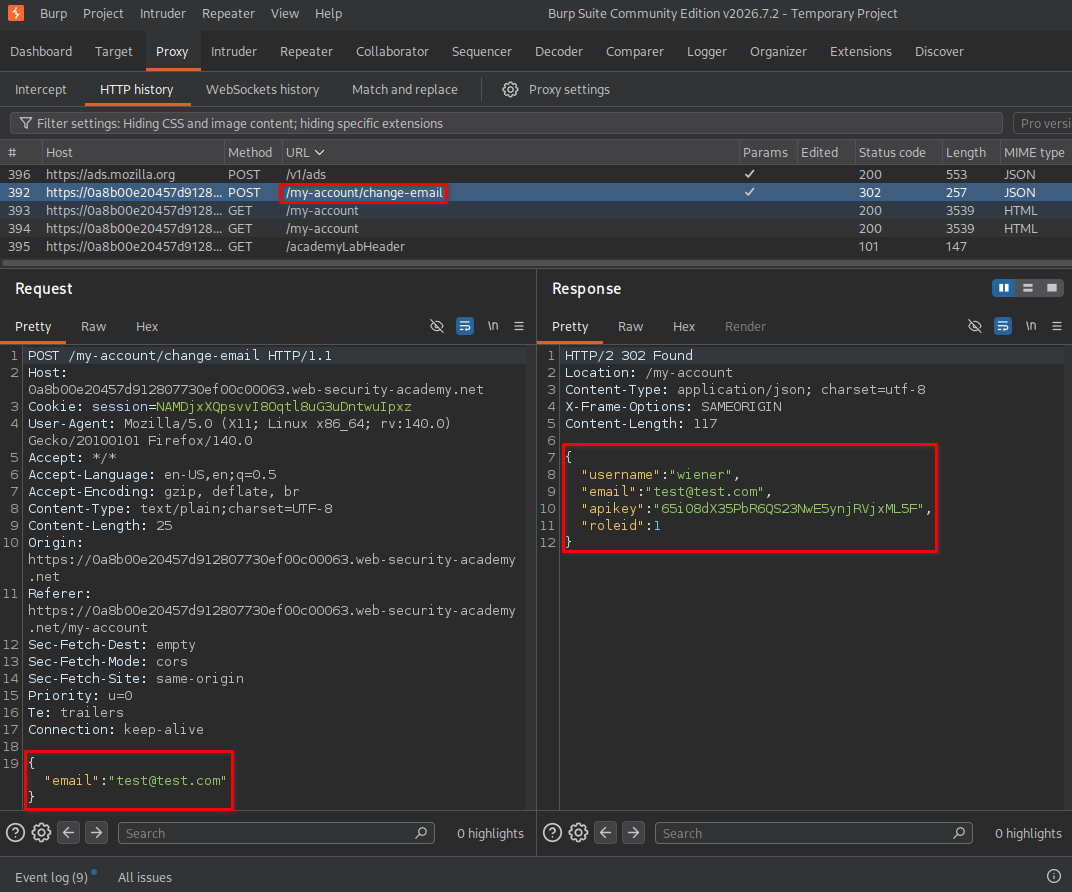
The lab hint had already identified roleid value 2 as the role associated with administrative access. This gave me a specific hypothesis to test: whether the application trusted a role value supplied through the account update request.
I sent the relevant request to Burp Repeater, which allowed me to modify the request manually and resend it.
5. Checking administrative access before changing the role
Before modifying the role, I opened the /admin endpoint in the browser to establish a baseline.
The application displayed a message indicating that the administrative interface was available only to users logged in as administrators.
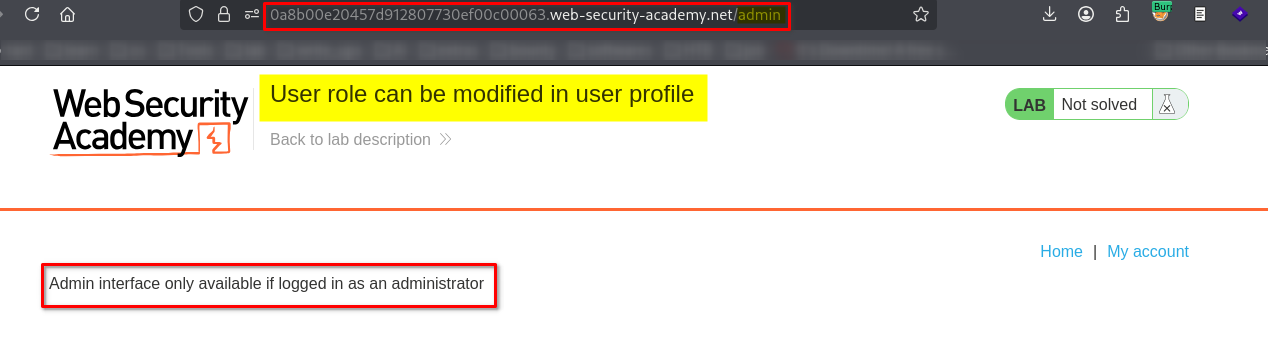
This confirmed that my current account did not have administrative access. I could now compare the result before and after testing the role parameter.
6. Modifying roleid with Burp Repeater
In Burp Repeater, I modified the roleid parameter in the email update request, changing its value from 1 to 2. I then sent the modified request to the server.
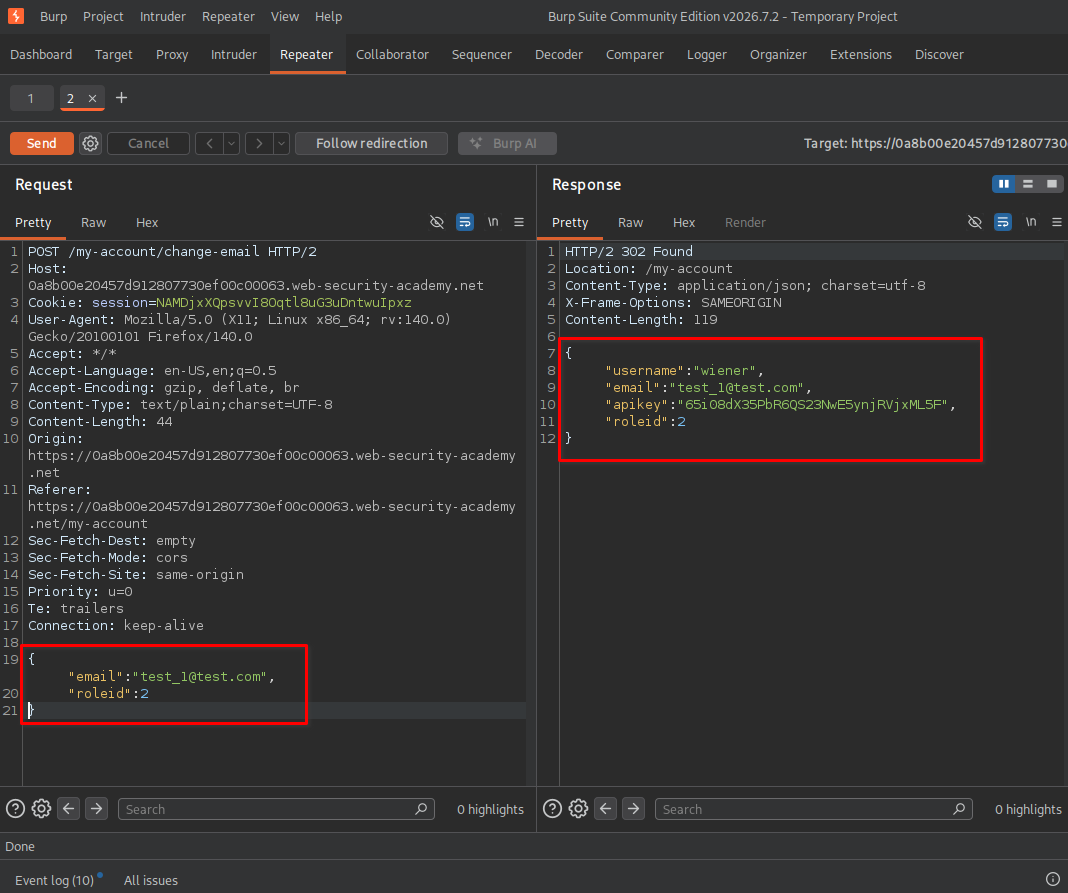
The server accepted the modified value and processed the request without properly validating whether my account was authorized to change its role.
This was the key finding: a normal account could influence a security-sensitive attribute that should have been controlled exclusively by the application’s trusted server-side logic.
7. Accessing the administrative interface
After the modified request was accepted, I opened the lab’s administrative endpoint:
https://<lab-id>.web-security-academy.net/admin
I replaced <lab-id> with the actual lab identifier.
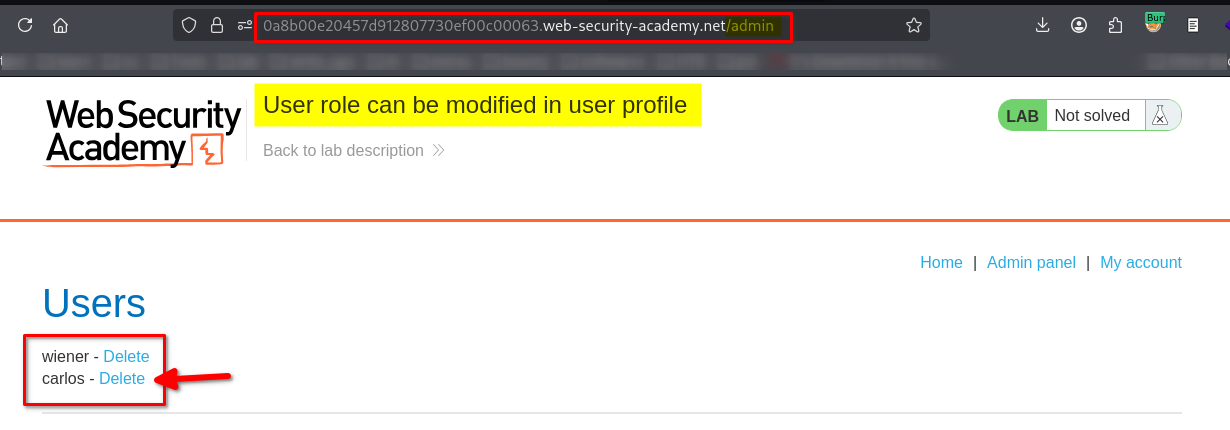
The administrative dashboard became accessible and displayed user management functionality. This confirmed that modifying the roleid value had resulted in unauthorized privilege escalation.
8. Deleting the user carlos
The administrative interface displayed a list of user accounts, including carlos, with an option to delete the account.
I located carlos and used the available administrative action to delete the account.
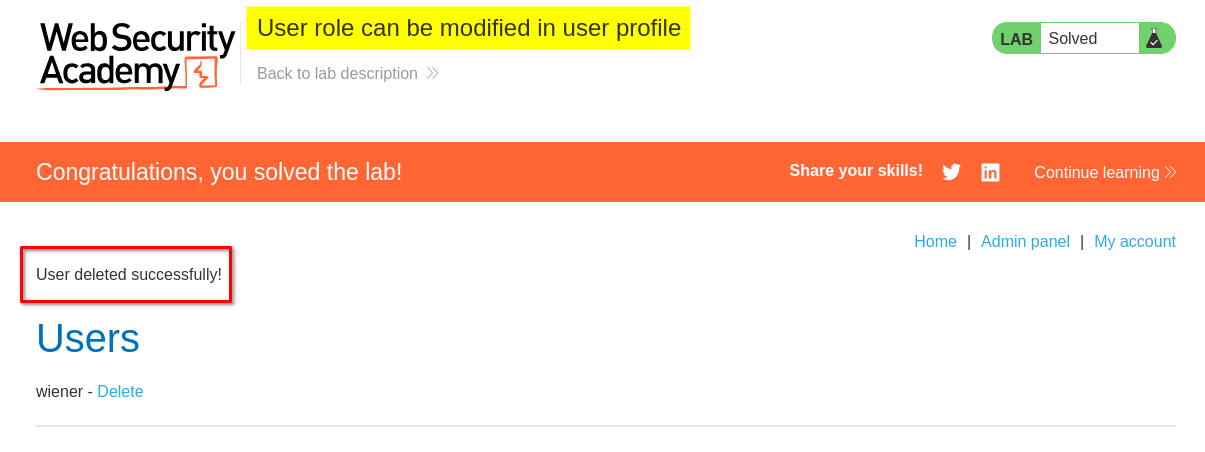
The lab displayed its completion confirmation, indicating that I had successfully performed the required action.
Key Takeaways
- Client-controlled role values are dangerous: Users should not be able to assign themselves privileged roles by changing request parameters.
- Inspect both requests and responses: Burp Suite helped me identify the
roleidvalue and understand how the application handled account updates. - Test authorization boundaries: Comparing access to
/adminbefore and after modifying the role helped confirm the vulnerability’s impact. - Authentication is not authorization: Logging in proves a user’s identity; it does not mean the user should have administrative privileges.
- Validate security-sensitive changes on the server: Role assignments must be managed by trusted server-side logic, not accepted from arbitrary user input.
Security Impact
In a real application, this vulnerability could allow an ordinary authenticated user to escalate their privileges to an administrator.
Depending on the application’s functionality, an attacker could potentially access sensitive administrative data, manage other users, change application settings, or delete accounts. The demonstrated deletion of carlos illustrates the potential for unauthorized administrative actions.
The severity would depend on the affected application’s functionality, the privileges gained, and the data or systems exposed.
Remediation
- Never trust client-supplied role values. Do not allow account update requests to set or change privileged fields such as
roleid. - Enforce server-side authorization. Verify that the authenticated user is permitted to perform every requested action, including role changes and administrative operations.
- Separate profile updates from role management. Ordinary account endpoints should update only permitted profile fields, such as email addresses.
- Use an explicit allowlist of editable fields. Reject or ignore unexpected parameters rather than binding arbitrary request fields directly to user records.
- Test authorization controls. Include security tests that attempt to modify role identifiers and access administrative endpoints using ordinary accounts.
Conclusion
This lab demonstrated how insecure handling of a user-controlled roleid parameter can lead to vertical privilege escalation. By inspecting the email update request with Burp Suite, modifying the role value, and verifying access to /admin, I identified how an ordinary account could gain administrative privileges.
The main lesson is that authorization decisions must be enforced by the server. Sensitive attributes such as user roles should never be trusted merely because they appear in a client request.
Thanks for reading!