User Role Controlled by Request Parameter - PortSwigger
A PortSwigger access control lab demonstrating how modifying a client-controlled cookie can grant unauthorized access to administrative functionality.
Overview
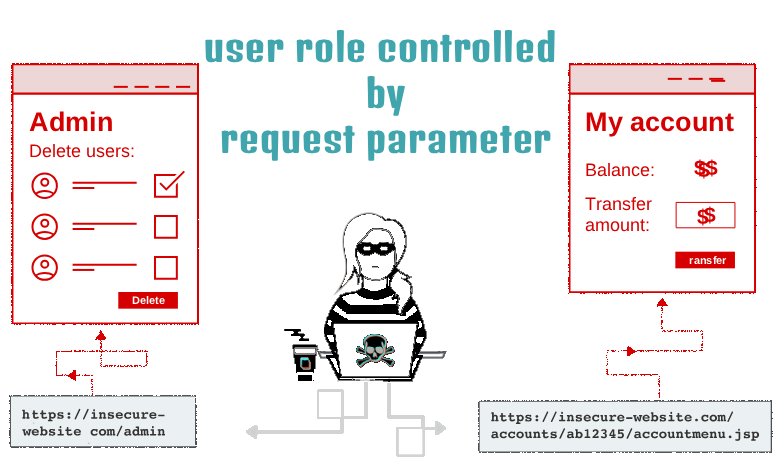
This lab demonstrates how improper access control can allow an unauthorized user to access administrative functionality by modifying a client-controlled cookie.
The application uses a cookie named Admin to determine whether a user has administrative privileges. Because the application trusts a value that the client can modify, changing the cookie from false to true can bypass the intended access restrictions.
In this lab, I used the browser’s developer tools to inspect the cookies, then used Burp Suite to intercept and modify an HTTP request. After changing the Admin cookie value, I accessed the administrative interface and deleted the user carlos, completing the lab.
Question / Lab Objective
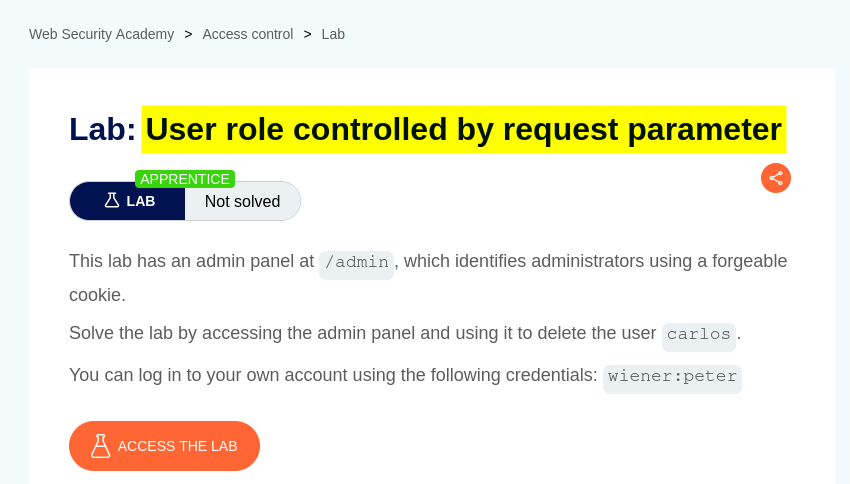
The objective was to exploit the application’s insecure role-control mechanism, gain access to the administrative interface, and delete the user carlos.
Walkthrough
1. Exploring the application
After launching the lab, I accessed the target application and explored its available functionality. The website displayed a list of products, individual product pages, and a My Account option.
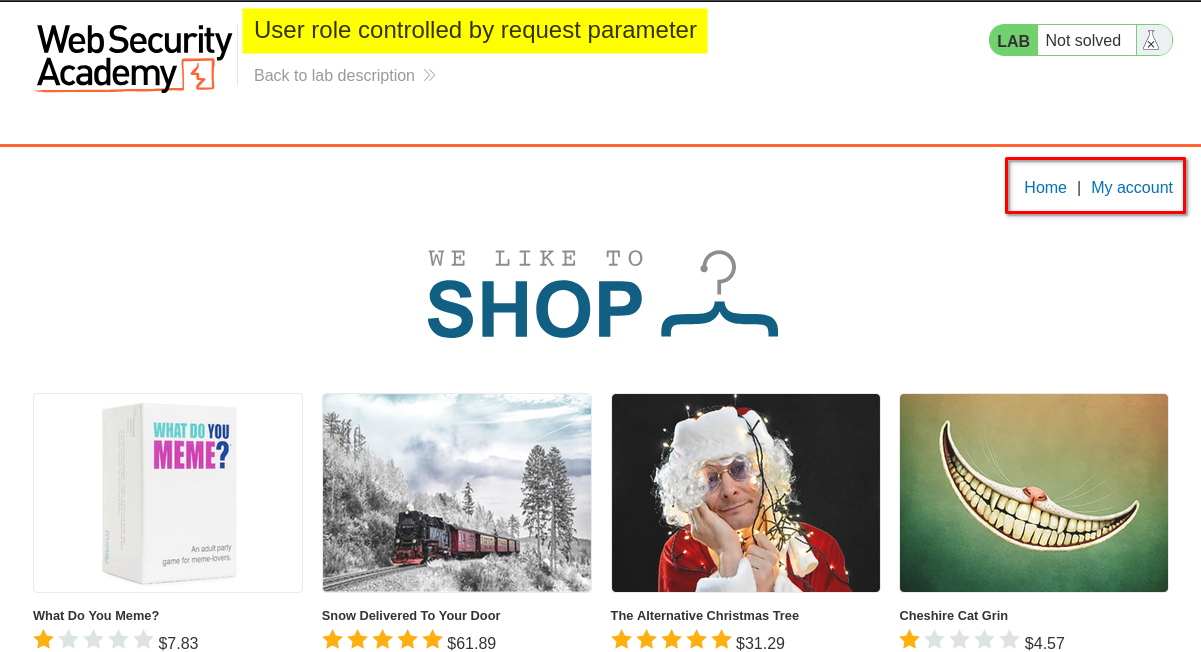
I browsed the application to understand its structure and identify potential entry points for further investigation.
At this stage, I had not yet identified the administrative interface. I needed to investigate how the application handled user roles and whether any client-side information could reveal a potential access control weakness.
2. Accessing the login page
I clicked My Account, which redirected me to the login page.
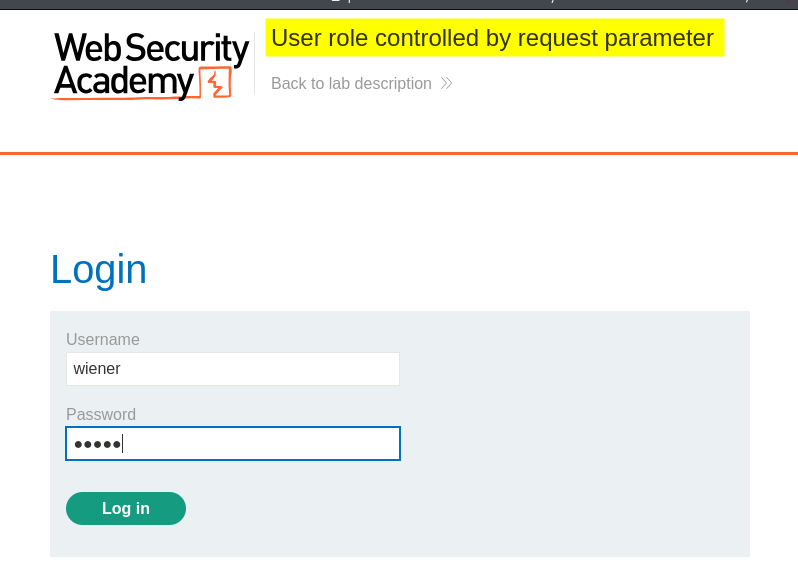
The lab hints directed me to investigate the application’s cookies. Rather than attempting to guess an administrator’s password, I decided to inspect the information stored in the browser and determine whether it influenced access to restricted functionality.
3. Inspecting cookies
I opened the browser’s developer tools and inspected the cookies associated with the lab application.
I discovered a cookie named Admin with the value false.
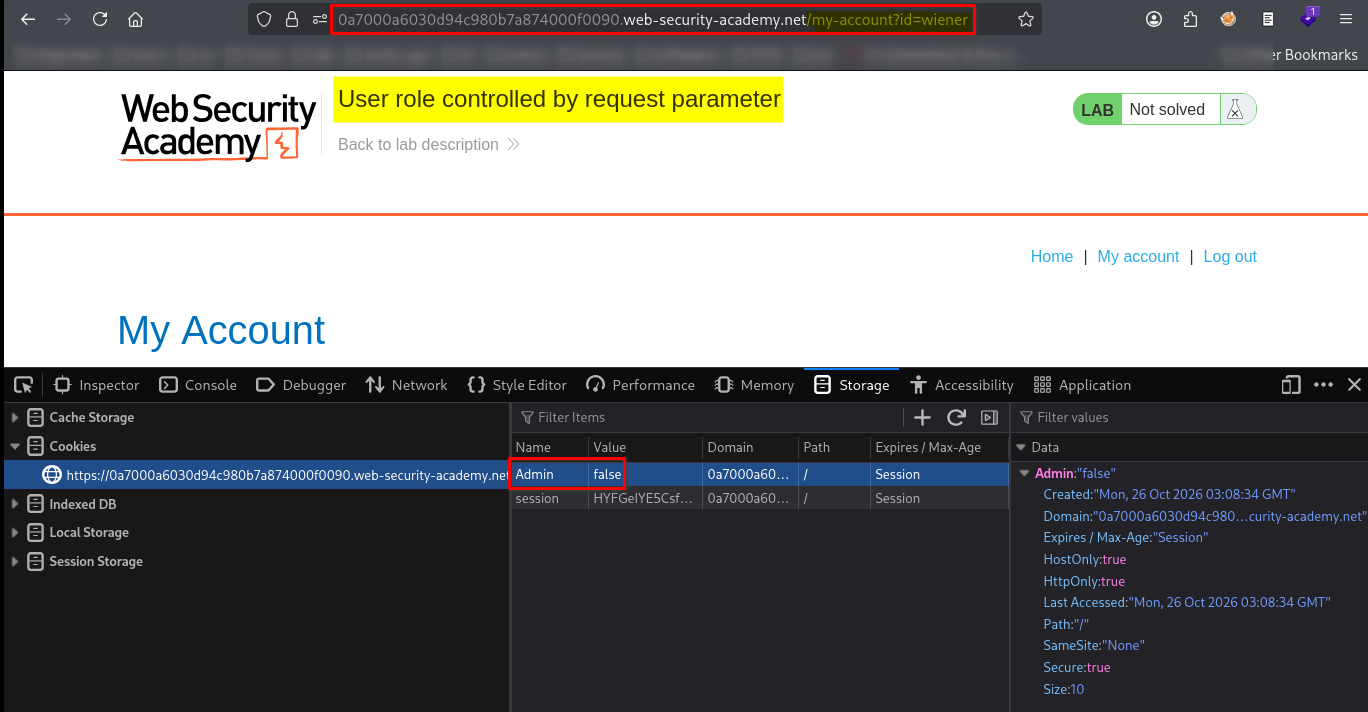
This was an important clue. The cookie appeared to represent whether the current user had administrative privileges.
Because cookies are stored on the client side, their values can often be modified by the user. I suspected that changing Admin=false to Admin=true might reveal whether the application trusted this value without properly verifying the user’s permissions on the server.
Since I was practising with Burp Suite, I decided to test this hypothesis by intercepting and modifying the relevant HTTP request.
4. Modifying the request with Burp Suite
I opened Burp Suite and captured a request to the lab application. I then sent the request to Repeater, which allowed me to modify and resend it manually.
In the request’s Cookie header, I changed the value of the Admin cookie from false to true.
The modified cookie was: Admin=true
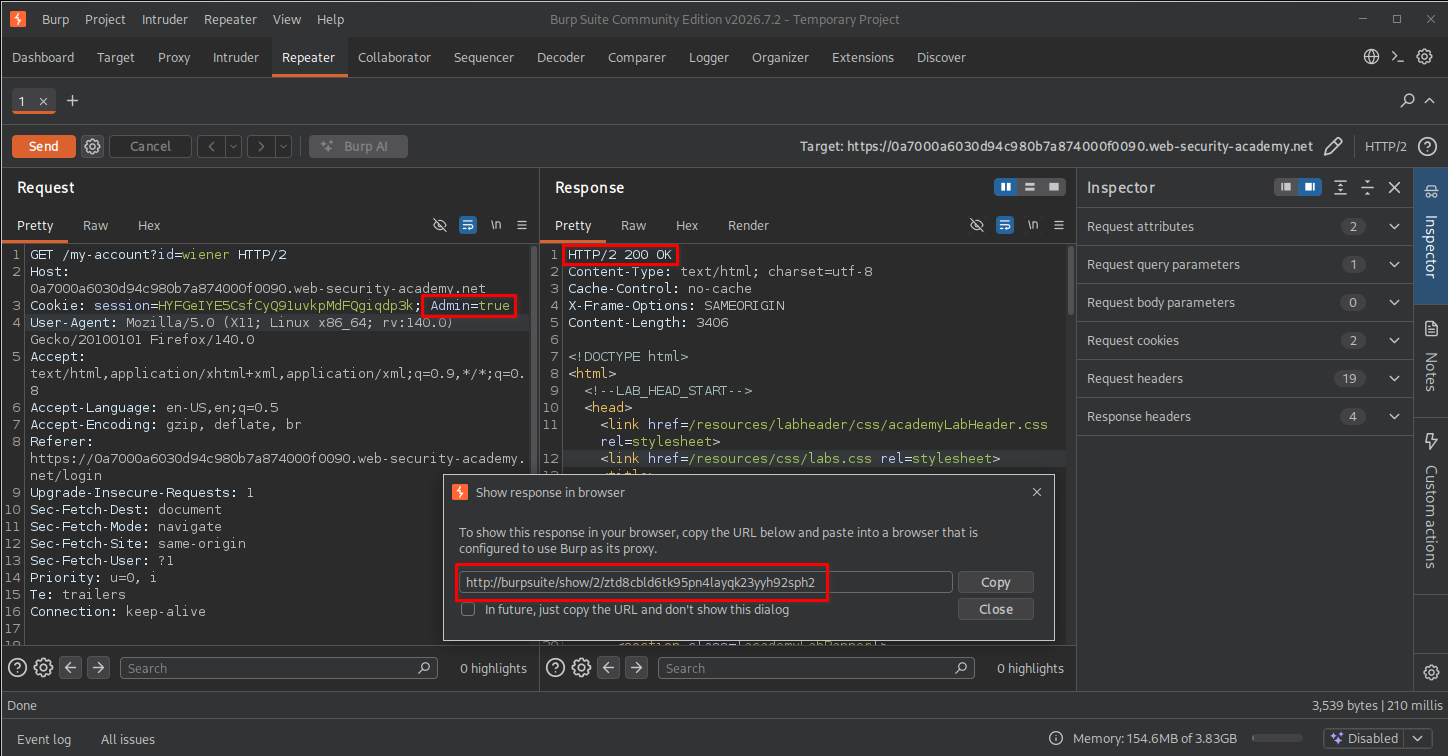
After sending the modified request, I received an HTTP 200 OK response. This indicated that the server had processed the request successfully, although a 200 OK response alone does not prove that an authorization bypass has occurred.
I then used the discovered administrative path to test whether the modified cookie provided access to the restricted interface.
5. Accessing the administrative dashboard
I opened the lab’s administrative endpoint in the browser:
https://<lab-id>.web-security-academy.net/admin
I replaced <lab-id> with the actual lab identifier.
The application displayed the administrative dashboard, including navigation options such as Home, Admin panel, My account, and Log out.
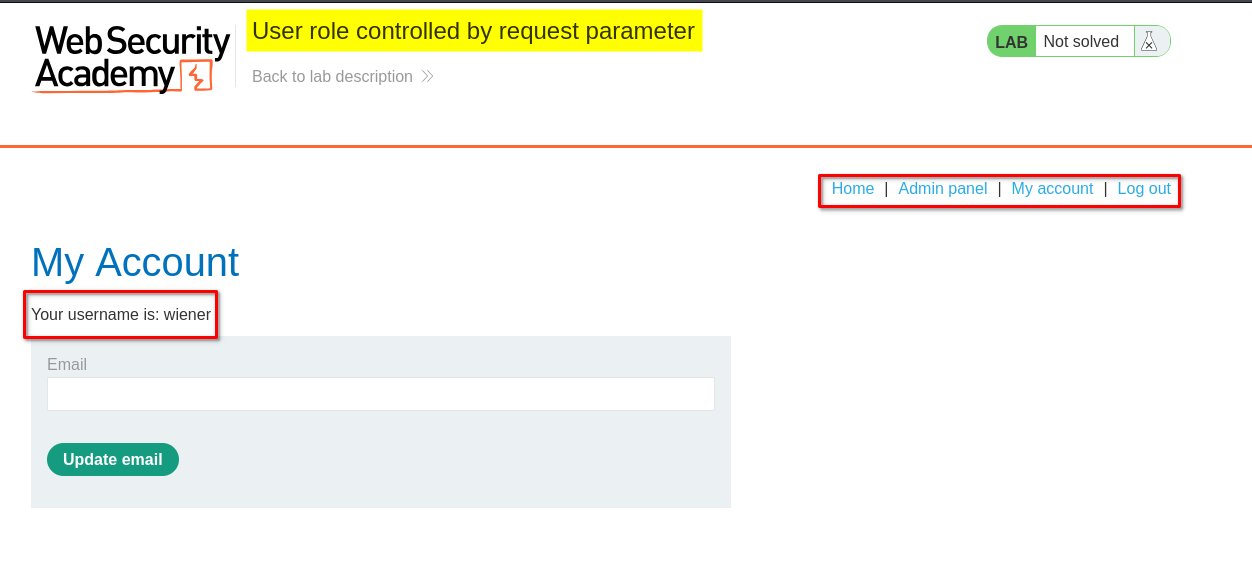
This confirmed the security weakness: by changing a client-controlled cookie, I was able to access functionality intended for an administrator.
The underlying problem was not simply that the cookie was editable. The critical issue was that the server appeared to rely on the cookie’s value to make an authorization decision without independently verifying the user’s privileges.
6. Exploring the admin panel
I opened the administrative panel and inspected the corresponding request in Burp Suite. The response and browser interface revealed user-management functionality.
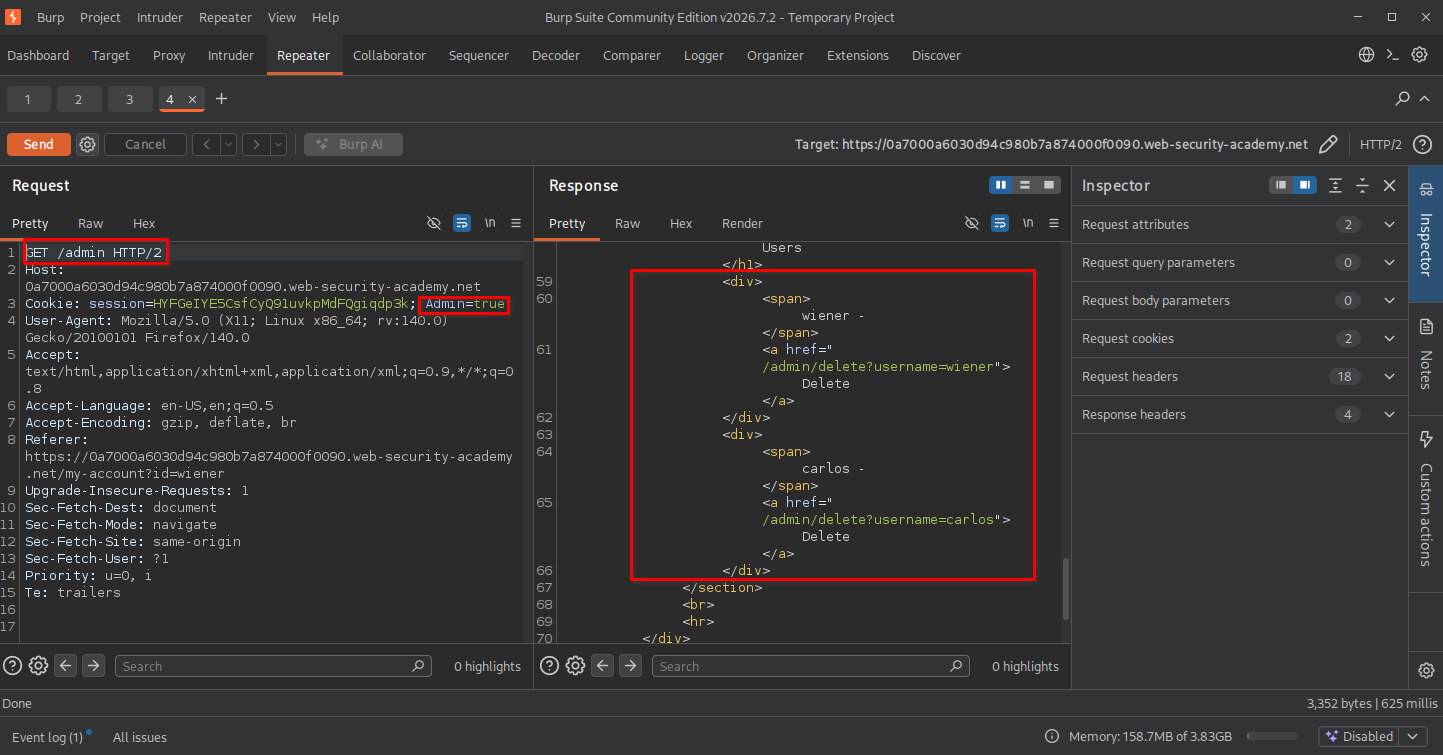
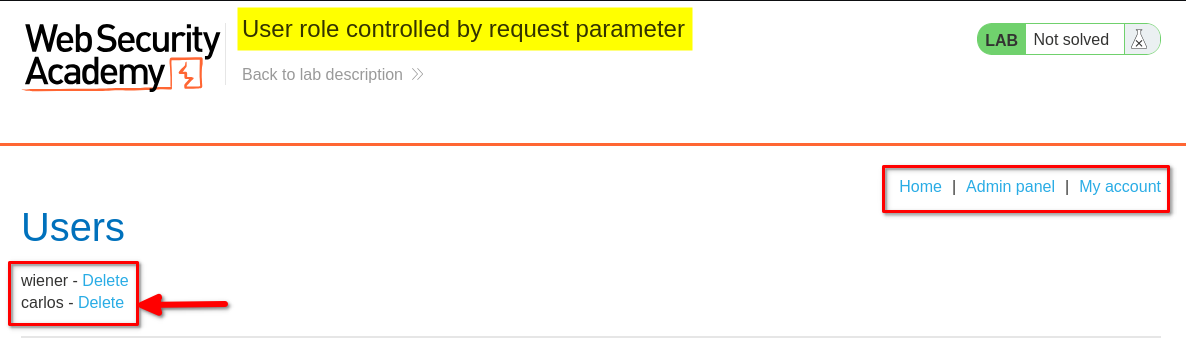
The panel displayed user accounts and provided administrative actions. This showed that the access control weakness extended beyond viewing a restricted page: it exposed functionality capable of changing application data.
7. Deleting the user carlos
The administrative interface displayed a list of user accounts, including the user carlos, along with a delete option.
I located carlos and used the available administrative action to delete the account.
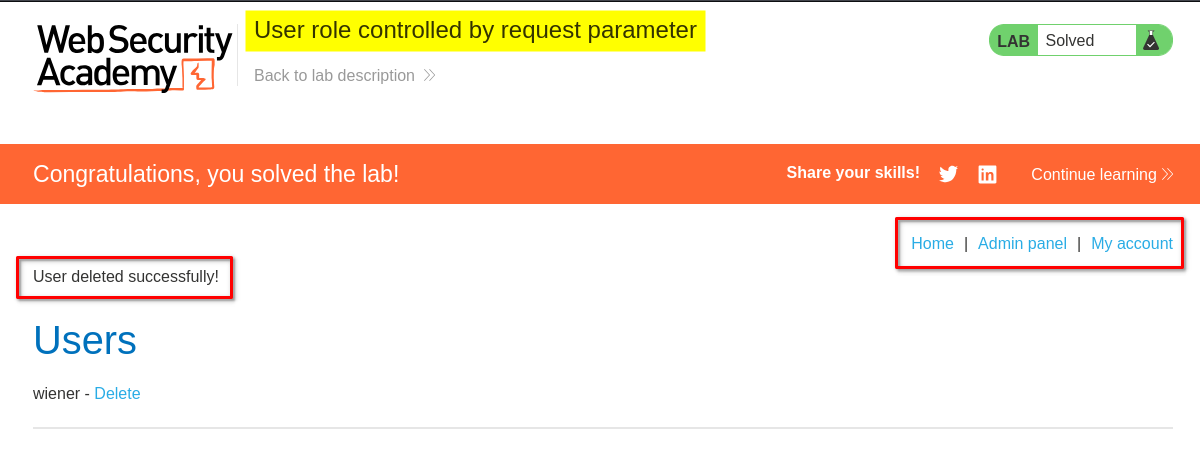
The lab displayed its completion confirmation, indicating that I had successfully performed the required action.
Key Takeaways
- Cookies are client-controlled: Users can inspect and modify cookie values in their browsers or through tools such as Burp Suite.
- Never trust a client-supplied role: A value such as
Admin=truemust not be sufficient to grant administrator privileges. - Authentication and authorization are different: Authentication determines who a user is; authorization determines what that user is allowed to do.
- A successful HTTP response is not proof of a vulnerability by itself: The response must be examined to determine whether the application actually exposed restricted functionality.
- Test the impact of a suspected access control flaw: Accessing the administrative panel and identifying the ability to delete users demonstrated the practical impact in this lab.
- Burp Suite Repeater supports manual testing: It allows a tester to modify HTTP requests and compare server responses under controlled conditions.
Security Impact
In a real application, relying on a client-controlled cookie to determine administrator privileges could allow an ordinary user to escalate their privileges without authorization.
Depending on the functionality exposed, an attacker might be able to:
- Access restricted administrative pages.
- View sensitive user or application information.
- Modify user accounts or application settings.
- Delete user accounts or perform other privileged actions.
The severity would depend on the application’s design, the data exposed, the actions available, and whether other server-side authorization checks were present.
Remediation
Developers should enforce authorization on the server side rather than trusting client-controlled role indicators.
Recommended mitigations include:
- Enforce server-side authorization: Verify the authenticated user’s permissions for every protected page, API endpoint, and sensitive action.
- Do not trust role values supplied by clients: Never grant privileges solely because a cookie or request parameter contains a value such as
Admin=true. - Use secure session management: Store authoritative identity and privilege information in server-controlled session state, or use properly validated tokens with appropriate authorization checks.
- Apply least privilege: Give each account only the permissions required for its role.
- Protect sensitive administrative actions: Require appropriate authorization for operations such as deleting accounts, even when the request is sent directly to an endpoint.
- Test authorization boundaries: Verify that ordinary users cannot access administrator-only pages or perform privileged actions by modifying cookies, parameters, headers, or request paths.
Conclusion
This lab demonstrated how an insecure role-control mechanism can lead to privilege escalation. By inspecting the application’s cookies, modifying Admin=false to Admin=true in Burp Suite, and accessing the administrative interface, I was able to reach user-management functionality and delete the user carlos.
The main lesson is that authorization decisions must be enforced by the server. Client-side values can provide useful clues during testing, but they must never be trusted as the authority for granting privileged access.
Thanks for reading!