Information Disclosure on Debug Page - PortSwigger
Discovering an exposed PHP debug page using Burp Suite and retrieving a sensitive SECRET_KEY environment variable.
Overview
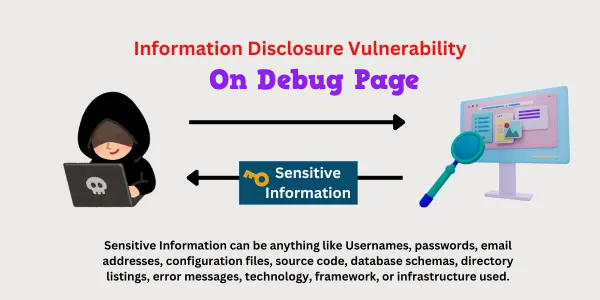
This lab demonstrates how an exposed debug page can disclose sensitive information about a web application’s internal environment. Using Burp Suite’s live passive crawl, I discovered an accessible phpinfo.php file that revealed the SECRET_KEY environment variable.
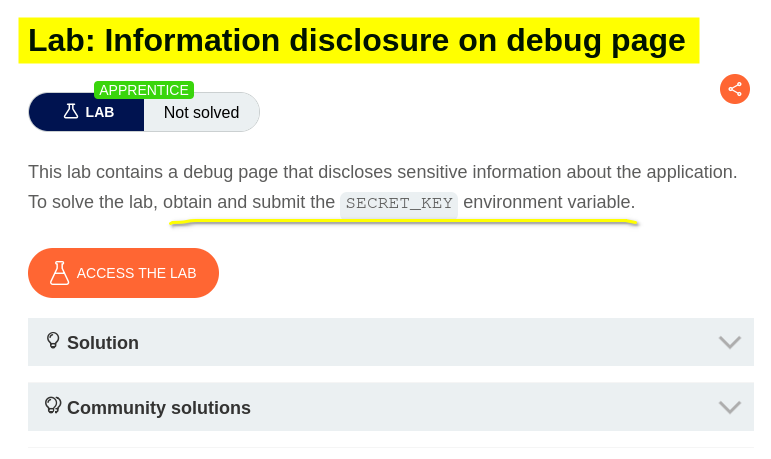
Question / Lab Objective
The objective was to obtain and submit the SECRET_KEY environment variable exposed through the application’s debug page.
Walkthrough
1. Exploring the application
After launching the lab, I accessed the target application and explored its available functionality. The website displayed a list of products, with individual product pages accessible through the interface.

I began by browsing the application to understand its structure and identify potential entry points for further investigation.
2. Inspecting a product page
I selected one of the products to examine its details.

While inspecting the page, I observed that the URL contained a productId parameter used to identify the selected product.
However, the objective of this lab was to locate a debug page rather than investigate the product identifier. I therefore moved on to using Burp Suite to observe the application’s traffic and discover additional resources.
3. Setting up Burp Suite
I opened Burp Suite and used its built-in browser to access the lab.
The steps were:
- Open the Proxy tab.
- Select Intercept and ensure interception was configured as needed.
- Click Open browser.
- Enter the lab URL in the built-in browser.
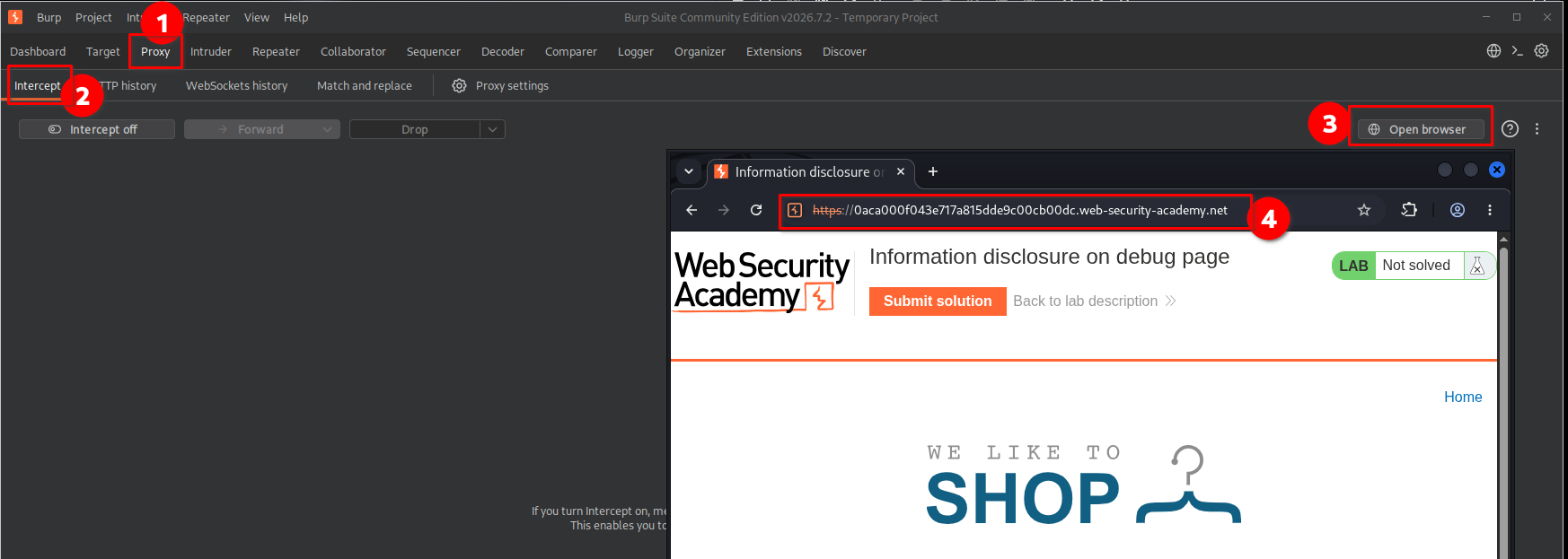
Using Burp Suite’s browser allowed me to generate traffic through the proxy and inspect the application’s requests and responses.
4. Removing the existing live task
Before proceeding, I decided to practise managing Burp Suite’s background scanning functionality. I removed the existing live task so that I could learn how to configure the scan manually instead of relying on the task that was already present.
I followed these steps:
- Open the Dashboard tab.
- Locate the existing live task.
- Turn off the task’s capturing or scanning activity as appropriate.
- Remove the task using the available task-management controls.
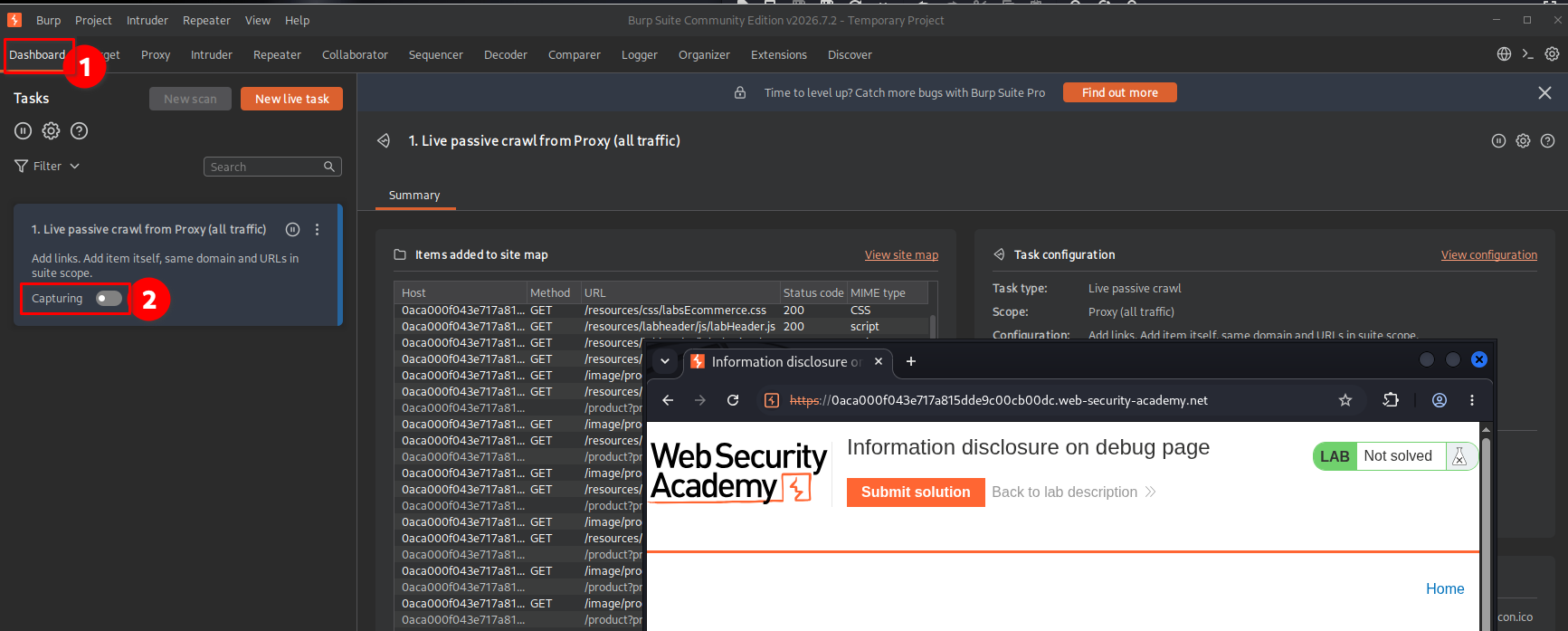
This was a useful exercise in understanding how Burp Suite manages live tasks and how scanning activity can be configured.
5. Manually configuring the live passive crawl
Next, I created a new live task to observe how passive crawling worked when configured manually.
The steps were:
- Open the Dashboard tab.
- Click New live task.
- Enable Live passive crawl.
- Configure the proxy-related options as shown in the screenshot.
- Save the task.
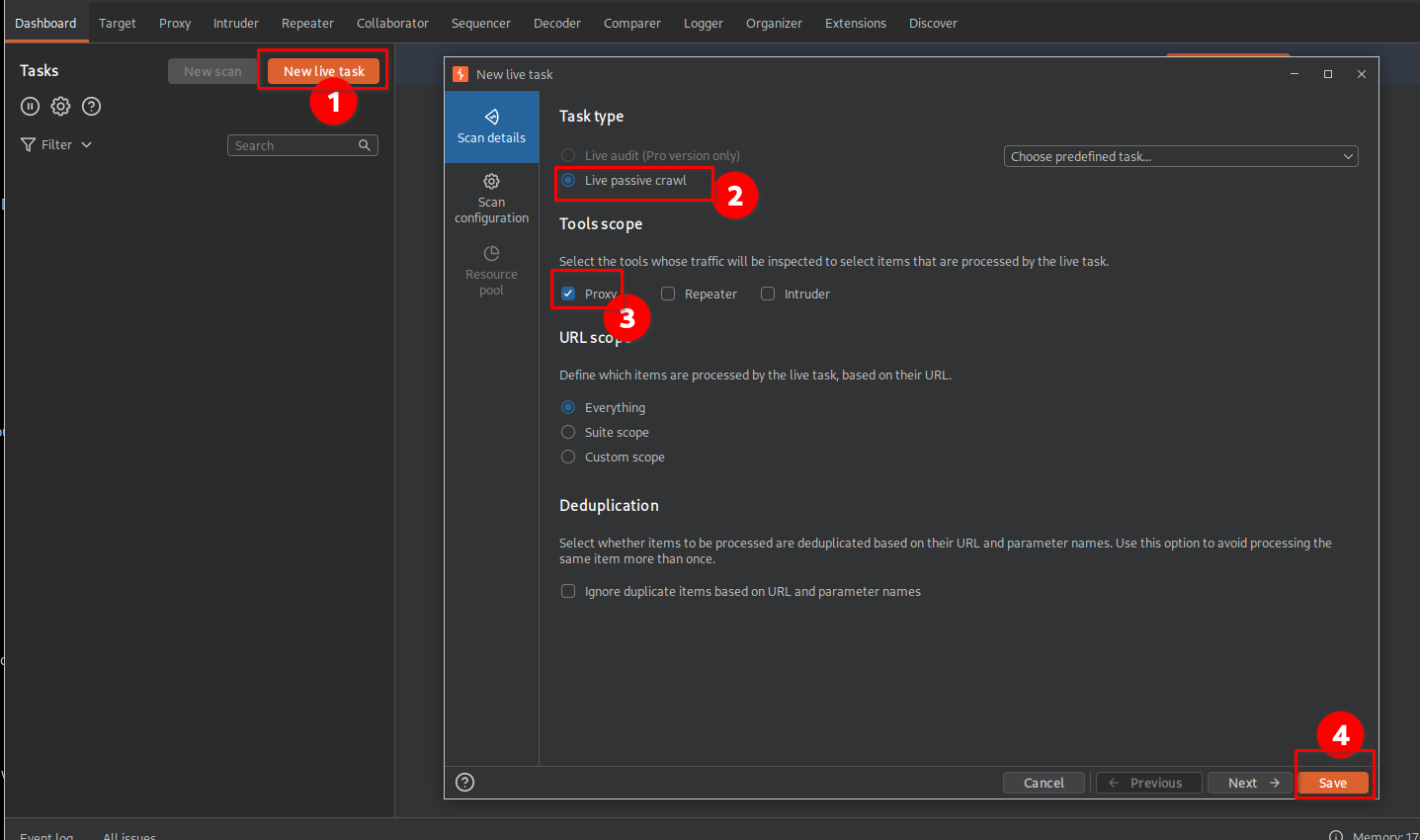
A passive crawl analyses resources and traffic that Burp Suite observes without actively probing the target in the way an active scan would. This makes it useful for learning about application structure while limiting intrusive testing.
6. Confirming that passive crawling was active
With the live task configured, I returned to the built-in browser and refreshed the lab page:
https://<lab-id>.web-security-academy.net
I then checked Burp Suite to confirm that the live passive crawl was processing the traffic from the browser.
After confirming the task was active, I opened the Target tab to examine the discovered site structure.
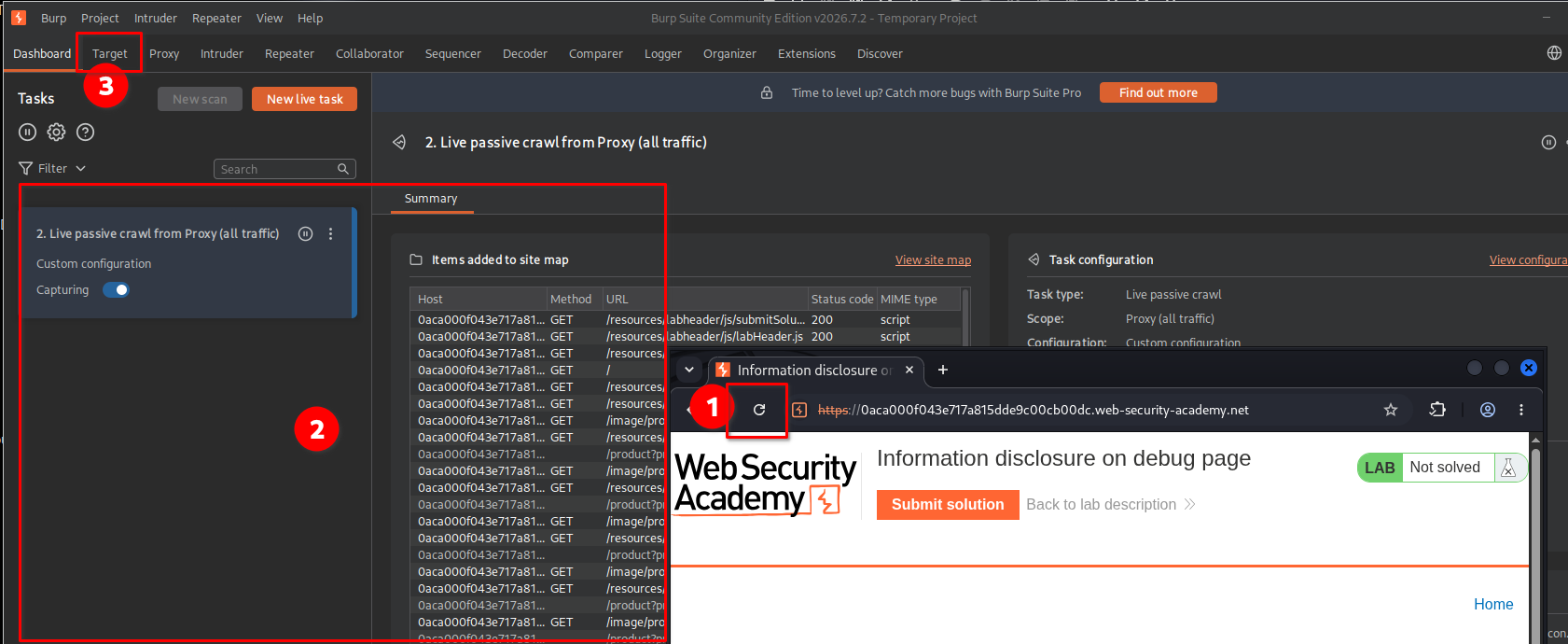
This step helped me understand the relationship between browser traffic, the proxy, and Burp Suite’s site map.
7. Discovering the debug page
While examining the site map in the Target tab, I noticed a cgi-bin directory containing a phpinfo.php resource.
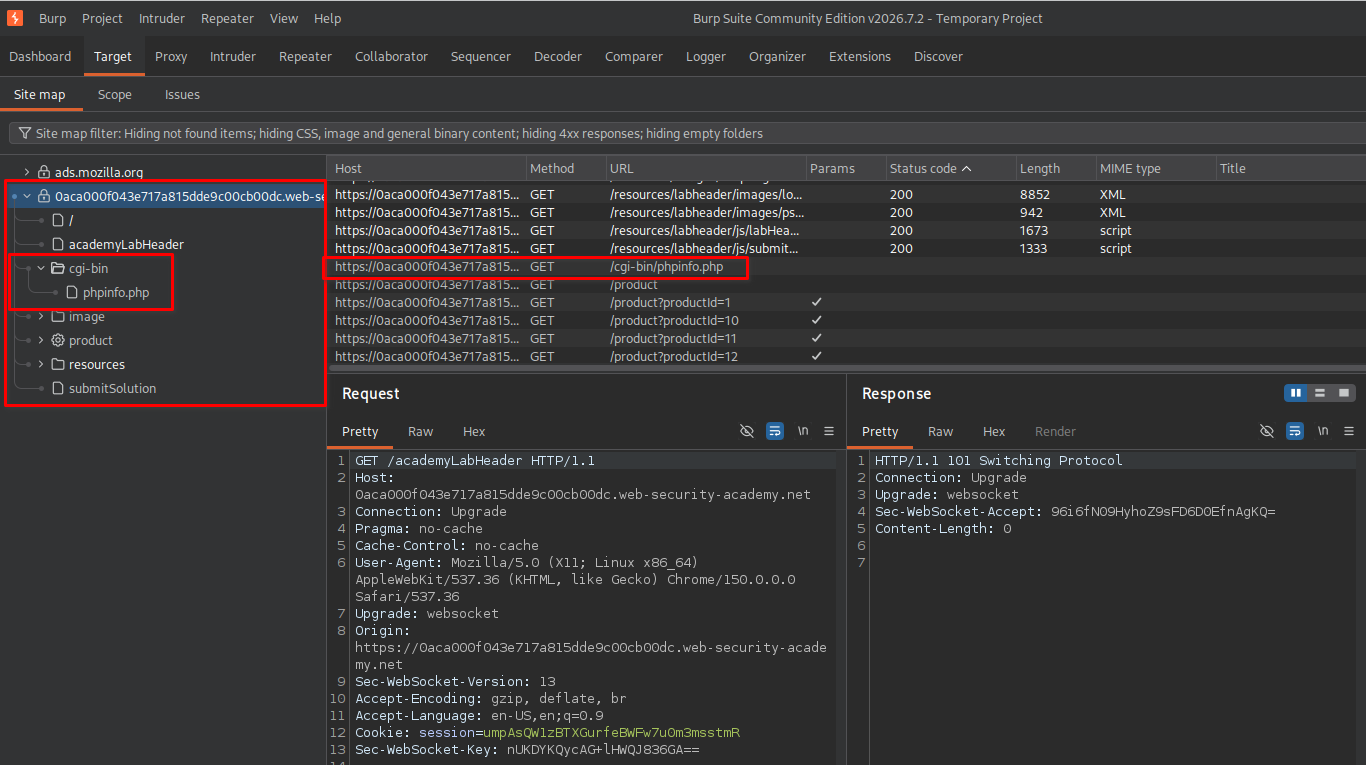
The important observation was that this resource appeared in the discovered site structure even though I had not directly navigated to it during my initial browsing.
The phpinfo.php file was particularly interesting because PHP’s phpinfo() output can reveal detailed information about the server environment, PHP configuration, loaded modules, and environment variables.
An exposed debug page of this kind can therefore disclose information that should not be publicly accessible.
Key finding: The application exposed a PHP information page that could be accessed directly.
8. Accessing phpinfo.php and retrieving the secret
After identifying the resource, I copied its URL and opened it directly in the browser:
https://<lab-id>.web-security-academy.net/cgi-bin/phpinfo.php
The page displayed PHP configuration and environment information. While examining the output, I located the SECRET_KEY environment variable.
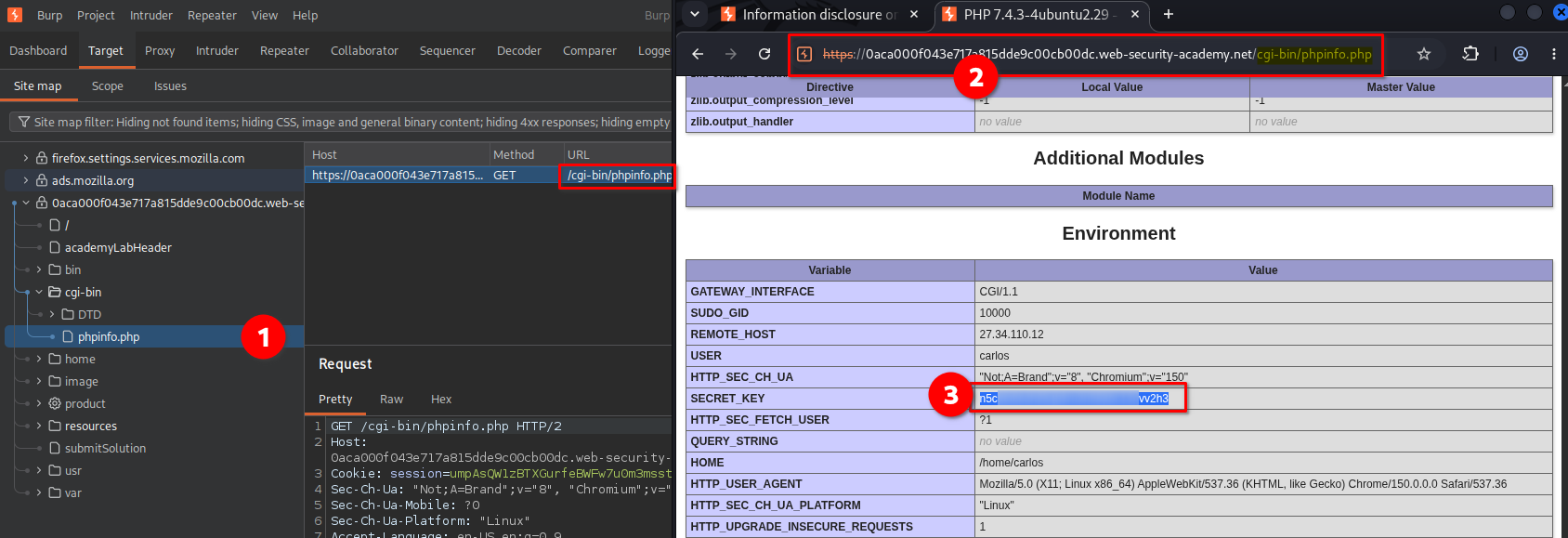
This was the critical finding required to solve the lab. The application exposed a debug resource that revealed a sensitive environment variable to anyone who could access the page.
9. Submitting the SECRET_KEY
After locating the SECRET_KEY, I copied its value and submitted it through the lab’s answer field.
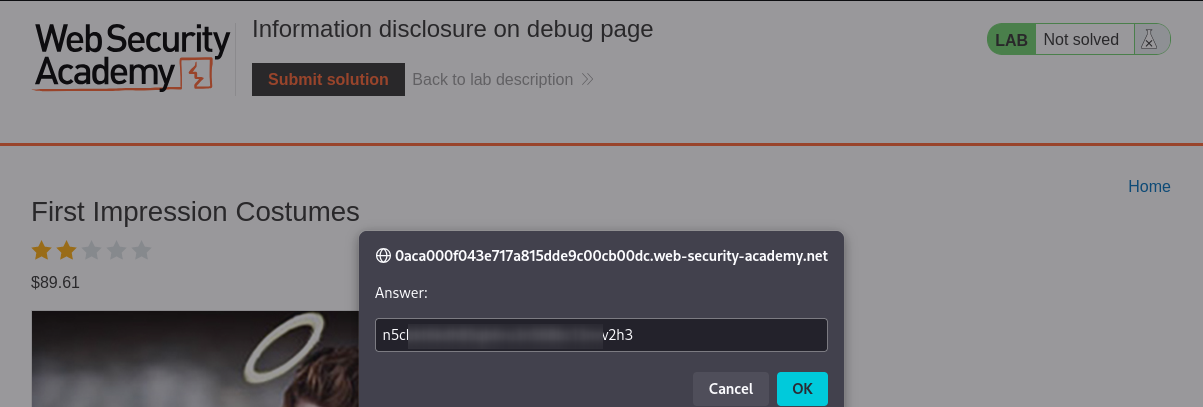
The application accepted the submitted value, confirming that I had successfully retrieved the requested secret.
10. Confirming lab completion
After submitting the correct value, the lab displayed the completion confirmation.
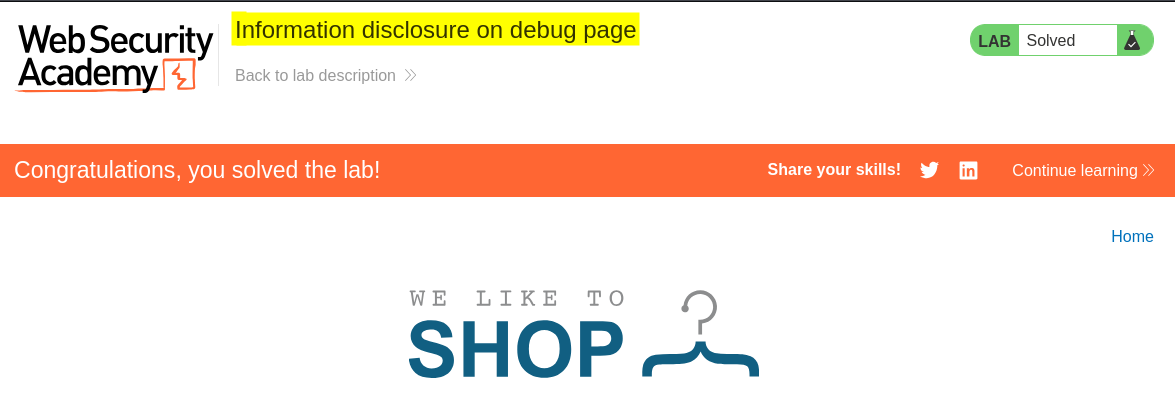
This confirmed that the exposed debug page had provided the information needed to complete the challenge.
Key Takeaways
- Explore beyond visible functionality: A website’s main interface may not reveal every resource available on the server.
- Understand Burp Suite’s site map: The Target tab helps organize and inspect discovered resources and application paths.
- Use passive crawling effectively: Live passive crawling can help identify resources encountered through observed traffic and associated discovery mechanisms.
- Recognize dangerous debug pages: Publicly accessible
phpinfo.phppages may disclose environment variables, configuration details, software information, and other sensitive data. - Assess the impact of information disclosure: Exposed secrets can be more serious than ordinary version disclosure. The actual impact depends on what the secret controls and whether it can be used by an unauthorized party.
- Do not confuse discovery with vulnerability confirmation: Finding a resource in a site map does not necessarily mean the crawler discovered it independently. The resource may have been identified through observed traffic, links, or other discovery mechanisms.
Security Impact
Exposing a PHP information page can reveal sensitive implementation details and environment variables. If an exposed variable contains a credential, signing key, application secret, or another security-sensitive value, an attacker may be able to use it to compromise additional application functionality.
The impact depends on the nature of the disclosed value and how the application uses it. In this lab, the exposed SECRET_KEY was the specific piece of information required to complete the challenge.
Remediation
To prevent this type of information disclosure:
- Remove public debug pages: Delete unnecessary diagnostic resources such as
phpinfo.phpfrom production deployments. - Restrict access: If diagnostic pages are required, protect them with strong authentication and appropriate network-level access controls.
- Protect environment variables: Avoid exposing secrets in publicly accessible pages, error messages, or diagnostic output.
- Disable unnecessary debugging: Ensure production environments do not expose detailed diagnostic information to unauthenticated users.
- Review exposed secrets: If a secret has been publicly disclosed, assess its purpose and rotate or revoke it when appropriate.
Conclusion
This lab demonstrated how an exposed debug page can reveal sensitive information that is not visible through an application’s normal interface. By configuring Burp Suite’s live passive crawl, examining the discovered site map, and accessing cgi-bin/phpinfo.php, I retrieved the SECRET_KEY and successfully completed the lab.
The key lesson is that debug resources must be secured or removed from production environments because they can expose information that helps attackers understand the application and potentially compromise its security.
Thanks for reading!